Home → About NC Cardinal → Printer Friendly Version
About NC Cardinal
- 1. Policies
- 1.1. About Policy and Best-Practice Documents
- 1.2. MOA and Bylaws
- 1.3. Governance Committee
- 1.4. Patron Privacy Policy
- 1.5. Fines and Fees Policy
- 1.6. Resource Sharing Agreement
- 1.7. Staff Login Accounts Permissions and Password Policies
- 1.8. Multi-card Policy
- 1.9. Cataloging Policy
- 1.10. Staff Code of Ethics Recommendation
- 1.11. Cardinal Communication Practices and Standards
- 1.12. Third-Party Hardware and Software Policy
- 1.13. Reserved Barcode Ranges
- 2. Other Resources
- 3. Basecamp
- 4. Annual Reports and Surveys
1. Policies
1.1. About Policy and Best-Practice Documents
Approved Policies
NC Cardinal has a core group of official policies, drafted with the help of various committees and working groups, and approved by the NC Cardinal Governance Committee. These policies are applicable to all libraries in the consortium, and establish the foundation of a successful and efficient shared Evergreen Catalog. Local policy established at individual members libraries must comply with these approved policies.
You may access each policy in the Knowledge Books, print PDFs, or access a single printable document that outlines each policy, which you can keep as a handbook.
Patron Privacy Policy
Protecting user privacy and confidentiality is one of the core values of librarianship. The confidentiality of library records is a core part of library ethics and the NC Cardinal consortium follows the Code of Ethics of the American Library Association and NC General Statutes.
Access this policy in the Knowledge Books
Fines and Fees Policy
NC Cardinal does not set thresholds for fines and fees. All member libraries may set their fines and fees at the local level. However, NC Cardinal does require that all libraries lending materials through resource sharing honor the fine and fee structure of the circulating library, even when it differs from the owning library's policy. Additional policies are outlined in the official NC Cardinal Fines/Fees policy documents.
Access this policy in the Knowledge Books
Resource Sharing Policy
Resource Sharing is one of the biggest benefits offered to patrons of NC Cardinal libraries. In order for it to run smoothly and efficiently, all member libraries must abide by specific policies related to the packing and shipping of materials, holds management, and inter-library communication regarding fines, loss, and damages.
Access this policy in the Knowledge Books
Staff Login Accounts and Permission Policies
All library staff tasked with performing work in Evergreen must have access to a staff login account. These accounts are different from the accounts used to checkout materials and place holds. Each account is assigned to a profile, which grants that user specific permissions within Evergreen. One person at each library is designated as the System Login Access Manager. It is their responsibility to ensure staff login accounts are up to date and that staff abide by NC Cardinal policies regarding their use.
Access this policy in the Knowledge Books
Staff Password Policy
In an effort to maintain security, staff passwords must meet minimum security requirements, and be updated every 90 days. Accounts with outdated passwords will be locked, requiring that staff update the password after 90 days before accessing the ILS. Strength requirements vary based on permission level:
Circulators/Circulation Leads/Catalogers: Upper case letter, lower case letter, numeric character, and at least 8 characters.
Branch/System Administrators: Upper case letter, lower case letter, numeric character, special character and at least 8 characters
Access this policy in the Knowledge Books
Print a PDF (duplicate of Staff Login Account and Permission Policies Document)
Multi-Card Policy
All member libraries must honor the library cards of all other member libraries, allowing patrons access to physical materials at all NC Cardinal Libraries.
- Libraries may take over a patron's account if they have moved to the new library's service area. Libraries should add notes to patron accounts when setting a new home library. A new barcode in the new system's range must be added to the account.
- Patrons may maintain library accounts in more than one member system for the purposes of accessing electronic resources. The decision to grant a second card should be made locally based on system policies for providing cards to users outside the local service area. Patrons with multiple cards should have those cards grouped.
- Patrons with significant fees or other other blocking scenarios must clear their card at one system before getting a new card with a second system or changing their home library.
Access this policy in the Knowledge Books
This policy is being re-visited and will be published in PDF format after any updates have been approved.
Cataloging Policy
To ensure the consistent quality and integrity of these shared resources, all member libraries within NC Cardinal must conform to cataloging standards and best practices, overseen by the NC Cardinal Cataloging Committee. Staff who engage in cataloging must pass an assessment to gain the necessary permissions.
Access this policy in the Knowledge Books
Third-Party Hardware and Software Policy
When working with vendors outside the purview of the NC Cardinal relationship with a member library system that connect with Evergreen, libraries must work with NC Cardinal to ensure the products in question are compatible. NC Cardinal staff will maintain responsibility for Evergreen server-side administration of compatible products, while the purchasing library and software vendor will be responsible for supporting the product once installed.
Access this policy in the Knowledge Books
1.2. MOA and Bylaws
Memorandum of Agreement and Bylaws
Memorandum of Agreement, Bylaws and Annual Costs By Library Calculations
1.3. Governance Committee
Members
Jason Hyatt - Buncombe (County) (July 2025 - July 2027)
Rishara Finsel - Transylvania (County) (July 2025 - July 2027)
Kim Bellofatto - Madison (County) (July 2026 - July 2028)
Franklin Shook - Nantahala (Regional) (July 2024 – July 2026) (July 2026 - July 2028)
Mel Poole - Hocutt-Ellington (Municipal) (July 2026 - July 2028)
Sarah Gransee - State Library Library Development Director
Benjamin Murphy (facilitator) - State Library
1.4. Patron Privacy Policy
Patron Privacy
Protecting user privacy and confidentiality is one of the core values of librarianship. This Privacy Policy explains what information we collect from you and why. You agree to this policy by using any member library websites, downloading our mobile applications, or visiting any NC Cardinal Library location. While North Carolina State law requires that we treat materials you check out and information you access as confidential information, we also do so because it is in keeping with our commitment to you to protect your privacy. The confidentiality of library records is a core part of library ethics and the NC Cardinal consortium follows the Code of Ethics of the American Library Association and NC General Statutes.
North Carolina General Statutes Related to Patron Privacy
§ 125-18. Definitions.
As used in this Article, unless the context requires otherwise:
(1) "Library" means a library established by the State; a county, city, township, village, school district, or other local unit of government or authority or combination of local units of governments and authorities; community college or university; or any private library open to the public.
(2) "Library record" means a document, record, or other method of storing information retained by a library that identifies a person as having requested or obtained specific information or materials from a library. "Library record" does not include non-identifying material that may be retained for the purpose of studying or evaluating the circulation of library materials in general. (1985, c. 486, s. 2.)
§ 125-19. Confidentiality of library user records.
In keeping with the American Library Association's Policy on Confidentiality of Library Records and Policy Concerning Confidentiality of Personally Identifiable Information About Library Users, NC Cardinal libraries agree on the following:
(a) Disclosure. – A library shall not disclose any library record that identifies a person as having requested or obtained specific materials, information, or services, or as otherwise having used the library, except as provided for in subsection (b).
(b) Exceptions. – Library records may be disclosed in the following instances:
(1) When necessary for the reasonable operation of the library;
(2) Upon written consent of the user; or
(3) Pursuant to subpoena, court order, or where otherwise required by law. (1985, c. 486, s. 2.)
How NC Cardinal Collects Patron Information
1. User-Provided Information.
When registering for a new account for our library services or updating an existing library account, we may ask you to share certain information with us.
Personal Information : any information that can personally identify you, such as your name, physical address, email address, phone number, library barcode, date of birth, and other similar information.
Residency Verification : information such as driver’s license, other government-issued identification, and utility bills containing a postal address.
Library Record : contains your personal information related to your personal use of circulating and non-circulating library materials, including but not limited to computer database searches, interlibrary-loan transactions, reference queries, e-mails, faxes, requests for photocopies of library materials, title reserve requests, and the use of audio-visual materials such as films and music.
We are committed to keeping such information, outlined in all the examples above, only as long as needed in order to provide library services.
2. Information NC Cardinal libraries may automatically collect.
When you use our library services, such as our website and mobile applications, our computer servers may automatically capture and save information electronically about your usage of our library services. Examples of information that we may
collect include:
- Your Internet Protocol (IP) address
- Your location
- Kind of web browser or electronic device that you use
- Date and time of your visit
- Pages that you viewed on our website
- Certain searches/queries that you conducted
If you are using a library device, we may also record your library barcode, time and length of your session, and the websites that you visited.
3. Cookies.
A cookie is a small data file sent from your web browser to a web server and stored on your electronic device’s hard drive. They are generated by websites to provide users with a personalized and often simplified online experience. Most web browsers are set to accept cookies by default, though they can be disabled. Keep in mind that removing or rejecting cookies could affect the availability and functionality of our library services.
You should be aware that the information collected about you through any of the above means may be de-identified and aggregated with information collected about other users or visitors. This information helps us to administer services and analyze usage of our library services.
4. Staff Provided data.
Staff may create statistical categories for library users that contain arbitrary data that does not fit into the system’s default records. These statistical categories can be applicable to specific library systems or branches within the consortium. Some examples of statistical categories we currently use are ethnicity, gender, language, school.
How NC Cardinal Uses the Information Collected
- We use personal information and residency verification to issue library cards. If a user chooses to provide an email address, NC Cardinal may use it to send account alerts and other communications. We use library records to assist in maintaining our collections and to verify records of users’ paid and unpaid fines.
- We may use login credentials and library records to deliver enhanced or personalized services.
- We use personal information, login credentials, and residency verification to provide access to e-books through our mobile applications.
- We use personal information when collecting or processing payments and fines.
- We use cookies to collect information about your activity, browser, and device in order to provide you library services.
- We use user statistical categories to filter data within our reporting modules.
How NC Cardinal Safeguards the Use of Library Cards
- To check out items or retrieve account information requires a current library card or another way to verify identity.
- Hold items will check out only to the requestor’s card. Per library system policy, a friend or family member may pick up the hold items, if they have the requestor’s card.
- We give hold/reserve information only to the requestor. Specific details on hold items will not be left with voice mail or other persons.
- If someone other than the borrower returns a lost or overdue item, the person may pay the fine, but the account history will not be disclosed to them.
- Persons may request access to all their personally identifiable information the Library collects online and maintains in its database by contacting the patron’s home library. The information may be changed or updated through the library catalog or in person at a local branch of the library.
How NC Cardinal Shares User Information
These are the ways NC Cardinal shares your information with third-parties:
1. Third-Party Library Services Providers.
We use third-party library service providers and technologies to help deliver some of our services to you. If and when you choose to use such services, we may share your information with these third parties, but only as necessary for them to provide services to NC Cardinal. We may also display links to third-party services or content. By following links, you may be providing information (including, but not limited to Personal Information) directly to a third party, to us, or to both. You acknowledge and agree that NC Cardinal is not responsible for how those third parties collect or use your information. We encourage you to review the privacy policies of every third-party website or service that you visit or use, including those third parties with whom you interact with through our library services.
2. Legal Requests.
Sometimes the law requires us to share your information, such as if we receive a valid subpoena, warrant, or court order. We may share your information if our careful review leads us to believe that the law, including state privacy law applicable to library records, requires us to do so.
How Does NC Cardinal Collect and Share Children’s Information?
The Children’s Online Privacy Protection Act (COPPA) regulates online collection of information from children under the age of 13. If you are under the age of 13, you may not be allowed to use our online services without your parent’s or guardian’s permission, especially when your personal information may be collected. Parents and guardians of children under the age of 13 may view their children’s library records. Parents and guardians of children between the ages of 13 and 17 (inclusive) may also view their children’s library records, but require their children’s consent. We may partner with third-party services to provide educational content for children. Parents and guardians should review those services’ privacy policies before permitting their children to use them. Parents and guardians may also need to sign additional consent forms for the collection of information about their children before they gain access to optional programs and services, such as our enrolled programs.
How Does NC Cardinal Protect User Information?
- Exchanges of data between users and the system are encrypted using HTTPS through SSL. To enable encryption we purchase an SSL certificate from a certificate authority. This certificate ensures that data being sent to and from the server is going to the right IP address. Our webservers use a domain validated certificate.
- Users’ passwords are hashed using the MD5 cryptographic hash algorithm before they are recorded into the database. These hashes can not be reversed to retrieve the original, unencrypted password.
- Our strict system of permissions prevents library patrons or unpermitted staff from collecting patron information from the reporting module.
- Cardinal staff do not have the ability to modify the database with our read only account, protecting user data from potentially erroneous changes. In addition to this, Mobius makes regular backups of the database to protect our data.
- When using unprotected WiFi in public areas like hotels and coffee shops, NC Cardinal staff use a virtual private network to encrypt all incoming and outgoing information from our machines.
1.5. Fines and Fees Policy
NC Cardinal Fines/Fees Policy
Member Libraries should follow Local Fines and Fee policies when checking out items except for the following exceptions:
I. Collection fees are not to be paid, waived, or voided except by the assessing library system.
Patrons whose accounts have been referred to a collection agency must settle the account with the assessing library. If a physical trip back to the assessing library is not feasible, local staff will
assist the customer in finding the appropriate contact information needed to settle their account. Fees in this category may be identified by several different bill types:
1. Long Overdue Collection (Fee)
2. Legacy Referral
3. Grocery
4. Migrated OT
Justification: Patron accounts referred to a collection agency are charged a fee that covers the library’s collection agency costs. This fee is important to libraries contracting with such agencies.
II. Lost or Damaged Fees assessed at a library not your own may not be voided or waived.
Patrons who dispute Lost or Damaged items should be referred to the assessing library for resolution of their account. Patrons may pay for a lost or damaged item at any consortium library; however, a courtesy email to the owning library (if different than where fee is paid) is appreciated to allow for replacement of items. This notification should be sent to the Resource Sharing Contact as found in the Knowledge Books.
III. Fines and Fees on DVD’s shared through resource sharing.
It is recommended that staff void or forgive fees assessed to their patrons that do not match the fines/fees policies of their local library system, including Rental Fees.
Justification: Different AV fee & checkout policies throughout the consortium make it difficult to match fees appropriately. As transit times are not counted as part of the checkout period for AV materials, fees assessed while the item is in a patron’s possession are still valid.
Passed by the Governance Committee June 2016
1.6. Resource Sharing Agreement
Resource Sharing Policy
- Member libraries agree to share all circulating books, music CDs, audiobooks, DVDs, Blu-rays and related audiovisual materials through resource sharing after the expiration of the 6-month age hold protection.
- Member libraries agree to allow a minimum of 25 holds per patron for materials that are available through resource sharing.
- Student Access accounts are not eligible to participate in resource sharing.
- If materials are available for holds to local patrons after the six month age hold protection, they should be available for resource sharing holds.
- Library systems can choose to not have materials on Bookmobiles and Outreach collections available for holds, but if those materials are holdable, they should be available for resource sharing.
- Materials can remain on the hold shelf for a maximum of seven days.
- Material types not listed above can be shared at the discretion of the owning library.
(Passed by Governance Committee 5/3/22)
*The State Library of North Carolina’s Government and Heritage Library (GHL) is a special government library. GHL makes a portion of its collection available to other NC Cardinal libraries through resource sharing. GHL patrons are not able to request materials through resource sharing and GHL is not a designated pick-up library for resource sharing materials from other NC Cardinal libraries. The other special government libraries do not participate in resource sharing.
1.7. Staff Login Accounts Permissions and Password Policies
Staff Login Accounts and Permission Policies
-
Cataloging and administrative staff login accounts shall be assigned to individual users, who are responsible for activities using that login to ensure compliance with all consortium policies. NC Cardinal libraries can retain generic circulation staff login accounts. Generic accounts currently in use for reporting will be transferred to a “reports only” permission group.
-
Each library system shall have a local administrator who is responsible for maintaining staff user login accounts in consultation with their library director and State Library NC Cardinal staff, creating accounts for new library staff and updating, merging, and deleting staff login accounts as necessary to keep employee access current and in compliance with all NC Cardinal policies.
-
Staff user login accounts are to be used only for access to Evergreen and work related activities, not to circulate materials or any other personal use.
Passed by the Governance Committee April 2017
Staff Login Account Password Requirements
Cardinal staff login account users will be required to change their password every 90 days. Staff will be emailed a reminder to change their password two weeks before their account expires. Staff accounts will need to have an email address listed on their login account for this notification purpose. If passwords are not changed by the end of the 90 days, the staff member will be prompted to provide a new password before logging in. Staff will not be able to log in to the staff client until they’ve updated their password.
Login Account Password Strength Requirements
Patron Account Login Password Requirements
- Requirement: At least four characters.
- Maximum Password Age: None
- Force Reset at Maximum Age: no
- Permission Groups: All Patrons
General Staff Login Account Password Requirements
- Requirement: Upper case letter, lower case letter, numeric character, and at least 8 characters.
- Maximum Password Age: 90 days
- Force Reset at Maximum Age: yes
- Permission Groups: Circulator, Circulation Lead, Item Cataloger, Bib Cataloger, Volunteers, Data Review
Administrator Login Account Password Requirements
- Requirement: Upper case letter, lower case letter, numeric character, special character and at least 8 characters
- Maximum Password Age: 90 days
- Force Reset at Maximum Age: yes
- Permission Groups: Branch Administrator, System Administrator, Global Administrator
Passed by Governance Committee 10/2/24
Statewide North Carolina Information Security Policies
1.8. Multi-card Policy
NC Cardinal Multi-Card Policy
It was decided by the NC Cardinal consortium members in 2015 that all member libraries honor the library cards of all other member libraries, allowing patrons the fullest access to NC Cardinal consortium materials. Because the consortium does not currently share electronic resources consortium-wide, patrons may maintain library accounts in more than one member system in the consortium based upon the established patron registration policy for each library system. While a library system may want to ensure they issue only one card per person within their own library system (except in the case of Student Access accounts), patrons may not be limited to a single NC Cardinal consortium account and are absolutely permitted to have multiple library cards/accounts for multiple different library systems within the NC Cardinal consortium. This allows patrons the broadest possible access to any electronic resources they are eligible to use.
The NC Cardinal multi-card policy allows patrons to maintain library accounts with any and all library systems in NC Cardinal which they are qualified to join, based on the library systems' registration eligibility requirements. Some NC Cardinal library systems allow any North Carolina resident to register for a card, other systems only grant no-cost library cards to people who reside, own property, attend school, or work in the county, while other systems grant no-cost membership to anyone who resides/own property/work in the the county and any adjoining county. Some library systems may charge an annual fee to out-of-county users. It is up to each individual library system to set their own policy for who is eligible to join. That could mean that a library system that allows patrons who reside in contiguous counties to join may find that these patrons maintain cards in both counties/systems, when both library systems belong to NC Cardinal. Library systems may not ask patrons to give up one library card in favor of another.
Additionally, patrons are always permitted to use their existing library card from any NC Cardinal library system to check out at any other NC Cardinal library, so long as their account is eligible (e.g. not assigned to Internet or School permission group) and does not exceed the circulating library's fine thresholds. Patrons cannot be required to register for an additional account for the library system where they want to check out.
For example: Say a patron has an existing NC Cardinal card at Library System A, but indicates they have moved and wish to apply for a library card at their new location (Library System B). Staff at Library System B should not alter the existing library account created by Library System A. Instead, staff should search NC Cardinal to see if there are any other accounts attributable to the patron with unresolved bills.
If there are existing bills, staff should consult the NC Cardinal Fines and Fees policy and let the patron know they will need to be resolved before a new card can be issued. If no outstanding bills exist, staff should let the patron keep the card for Library System A and issue a new card for their own Library System B (if the patron meets local eligibility criteria). Staff can create a note in the old library account (for System A) to indicate that the patron has moved and a new card was issue by System B. Staff can also group the two library accounts following the patron grouping instructions in the Circulation knowledge book.
| Note: It is important that staff do not change the home library in an existing account from one library system to another unless they are also issuing a new barcode. The home library should always match the system that “owns” the barcode range for the barcode listed on the library card/account or e-resources will not authenticate. |
Policy:
It is the policy of the NC Cardinal consortium that all member libraries honor the library cards of all other member libraries, allowing patrons the fullest access to NC Cardinal consortium materials. Because the consortium does not currently share electronic resources consortium-wide, patrons may maintain library accounts in more than one member system in the consortium based upon the established patron registration policy for each library system. If a patron requests a new library card or wishes to use their existing library card in another NC Cardinal library, please follow these recommended procedures.
Procedures:
When a patron requests a library card, staff should: SEARCH the NC Cardinal consortium database for patrons with the matching name and other identifiers. The scope of the patron search MUST be set to NC CARDINAL.
1. Does the patron have an existing account in NC Cardinal database?
- Yes - go to question 2
- No - Use patron registration to create NEW patron account following your library’s local patron registration policies.
2. Does the patron owe money to ANY NC Cardinal library?
- Yes - go to question 3
- No - go to question 5
3. Is the patron account above the fine limit (purple box around name) or sent to collections?
- Yes - NO checkout or NEW card. Patron MUST pay bills before proceeding. Patrons in collections must resolve with library system owed.
- No - go to question 4
4. Is patron paying off ALL fines?
- Yes - go to question 5
- No - Use patron’s card AS IS. Do NOT change patron’s Home Library or Permission Group. If patron’s existing card is expired with no fines, verify/update contact info & extend expiration date for a week. Do NOT use Update Expire Date button.
5. Does the patron wish to check out with the existing NC Cardinal card?
- Yes - Use patron’s card AS IS. Do NOT change patron’s Home Library or Permission Group. If patron’s existing card is expired with no fines, verify/update contact info & extend expiration date for a week. Do NOT use Update Expire Date button.
- No - go to question 6
6. Does the patron want to get a NEW local card and keep their existing card, thereby maintaining 2 accounts, or do they want to migrate their existing account to the new library?
- Maintain 2 accounts - Use patron registration to create NEW patron account following your library’s local patron registration policies. Patron’s other library account(s) remain in the database as is. Do NOT merge accounts into one.
- Migrate existing account to the new library - Replace barcode in existing account with barcode of new card for your library. Update patron info, including Home Library and Permission Group to your library system.
1.9. Cataloging Policy
NC Cardinal Cataloging Policy
The NC Cardinal consortium is committed to providing the highest standard of library service for consortium patrons. Member libraries share the responsibility of maintaining high-quality bibliographic records, as they form the foundation of the consortium’s shared catalog. To ensure the consistent quality and integrity of these shared resources, all member libraries within NC Cardinal shall ensure that any staff who perform cataloging functions in the ILS conform to the NC Cardinal Cataloging Best Practices established by the consortium and shall pass the appropriate cataloging assessments based on the criteria below:
-
The NC Cardinal Cataloging Committee has identified two levels of cataloging privilege. Item Catalogers primarily impact records within their local system. Bibliographic Catalogers additionally administer consortium-wide bibliographic resources. Some actions within the catalog do not require cataloging permissions, such as editing item and volume records (replacing a barcode, changing a call number, copy status, shelving location, etc.)
-
Any staff who wish to have Item Cataloging permissions must pass the Item Cataloging assessment. Examples of item cataloging include adding or deleting item and/or volume records.
-
Any staff who wish to have Bibliographic Cataloging permissions must pass both the Item Cataloging assessment and the Bibliographic Cataloging assessment. Examples of bibliographic cataloging include creating, editing, merging, or deleting bibliographic records as well as importing records from any outside source (vendor, z39.50, etc.). All NC Cardinal libraries should endeavor to have at least one certified Bibliographic Cataloger on staff at all times.
-
The NC Cardinal Cataloging Committee establishes, reviews, and updates the Cataloging Best Practices for the NC Cardinal Consortium. The Committee reviews and updates the assessments to ensure they fairly evaluate comprehension of consortium cataloging standards. Periodic recertification may be required for catalogers in NC Cardinal.
-
Any NC Cardinal library may suggest changes to the Cataloging Best Practices and to this Cataloging Policy by contacting a Cataloging Committee, Governance Committee, or NC Cardinal staff member.
-
Staff who have not yet passed the necessary assessment(s) to perform cataloging duties may be assigned temporary/limited Item Cataloging permissions. If there is no other Bibliographic Cataloger in a library system and a cataloger wishes to receive temporary/limited Bibliographic Cataloging permissions, they must first pass the Item Cataloging assessment. Temporary/limited cataloging permissions may be granted for no more than 3 months. Any cataloging work performed by catalogers with temporary cataloging permission must be reviewed by a certified Bibliographic Cataloging mentor (either within their library system or from another library system in NC Cardinal). This assigned Bibliographic Cataloging mentor will have the responsibility to regularly review and correct their mentee’s cataloging work until such time as the mentee passes the necessary assessment(s).
-
NC Cardinal staff will regularly monitor the Item and Bibliographic Cataloging assessment results, notify successful candidates after they achieve the passing score established by the Cataloging Committee, and assign the new cataloging permissions. Assigned cataloging logins may only be used by the person to whom they were assigned and a library system must promptly notify NC Cardinal staff when a certified cataloger no longer works at the library.
-
Catalogers will be notified by an NC Cardinal staff member when their practices do not conform to Cataloging Best Practice Standards. Staff that fail to address these concerns will be offered the opportunity to work with a mentor Bibliographic Cataloger. If non-compliance continues, the library director will be notified of continuing concerns regarding the cataloger’s performance.
-
Any member library that repeatedly fails to comply with the NC Cardinal Cataloging Best Practices as agreed to in the NC Cardinal Memorandum of Agreement sections I. B. 2 & 3, may result in suspension or revocation of cataloging privileges for the non-conforming staff member, subject to review by and decision of the Governance Committee.
Passed by NC Cardinal Governance Committee on February 13, 2019
1.10. Staff Code of Ethics Recommendation
Code of Ethics for NC Cardinal
This is a suggested Code of Ethics for Cardinal example for Cardinal member libraries. As policies like this are a Human Resources matter for member libraries, the User Experience committee put this together to provide a suggestion for member libraries revising their employee handbooks. This was approved by the Governance Committee on 5/11/2020.
(Your Library) Code of Ethics For Staff
I acknowledge that I have an obligation to the (Local Library System) and agree to comply with this Code of Ethics:
- I shall not violate the privacy and confidentiality of information entrusted to me or to which I may gain access, including a patron’s private information or reading records. A patron’s personal information, history, or records will not be provided to anyone without legal authorization.
- I shall not use knowledge of a confidential nature to further my personal interests or for personal gain for myself or others.
- I have an obligation to (Local Library System) to use equipment and software only for the purposes intended.
- I shall accept full responsibility for the work I perform.
- I shall cooperate with fellow staff members at my local library and NC Cardinal consortium members, treating them with honesty and respect.
- I will not exploit the weakness of a computer system for personal gain or personal satisfaction for myself or others.
- I will adhere to all library policies and will follow the appropriate reporting procedures for any illegal or unethical practices that come to my attention.
_____________________________________________________________________________________
Staff Member’s Signature and Date
_____________________________________________________________________________________
Staff Member’s Printed Name
_____________________________________________________________________________________
Library Branch Name/System Name
1.11. Cardinal Communication Practices and Standards
How to communicate support needs to the Cardinal team
HelpSpot is our help ticketing system, the tool we use for managing the wide variety of requests that we receive from staff at Cardinal libraries.
What Should Be a Ticket
In general, if you’re reaching out to us to request that we take action of some sort, it is helpful for that to be a ticket. You can create a ticket by filling out our Request for Assistance form or sending an email to help@nccardinalsupport.org. This allows us to keep track of the status of a specific issue, see the history of a request, work on questions as a team and know what issues still require effort on our part. It also allows us to interact with external vendors like Mobius.
Help Us Help You
When sending in tickets, please provide as much specific information as you can: barcode numbers of the patron and/or item, links to the catalog, screenshots of error messages. If your question is related to placing holds, please include the usernames of the person placing the hold and the workstation name and branch. The more specific information you provide, the easier it is for us to track down the issue.
Ticket Response Time
Our goal is to respond to your ticket by the end of the next business day. If we can resolve your request in that time we will, but if we are unable to complete the task or have more questions, our goal is to respond to you in that timeline. Sometimes tickets require us to troubleshoot and test, interact with external vendors, or implement fixes which may impact resolution times.
Closing Tickets
We are always trying to work towards resolving tickets in our system. Generally, if there is no further action necessary for a ticket, we will close the ticket. If it is unclear if the issue is resolved for you, we’ll ask if it is OK to close the ticket before doing so. You can always reopen tickets when you need to later on by replying to the email messages you received related to the ticket.
Basecamp
We also make significant use of Basecamp for projects and discussions with the Cardinal community. You can interact with the Basecamp groups through the website or by responding to the messages via your email. We try to keep an eye on all traffic there and answer questions that require our responses. Basecamp also has the benefit of being a space where staff members from Cardinal libraries can ask questions of their peers and find the answers to questions without requiring the Cardinal team.
Please visit the "Join Our Mailing List" section, under the Submit a Request link to request access to our Basecamp Teams.
Basecamp Best Practices
Here are a few practices and techniques that have been established to assist library staff with using Basecamp to produce effective and meaningful communication.
- Does your response add to the conversation? When you reply to a Basecamp thread, your response goes to a few hundred of your peers in other Cardinal libraries. That is great because it provides an opportunity to reach a lot of other people that may be able to respond or help if you have a question. But, if there is too much extra chatter, people stop paying attention.
- Consider using Basecamp’s Boost functionality on a post to add an emoji or reply that is up to 16 characters in length. Something like “Me too!”, “That’s great!” rather than posting a response that generates an email to everyone in the group.
- If you get too many email notifications about Basecamp posts, consider setting up an email filter that filters messages from a sender that has (NCC) in the name to put all the Cardinal team’s posts into a different folder.
2. Strive to be positive and kind. It's good to raise issues, suggestions and challenges, but nihilistic rants don’t help the conversation.
- It's hard to communicate intent when conversing over the internet. If your words can be perceived in different ways, they may be understood in a way which you did not intend.
- “Now” is often the wrong time to say what just popped into your head. It’s better to let it filter through the sieve of time. What’s left is the part worth saying.
- Text typed in all caps may be interpreted as yelling or displaying a emotion of anger
- If something’s going to be difficult to hear or share, invite questions at the end.
3. Before creating a new thread, please check if there is an active thread that covers the same topic (particularly when encountering an issue with Evergreen performance, as it is likely that you’re not the only one experiencing the problem.)
- Please read the post instead of just subject line before responding
- Try to make sure that your post is in the right group. The right communication in the wrong place is not likely to reach its intended audience.
- Incidents: specifically for Evergreen performance issues that may be affecting the entire Cardinal community
- Resource Sharing: for any topics about resource sharing practices, shippers, the FedEx website, etc.
- Cataloging/Reports/Serials/Acquisitions/etc.: anything targeted specifically at people that use these components of Evergreen
- General Discussion: All the other communication that may appeal to the broadest audience in Cardinal
- Communication often interrupts, so good communication is often about saying the right thing at the right time in the right way with the fewest side effects.
4. Once an issue has been raised on the Incidents list and a Cardinal team member has responded to let you know we’re troubleshooting, there’s no need to continue to respond to the thread with “me too”. If we announce that we believe the issue has been resolved and you’re still experiencing issues, then please weigh in and let us know if you’re still experiencing the problem.
5. Don’t get personal.
- Whenever possible, communicate directly with those you’re addressing rather than passing the message through intermediaries. Example: OK to mention who has copies on a problem bib, but in a public context like this it is not polite to point out a specific cataloger that made a mistake (we’re all learning)
- If you’re experiencing a specific issue that is related to another Cardinal library, consider reaching out to them directly via the Points of Contact list. If you have a challenging issue with another library, feel free to reach out to the Cardinal team, as we’re happy to communicate diplomatically on your behalf.
6. Should this be a ticket?
- In general, if you’re reaching out to us to request that we take action of some sort, it is helpful for that to be a ticket. You can create a ticket by filling out our Request for Assistance form or sending an email to help@nccardinalsupport.org. This allows us to keep track of the status of a specific issue, see the history of a request, work on questions as a team and know what issues still require effort on our part. It also allows us to interact with external vendors like Mobius.
Knowledge Books
We’ve also built a significant amount of documentation in our Knowledge Books. Generally, if there’s a question that may come up on a regular basis, we’ll try to find the right place to document it there.
How to communicate bug or suggestions to the larger Evergreen community
Launchpad
The Evergreen software community also has a website for reporting and tracking bugs with the Evergreen software. Generally, if an issue you find is a flaw or functional request, the Cardinal team will post a bug report or wishlist item there. You may find it useful to search Launchpad to see if the issue you’re reporting is a known bug: https://bugs.launchpad.net/evergreen
Evergreen Mailing List
There are a number of public mailing lists for people interested in Evergreen open source library software – general, governance, documentation, taskforces, development & commits. For details https://evergreen-ils.org/communicate/mailing-lists/
1.12. Third-Party Hardware and Software Policy
Using Third-Party Hardware and Software
Many NC Cardinal libraries contract with what are termed “third-party” software vendors (because they are outside of the purview of the NC Cardinal relationship with the member library system) for products that need to connect with the NC Cardinal software to work. This is governed by NC Cardinal policy (see section below) which requires that libraries expecting full compatibility with NC Cardinal software must consult NC Cardinal staff in all negotiations with vendors to ensure that their products are compatible. Assurances from other users of the product or from the third-party vendor that the product will work as expected should not be taken at face value.
In certain cases, software development is required to make the third-party's product connect correctly with NC Cardinal. In these cases, the cost of developing, supporting, and maintaining the custom interface will fall to the library purchasing the product. When contracting out for SIP-specific technology, it is the responsibility of the third-party vendor to build the crosswalks necessary for compatibility with Evergreen, as it is the responsibility of the vendor when providing compatible technology for any ILS. In order to collaborate with the NC Cardinal libraries in contracting for third-party technology, NC Cardinal will provide a test environment within which the library and/or the vendor may develop and test the crosswalks necessary in order to ensure compatibility with Evergreen.
Once the third-party product has been proven to work with Evergreen and for those products that are currently in use, NC Cardinal staff is responsible for Evergreen server-side administration. Support for the third-party product continues to be the purchasing library’s responsibility.
These same guidelines apply to any product or service that would require any sort of data export, either one-time or ongoing, from NC Cardinal staff. Many catalog added content services and statistical analysis services require this. Please consult with NC Cardinal staff about these requirements before entering into an agreement.
Policy & Procedure for Libraries considering third-party products that need an interface with NC Cardinal (i.e., Library Management Products)
The NC Cardinal staff has been asked to make the NC Cardinal database available to outside vendors via library management products. The NC Cardinal staff should be consulted during all negotiations with vendors to ensure that their product(s) are compatible with the NC Cardinal database.
Some examples of third-party software and/or services that require access to NC Cardinal resources:
- Self-checkout stations
- PC Time Management Systems that require access to patron accounts
- E-book providers who need to authenticate against the NC Cardinal patron database
- RFID systems, including security gates that automatically check out items
- Collection Management software that requires data extracted from the NC Cardinal system
- Cataloging/Bibliographic database cleanup vendors that need staff client access and/or bibliographic data extracts
- Added content providers who depend on modifications to the Evergreen OPAC
In order to collaborate with the NC Cardinal libraries in contracting for third-party technology, NC Cardinal will provide a test environment within which the library and/or the vendor may develop and test the crosswalks necessary in order to ensure compatibility with Evergreen. Contact the Help Desk for access.
Submit the following information to the Help Desk prior to making a purchase decision for evaluation of functionality, security, and support by NC Cardinal and so that the NC Cardinal team can work out a project timeline for implementation.
- What need are you trying to fulfill? (PC reservation, internet access, print management, etc.)
- What are the requirements for your product to interface with NC Cardinal? (SIP2 connection, data extracts, etc.)
Some things to keep in mind when selecting a product:
- Third-party products and services must align with NC Cardinal policies and Memorandum of Agreement.
- The Department of Natural and Cultural Resources legal affairs team and North Carolina’s Department of Information Technology may be consulted where applicable.
- NC Cardinal will review some third-party product proposals where applicable.
- NC Cardinal staff will work with these units to be sure proposed services are compliant with security and legal policies.
- If NC Cardinal server-side processes are required for the third-party product or service to work, NC Cardinal system staff will need to evaluate the feasibility of implementation during the testing phase. Security, policy adherence and staff time are factors that will be considered.
- In cases where the administrative burden on NC Cardinal system staff is determined to be prohibitive, NC Cardinal staff will not be able to accommodate the product or service.
- If customization is required in order for Library Management products to work, the cost of developing and supporting those customizations will fall to the library purchasing the product and/or the vendor.
- Software upgrades may break these external connections. Libraries may want to consider using a product that does not depend on the NC Cardinal server.
- During NC Cardinal system upgrades or downtimes, Evergreen functionality will be the priority. Maintenance to external connection(s) will be prioritized accordingly after Evergreen is stabilized.
- If it is determined that a third-party software product or service is causing system instability or other problems, the NC Cardinal staff reserves the right to remove access to that product or service until the issues are resolved by the product or service provider.
- In the event of vendor error or damage, the NC Cardinal staff will consult and recommend how to clean up any problems. Some types of problems may be solved by NC Cardinal staff, but the NC Cardinal Program Director may request that the vendor make the repair/corrections or contract with approved vendors (such as Mobius, Emerald Data Networks or ESI for example) to complete this work.
Policy Passed by Governance Committee 3/20/23
Notes:
This policy only relates to Third-Party Hardware and Software deployed after the policy is in place.
Software that implements the standard SIP protocol should not require further scrutiny.
The NC Cardinal team has already integrated with the following vendors/tools, and further scrutiny shouldn't be necessary before deployment but may require planning for implementation.
- EBSCO Novelist
- ExLibris Summon
- Gale Analytics
- LibraryIQ
- LibraryHQ
- MyLibro app
- PatronPoint
- PayPal
- PayflowPro
- Stripe
- Unique Management Collections
- Wowbrary
1.13. Reserved Barcode Ranges
Reserved Active Patron Barcode Ranges
This is a list of the ranges of barcodes in use by Cardinal libraries. Over time we've worked to get everyone into their own 14 digit barcode range reserved just for their system. We reserve the shorter numeric barcodes for Student Access accounts because these accounts use their Student IDs for barcodes, and Student IDs are all over the place.
If you have cards you're actively issuing in other ranges not mentioned here, please reach out to the Cardinal team. If you need to buy new patron cards or need to reserve a new barcode range, we need to coordinate that so that we can reserve a range that isn't already in use. (We also try to keep track of non-Cardinal libraries so that if any of them join, they don't have to rebarcode all their patrons.)
Some libraries have institutional or staff accounts that have short text barcodes to easily pull up the accounts, like 'STORYTIME', 'ILL', or that sort of thing. If you want to make use of these non-numeric barcodes as shortcuts, please add your system's Non-Patron Prefix to the beginning of the barcode.
| System | Length | Patron Prefixes | Non-Patron Prefixes |
| ALEXANDER | 14 | 24269 | ALX |
| APPALACHIAN | 14 | 44501, 44502, 44503 | APP |
| BHM | 14 | 28344 | BHM |
| BLADEN | 14 | 20441 | BLD |
| BRASWELL | 14 | 57505 | BRS |
| BROWN | 14 | 20308 | BRN |
| BRUNSWICK | 14 | 21420, 21421, 21422, 21423, 21427, 21428 | BRU |
| BUNCOMBE | 13 | 10205 | BUN |
| BURKE | 14 | 23557 | BRK |
| CALDWELL | 14 | 40669 | CLD |
| CARTERET | 14 | 24208 | CRT |
| CAMDEN | 14 | 29488 (294889) | |
| CASWELL | 14 | 24622 | CAS |
| CLAYTON | 14 | 29523 | CLA |
| CLEVELAND | 14 | 62999 | CLV |
| COOLEY | 14 | 31244 | CLY |
| CUMBERLAND | 14 | 21781 | CMB |
| CURRITUCK | 14 | 29488 (294883, 294884, 294885) | CUR |
| DARE | 14 | 29488 (294882, 294886, 294887) | DAR |
| DAVIDSON | 14 | 35908 | DVD |
| DAVIE | 14 | 29872 | DVE |
| DUPLIN | 14 | 20372 | DUP |
| FARMVILLE | 14 | 33900 | FRM |
| FONTANA | 14 | 19493, 29493 | FRL |
| FORSYTH | 14 | 11125 | FOR |
| FRANKLIN | 14 | 70000 | FRK |
| GIBSONVILLE | 14 | 20449 | GIB |
| GRANVILLE | 14 | 32756 | GRN |
| HALIFAX | 14 | 11011 | HLF |
| HARNETT | 14 | 23630 | HRN |
| HAYWOOD | 14 | 23115, 24115 | HAY |
| HENDERSON | 14 | 23258 | HND |
| HIGH POINT | 14 | 20519 | HGH |
| IREDELL | 14 | 23114 | IRD |
| JACKSON | 14 | 69493 | JCK |
| JOHNSTON | 14 | 28950 | JHN |
| LEE | 14 | 23262 | LEE |
| MADISON | 14 | 21229 | MAD |
| MAUNEY | 14 | 52999 | MNY |
| MCDOWELL | 14 | 27910 | MCD |
| NANTAHALA | 14 | 70605 | NAN |
| NC_GOV | 14 | 23091, 32850 | GOV |
| NEUSE | 14 | 29149 | NEU |
| NORTHWESTERN | 14 | 40000, 50000 | NWR |
| ONSLOW | 14 | 46015 | ONS |
| PASQUOTANK | 14 | 29488 (294881, 294888) | PAS |
| PERRY | 14 | 23727 | PRY |
| PERSON | 14 | 24621 | PRS |
| POLK | 14 | 21250 | PLK |
| ROBESON | 14 | 24510 | ROB |
| ROCKINGHAM | 14 | 21554 | RCK |
| RUTHERFORD | 14 | 20113, 20134, 20254, 28801 | RTH |
| SAMPSON | 12 | 81010, 81050 | SMP |
| SANDHILL | 14 | 17033, 27033, 37033, 47033, 57033, 67033 | SND |
| SCOTLAND | 14 | 20388 | SCT |
| STANLY | 14 | 21010 | STN |
| TRANSYLVANIA | 14 | 28079 | TRN |
| TRV | 14 | 11111, 12222, 14444, 15555, 16666 | TRV |
| WARREN | 14 | 20304, 28017 | WRN |
| WAYNE | 14 | 22947 | WYN |
| YANCEY | 14 | 13333 | YAN |
Reserved Active Item Barcode Ranges
If you have item barcodes you're actively issuing in other ranges not mentioned here, please reach out to the Cardinal team. If you need a new barcode range for purchasing barcodes, we need to coordinate that so that we can reserve a range that isn't already in use. (We also try to keep track of non-Cardinal libraries so that if any of them join, they don't have to rebarcode all their items.)
Acquisitions Prefixes are the prefixes systems use for dummy item barcodes before the item is shelf ready.
| System | Barcode Length | Item Barcode Prefix | Acquisitions Prefix |
| ALEXANDER | 14 | 34269 | |
| APPALACHIAN | 14 | 50501, 50502, 50503 | |
| BHM | 14 | 38344 | |
| BLADEN | 14 | 30441 | |
| BRASWELL | 14 | 37807 | BRAS |
| BRASWELL | 15 | 54019 | BRAS |
| BROWN | 14 | 30308 | |
| BRUNSWICK | 14 | 31420, 31421, 31422, 31423, 31427 | |
| BUNCOMBE | 13 | 00205, 00206, 00204 | |
| BURKE | 14 | 33557 | |
| CALDWELL | 14 | 50669 | |
| CAMDEN | 14 | 39488 (394889) | CMD |
| CARTERET | 14 | 34208 | |
| CASWELL | 14 | 34621 | |
| CLAYTON | 14 | 39523 | |
| CLEVELAND | 14 | 22281 | |
| COOLEY | 14 | 20100 | |
| CUMBERLAND | 14 | 31781 | CMB |
| CURRITUCK | 14 | 39844, 39488 (394882, 394886, 394887) | CUR |
| DARE | 14 | 39488 (394883, 394884, 394885) | DAR |
| DAVIDSON | 14 | 25908 | |
| DAVIE | 14 | 39872 | |
| DUPLIN | 14 | 30372 | |
| FARMVILLE | 14 | 23900 | |
| FONTANA | 14 | 39493 | FON |
| FORSYTH | 13 | 01125, 01124, 21125 | FOR |
| FRANKLIN | 14 | 72350 | |
| GIBSONVILLE | 14 | 30449 | |
| GRANVILLE | 14 | 42756 | GRAN |
| HALIFAX | 14 | 01011 | |
| HARNETT | 14 | 33436, 33633, 33632, 33631, 33630 | |
| HAYWOOD | 14 | 33115 | |
| HIGH POINT | 14 | 30519 | HIH |
| HENDERSON | 14 | 33258 | HCPL |
| IREDELL | 14 | 33114 | |
| JACKSON | 14 | 79493 | JACK |
| JOHNSTON | 14 | 38950, 38955 | JOHN |
| LEE | 14 | 33262 | |
| MADISON | 14 | 30229 | |
| MAUNEY | 14 | 26280 | |
| MCDOWELL | 14 | 37810 | |
| NANTAHALA | 14 | 80605 | |
| NC_GOV | 14 | 33091, 31957, 47000, 31879, 32850, 34100 | |
| NEUSE | 14 | 39149 | |
| NORTHWESTERN | 14 | 30005, 30094, 30499, 30664, 30665, 30666, 30667, 30668, 30669, 30670, 30671, 30672, 40599, 80001 | NWACQ |
| ONSLOW | 14 | 36015 | |
| PASQUOTANK | 14 | 39488 (394881, 394888) | PAS |
| PERRY | 14 | 33727 | |
| PERSON | 14 | 34622 | |
| POLK | 14 | 31250 | POLK |
| ROBESON | 14 | 34510 | |
| ROCKINGHAM | 14 | 31554 | |
| RUTHERFORD | 14 | 38801, 30254, 30113, 30134 | |
| SAMPSON | 15 | 81019 | |
| SANDHILL | 14 | 48198, 38198, 28198, 58198, 18198 | |
| SCOTLAND | 14 | 30388 | |
| STANLY | 14 | 31010, 31011, 31012, 31013, 31014, 31015 | STAN |
| TRANSYLVANIA | 14 | 38079 | TRAN |
| TRV | 14 | 31111, 32222, 34444, 35555, 36666 | |
| WARREN | 14 | 28017, 38017 | |
| WAYNE | 15 | 90000, 64019, 99000, 99900 | WAYNE |
| YANCEY | 14 | 33333 |
Regular Expressions (REGEX) For Item Barcode Ranges that Use RFIDs
Some RFID readers require configurations that define the expected barcode ranges they'll encounter. In order to facilitate this setup, we've listed the systems that we believe use RFID and the regex each system's barcode ranges they have encoded in RFID tags.
| System | Length | Range | Barcode Regex |
| FORSYTH | 13 | 01125, 01124, 21125 | (^[02]112[45]\d{8}) |
| APPALACHIAN | 14 | 50501, 50502, 50503 | (^5050[1-3]\d{9}) |
| BRASWELL | 14 | 37807 | (^37807\d{9}) |
| CLEVELAND | 14 | 22281 | (^22281\d{9}) |
| CUMBERLAND | 14 | 31781 | (^31781\d{9}) |
| DAVIE | 14 | 39872 | (^39872\d{9}) |
| FRANKLIN | 14 | 72350 | (^72350\d{9}) |
| HARNETT | 14 | 33630 | (^33630\d{9}) |
| HAYWOOD | 14 | 33115 | (^33115\d{9}) |
| HENDERSON | 14 | 33258 | (^33258\d{9}) |
| HIGH POINT | 14 | 30519 | (^30519\d{9}) |
| IREDELL | 14 | 33114 | (^33114\d{9}) |
| JACKSON | 14 | 79493 | (^79493\d{9}) |
| LEE | 14 | 33262 | (^33262\d{9}) |
| MACON | 14 | 39493 | (^39493\d{9}) |
| MAUNEY | 14 | 26280 | (^26280\d{9}) |
| MCDOWELL | 14 | 37810 | (^37810\d{9}) |
| NEUSE | 14 | 39149 | (^39149\d{9}) |
| POLK | 14 | 31250 | (^31250\d{9}) |
| ROBESON | 14 | 34510 | (^34510\d{9}) |
| ROCKINGHAM | 14 | 31554 | (^31554\d{9}) |
| SCOTLAND | 14 | 30388 | (^30388\d{9}) |
| SWAIN | 14 | 39493 | (^39493\d{9}) |
| TRANSYLVANIA | 14 | 38079 | (^38079\d{9}) |
| WAYNE | 15 | 64019 | (^64019\d{10}) |
| WAYNE | 15 | 99000 | (^99000\d{10}) |
So, when put all together, this might read as follows for a TechLogic RFID pad configuration:
(((?!.{15})((^5050[1-3]\d{9})|(^37807\d{9})|(^22281\d{9})|(^31781\d{9})|(^39872\d{9})|(^72350\d{9})|(^33630\d{9})|(^33115\d{9})|(^33258\d{9})|(^30519\d{9})|(^33114\d{9})|(^79493\d{9})|(^33262\d{9})|(^39493\d{9})|(^26280\d{9})|(^37810\d{9})|(^39149\d{9})|(^31250\d{9})|(^34510\d{9})|(^31554\d{9})|(^30388\d{9})|(^39493\d{9})|(^38079\d{9})))|((?!.{14})((^[02]112[45]\d{8})))|((?!.{16})((^64019\d{10})|(^99000\d{10}))))
Notes on this regex expression:
Every element of the expression is enclosed with brackets ()
List elements within the expression are seperated by bars |
(?!.{15}) for example, means the ranges in the following list are 14 digits
^ is the beginning of a match
\d{9} for example, means any other nine digits afterwards
[02] means either the digit 0 or the digit 2
[0-2] means any digit between 0 and 2, aka 0 or 1 or 2
2. Other Resources
2.1. Cardinal Member Lists and Contacts
List of Member Libraries and their Branches
Shipping Addresses of Member Libraries
Links to Member Library's OPACs
2.2. Mailing Lists
Basecamp
NC Cardinal uses an online tool called Basecamp to facilitate communication between Cardinal member libraries, staff, and Mobius.
Basecamp Teams
Access can be requested for any of the following teams on Basecamp.
- Acquisitions: Purchasing, orders, EDI, etc.
- Cataloging: Questions and comments that specifically relate to cataloging in NC Cardinal.
- General Discussion: Day-to-day questions, comments, reports, and announcements.
- Incidents: System-wide performance issues such as slowness and outages.
- Resource Sharing: Information and questions about resource sharing among Cardinal libraries.
- Serials: Information and discussion about serials and periodical materials.
2.3. Marketing and Branding Resources
Resources for Marketing and Branding
Color coordinates for NC Cardinal red: Hex: C41E3A RGB: 196,30,58 CMYK: 0,85,70,23
Color coordinates for Green in the OPAC banner: Hex: 00593d RBG: 0,89,61 CMYK: 100,0,31,65
2.4. NC Cardinal Interactive Map
2.5. Upcoming Evergreen Training Opportunities
NC Cardinal Hosted Training Events
November Webinars
Offline Circulation
This 1-hour webinar will review the process of checking outmaterials while inOffline mode, as well as the process ofuploading completed transactions after service has been restored. As part of the schedule upgrade to Evergreen 3.17, some libraries may need to operate in offline mode on December 5th. Staff from those libraries should attend if they need a refresher on this interface.
When: Thursday November 12 at 2:00 PM
Where: WebEx
What's New in Evergreen 3.17
This 1-hour webinar will go through the changes expected in the upcoming 3.17 upgrade. The Upgrade is scheduled the begin on Saturday, December 5th. It should be completed over the weekend. This webinar will walk through the changes and new features to expect, with a live demonstration and time for questions. Participants will be encouraged to log into the Next server to follow along.
Participants are encouraged to log into Next to begin exploring the updates, and to review the release notes prior to the session:
Audience: Everyone!
When: Tuesday Noveber 17th at 2 PM
December Webinars
Introduction to the KPAC
This 1-hour webinar will take a close look at the new KPAC, included in the Evergreen 3.17 upgrade. We will cover how to search and browse, the various features available, and limited options for costimizations.
When: Tuesday, December 15th, 10 AM
Where: WebEx
2.6. Ways That Cardinal Can Help During Service Disruptions
Things That Cardinal Can Do For You During Service Disruptions
- Add An OPAC Banner Announcement
- Set An Emergency Closing for Your Library
- Bump Due Dates Forward
- Freeze / Suspend Your Users Unfilled Holds
- Cancel or Transfer Holds of a Closed Branch
- Set Your Library as “Skip For Holds”
- Block Your Patrons from Placing Additional Holds
- Don’t Charge Fines / Waive Fines
- Add a Holds Hard Boundary
- Disable or Update Your Email Notices
- Update Patron Account Expiration Dates
- Activate Auto-Renewals
- Update Your Student Access Accounts
Add An OPAC Banner Announcement
If you have alerts that you’d like to make visible at the top of your OPAC, we’re happy to add those for you.
Set An Emergency Closing for Your Library
If you’re closing your library to the public, you (or we) can run the emergency closing process in the Closed Dates Editor for your expected closed dates. This will move the due dates for all loans and hold shelf expirations forward to the next day that the library is expected to be open. If you end up needing to be closed for a longer period, this process can be repeated, as needed. Staff can also backdate checkins when you reopen. We recommend that this process be run for each branch, rather than for the system as a whole. If the process has run correctly, you should see the number of transactions updated, like this:
Circulations: 55 / 55 | Holds: 116 / 116 | Reservations:0 / 0
Bump Due Dates Forward
If your library is still open, we can bump the due dates on all your current loans forward to some date in the future, or by an amount of time like an additional two weeks, so that all of the items aren't coming due at the same time. We can do this by circ mod if that’s helpful, so that for instance we update books and audiobooks but not technology items.
Freeze / Suspend Your Users Unfilled Holds
If your library is closed, you may wish to freeze/suspend the holds that have been requested to be picked up at that library. This will prevent the holds for that closed library from showing up on the picklists of other libraries, being pulled from their shelves and then sitting around when they can not be sent. We can set it so that holds your patrons place are frozen every minute, so that they'll still be able to place holds during the disruption, but those holds aren't filled until you're ready to handle the traffic. Once you ask Cardinal to unfreeze the holds, they'll start showing up on picklists again. If you’re offering curbside service where users are requesting materials via the catalog, we do not recommend this option.
Cancel or Transfer Holds of a Closed Branch
If a branch is going to be closed indefinitely, we can change the pickup library on unfilled holds away from that closed branch to another branch that's open. Alternatively, we can cancel all of the holds that were destined for pickup at the closed branch.
Set Your Library as “Skip For Holds”
If your library is closed and not able to pull things on your pick list, we can set your branches as “Skip For Holds.” If a library chooses this option, their collection will not be targeted for holds for local patrons or for resource sharing. If you are still providing curbside checkouts that patrons are requesting by placing a hold or wish to continue resource sharing and filling patron holds, we do not recommend this option.
Block Your Patrons from Placing Additional Holds
Some libraries want to block patrons from placing additional holds during the library's closure to prevent a large backlog of hold requests and long pull lists once libraries reopen. We can do so with a library setting "not a pickup location" that makes your branch(es) ineligible to be the hold pickup location. If the patron already has one of your branches selected as their preferred hold pickup location, they will not be able to complete the hold placement, but there is no clear message, so we recommend adding a banner stating that holds cannot be placed while the library is closed. We can create the OPAC banner for you.
Don’t Charge Fines / Waive Fines
If you are open or providing curbside service, we can set your current circulation policies to “no fine” so that you are not charging overdue fines during this time period. Even if you are not open, we can also retroactively waive recent or accruing unpaid fines for items that aren’t marked “lost” or “claimed returned.” If you request this option, it would be wise to evaluate the effects of backdating on billing when checking in your material.
Add a Holds Hard Boundary
If you are not currently participating in resource sharing, but do not want to suspend/freeze patron holds because you’re providing limited service like curbside hold fulfillment, we can set a “hard boundary” for your system. This will prevent your patrons from placing holds on materials that are not owned by your library system. If your library is fulfilling holds with materials transiting from other branches within your system, we can set a hard boundary of 1 (system). If you are not transiting materials between branches, we can set a hard boundary of 2 which will limit the patrons’ pickup library to the branch that owns the item. The hard boundary does not prevent patrons with a home library outside your library system from placing holds on your materials, so your staff should only pull materials when the pickup library on the pull list matches your branch or system (as appropriate). Pickup library can be added as a column in the pull list using the column picker: https://nccardinalsupport.org/index.php?pg=kb.page&id=477
Disable or Update Your Email Notices
If you set an Emergency Closing or ask us to update due dates for your library’s circulations, then your patrons should generally not be seeing notices. If however you’d like us to disable email notices for your system, we can also do that. If you'd like us to edit your email notices, please contact us at: help@nccardinalsupport.org
Update Patron Account Expiration Dates
If you’d like us to update the expiration dates of patrons accounts expiring soon, we’re happy to do that for you.
Activate Auto-Renewals
If you’d like us to activate auto-renewals for your system, we’re happy to do so.
Update Your Student Access Accounts
A number of systems have seen a bump in their students’ usage of electronic resources during this time. If you’d like us to process a fresh feed from your school system for Student Access accounts, please let us know.
Other Information That May Be Useful During Service Disruptions
Resolving transits for libraries that are not currently resource sharing:
When running the pull list and pulling items from the shelves, staff should be sure to display the pickup location as a column on the pull list and reference this page for the most up-to-date information about which libraries are resource sharing and which are not when determining whether or not to capture items on the pull list.
If you find that items are targeting patron holds for libraries that are not yet resource sharing during check in, staff should choose Cancel Transit from the Actions menu on the Item Status screen, as libraries should not collect or store in transit items for libraries not currently accepting shipments.
Note: Once an item has been shipped to the hub, only Branch Admins can cancel transits when the transit source is a different branch (i.e., when the item is owned by a branch other than the hub library).
If there are other holds on the item, you can check in the item using these checkin modifiers: Retarget Local Holds and Retarget All Statuses.
If the item has no other holds, you can check in the item using the checkin modifier: Suppress Holds and Transits.
Please be aware that check in modifiers are "sticky", which means they will stay on until you uncheck them again, even after you log out of Evergreen completely and log back in later. So, it is always a good idea to uncheck them before you close out the tab or move on to something else.
Retarget Local Holds and Retarget All Statuses:
Suppress Holds and Transits:
For libraries that are open or offering curbside checkouts:
Instructions for setting up self-check workstations to help limit close contact of staff with patrons: https://nccardinalsupport.org/index.php?pg=kb.chapter&id=105
If you want to set the due dates forward for the items you are checking out to patrons in your curbside service, you can manually change the due dates for those items when checking out in the patron account by clicking on Date Options and selecting Use Specified Date until Logout:
2.7. Public Library Survey Statistics for NC Cardinal
Public Library Survey information on the State Library website
PLS Overview webinar (6/5 at 1pm)
PLS Data entry webinar (7/22 at 11am)
This is the process NC Cardinal uses to generate Public Library Statistics each year for member libraries.
Registered Users
I.1. Adults
I.2. Juveniles
We run a query looking for accounts with the permission groups of (Adult, Adult Limited, Teen, Teen Limited, Juvenile, Juvenile Limited, School, State Employee, Institution, Outreach, Internet) We include any patrons that are active, not deleted and have expiration dates within the last three years. So, in July of 2024, our criteria was accounts with expiration dates greater than June 30, 2021.
We then translate those to the PLS categories using these mappings:
I.1. Adults (AD_BORR) = Adult, Adult Limited, Institution, Outreach, Internet, State Employee
I.2. Juveniles (JUV_BORR) = Teen, Teen Limited, Juvenile, Juvenile Limited
Student = School
Collection Counts
G.1. Cataloged Adult Fiction Books
G.4. Cataloged Adult Non-fiction Books
G.3. Cataloged Juvenile Fiction Books
G.6. Cataloged Juvenile Non-fiction Books
G.2. Cataloged Young Adult Fiction Books
G.5. Cataloged Young Adult Non-fiction Books
G.11. Other Print Materials
G.12. Current Print Serial Subscriptions
G.13. Audio - Physical Units
G.14. Video - Physical Units
G.15. Other non-print analog materials
We start with a count of non-deleted items grouped by their call number’s owning branch circulating library, their shelving location and their circulation modifier (circmod). We then translate them to PLS categories by first checking if their circmod has a mapping, if not, then we see what their shelving location mapping is and use that PLS category. So, for instance, BOOK circmods don’t have a PLS mapping so we map based on shelving location, but all EQUIPMENT circmods are translated to ONP_MATS and all AUDIOBOOK circmods are mapped to the AUDIO_PH no matter what their shelving location is.
Circulation Counts
H.1. Adult Fiction Book Circulation
H.4. Adult Non-fiction Book Circulation
H.2. Young Adult Fiction Book Circulation
H.5. Young Adult Non-fiction Book Circulation
H.3. Juvenile Fiction Book Circulation
H.6. Juvenile Non-fiction Book Circulation
H.11. Print periodicals circulation
H.13. Analog audio circulation
H.14. Analog video circulation
H.15. Other print materials circulation
H.16. Other non-print materials circulation
Similar to Collection Counts, we start by gathering a count of items checked out at a branch and include their shelving location and their circmod. We then translate them first by circmod if there’s a mapping, or if there's no mapping by circmod, we map by shelving location. As with our collection mapping example, BOOK circmids don’t have a PLS mapping, but all EQUIPMENT circmods are translated to CIRC_OTH_NPRNT and all AUDIOBOOK circmods are mapped to the CIRC_AUD_AN no matter what their shelving location is.
Resource Sharing (ILLs)
K.5. Interlibrary Loans Provided To (LOANTO)
K.6. Interlibrary Loans Received From (LOANFM)
PLS ILL stats that we run are simply counts of materials lent between member libraries through resource sharing. Each resource sharing transaction is counted for where it comes from and where it is headed to.
Summer Reading Stats
For summer Reading stats, we rerun the circulation statistics for only the June 1st through August 31st time period, then run the mapping and only include the counts for things that map to the PLS categories of: CIRC_JUV_FIC, CIRC_JUV_NFIC, CIRC_YA_FIC, CIRC_YA_NFIC
Using the Reporter to Run Your Own PLS Stat Reports
We’ve created reports that allow you to generate counts that pull the same raw data I’m using for generating PLS stats. These reports can be found in the Reporter by going to: Shared Folders > Templates > admin > PLS Reports (CARDINAL)
These reports will generate counts using the same criteria the Cardinal team uses to run statistics each July.
This only generates the raw data, so in order to get the output in the PLS categories, you'd need to go through the same mapping process described above.
3. Basecamp
3.1. Joining Basecamp
We use Basecamp for projects and discussions with the Cardinal community. You can interact with the Basecamp groups through the website or by responding to the messages via your email. We try to keep an eye on all traffic there and answer questions that require our responses. Basecamp also has the benefit of being a space where staff members from Cardinal libraries can ask questions of their peers and find the answers to questions without requiring the Cardinal team. The following Basecamp teams are currently offered:
- General Discussion - day to day questions, comments, reports, and announcements.
- Incidents - system-wide performance issues such as slowness and outages.
- Resource Sharing - Information and questions about resource sharing among Cardinal libraries.
- Cataloging - questions and comments that specifically relate to cataloging in NC Cardinal.
- Acquisitions - Purchasing, orders, EDI etc.
- Serials - Information and discussion about serials and periodical materials.
- Reports - Information and questions about building and running reports in Evergreen.
- Evergreen Upgrades - New features and upgrades coming to NC Cardinal's version of Evergreen.
Please visit the "Join Our Mailing List" section, under the Submit a Request link to request access to our Basecamp Teams.
3.2. Basecamp Best Practices
Here are a few practices and techniques that have been established to assist library staff with using Basecamp to produce effective and meaningful communication.
- Does your response add to the conversation? When you reply to a Basecamp thread, your response goes to a few hundred of your peers in other Cardinal libraries. That is great because it provides an opportunity to reach a lot of other people that may be able to respond or help if you have a question. But, if there is too much extra chatter, people stop paying attention.
- Consider using Basecamp’s Boost functionality on a post to add an emoji or reply that is up to 16 characters in length. Something like “Me too!”, “That’s great!” rather than posting a response that generates an email to everyone in the group.
- If you get too many email notifications about Basecamp posts, consider setting up an email filter that filters messages from a sender that has (NCC) in the name to put all the Cardinal team’s posts into a different folder.
2. Strive to be positive and kind. It's good to raise issues, suggestions and challenges, but nihilistic rants don’t help the conversation.
- It's hard to communicate intent when conversing over the internet. If your words can be perceived in different ways, they may be understood in a way which you did not intend.
- “Now” is often the wrong time to say what just popped into your head. It’s better to let it filter through the sieve of time. What’s left is the part worth saying.
- Text typed in all caps may be interpreted as yelling or displaying a emotion of anger
- If something’s going to be difficult to hear or share, invite questions at the end.
3. Before creating a new thread, please check if there is an active thread that covers the same topic (particularly when encountering an issue with Evergreen performance, as it is likely that you’re not the only one experiencing the problem.)
- Please read the post instead of just subject line before responding
- Try to make sure that your post is in the right group. The right communication in the wrong place is not likely to reach its intended audience.
- Incidents: specifically for Evergreen performance issues that may be affecting the entire Cardinal community
- Resource Sharing: for any topics about resource sharing practices, shippers, the FedEx website, etc.
- Cataloging/Reports/Serials/Acquisitions/etc.: anything targeted specifically at people that use these components of Evergreen
- General Discussion: All the other communication that may appeal to the broadest audience in Cardinal
- Communication often interrupts, so good communication is often about saying the right thing at the right time in the right way with the fewest side effects.
4. Once an issue has been raised on the Incidents list and a Cardinal team member has responded to let you know we’re troubleshooting, adding a boost of “me too” is better than adding a fresh response to the thread, since posting a response will trigger a new notification email to everyone on the group. If we announce that we believe the issue has been resolved and you’re still experiencing issues, then please weigh in and let us know if you’re still experiencing the problem.
5. Don’t get personal.
- Whenever possible, communicate directly with those you’re addressing rather than passing the message through intermediaries. Example: OK to mention who has copies on a problem bib, but in a public context like this it is not polite to point out a specific cataloger that made a mistake (we’re all learning)
- If you’re experiencing a specific issue that is related to another Cardinal library, consider reaching out to them directly via the Points of Contact list. If you have a challenging issue with another library, feel free to reach out to the Cardinal team, as we’re happy to communicate diplomatically on your behalf.
6. Should this be a ticket?
- In general, if you’re reaching out to us to request that we take action of some sort, it is helpful for that to be a ticket. You can create a ticket by filling out our Request for Assistance form or sending an email to help@nccardinalsupport.org. This allows us to keep track of the status of a specific issue, see the history of a request, work on questions as a team and know what issues still require effort on our part. It also allows us to interact with external vendors like Mobius.
3.3. Mastering Basecamp Short Training Video Series
Mastering Basecamp is a collection of short videos provided and supported by Basecamp. Videos cover everything from working with to-do's to when to chat in Campfire, send a ping, or post a message. Below, you will find links to the training videos related to features utilized by the NC Cardinal Community.
Basecamp Basics
Beyond the Basics
Message Board vs. Chat vs. Pings
3.4. How to use the Boost feature
You can indicate your appreciation or agree with what someone said, without posting a full comment. A boost is a short, flexible, and personal way to respond to something directly.
On messages, documents, comments, and a few other spots, you'll see a 🚀 rocket icon.
When you click that, a small field will expand in place:
You can type anything you want in there, up to a maximum of 16 characters. Click the smiley face to choose an emoji (you can also choose from all the emoji*). Hit return or the green check mark to save the boost, or hit the red X to close the field. Further details regarding Basecamp's "Boosts" feature may be found here: https://3.basecamp-help.com/article/391-boosts .
3.5. How to edit email addresses
To update the email associated with your Basecamp account, you must click your avatar in the upper right corner of Basecamp
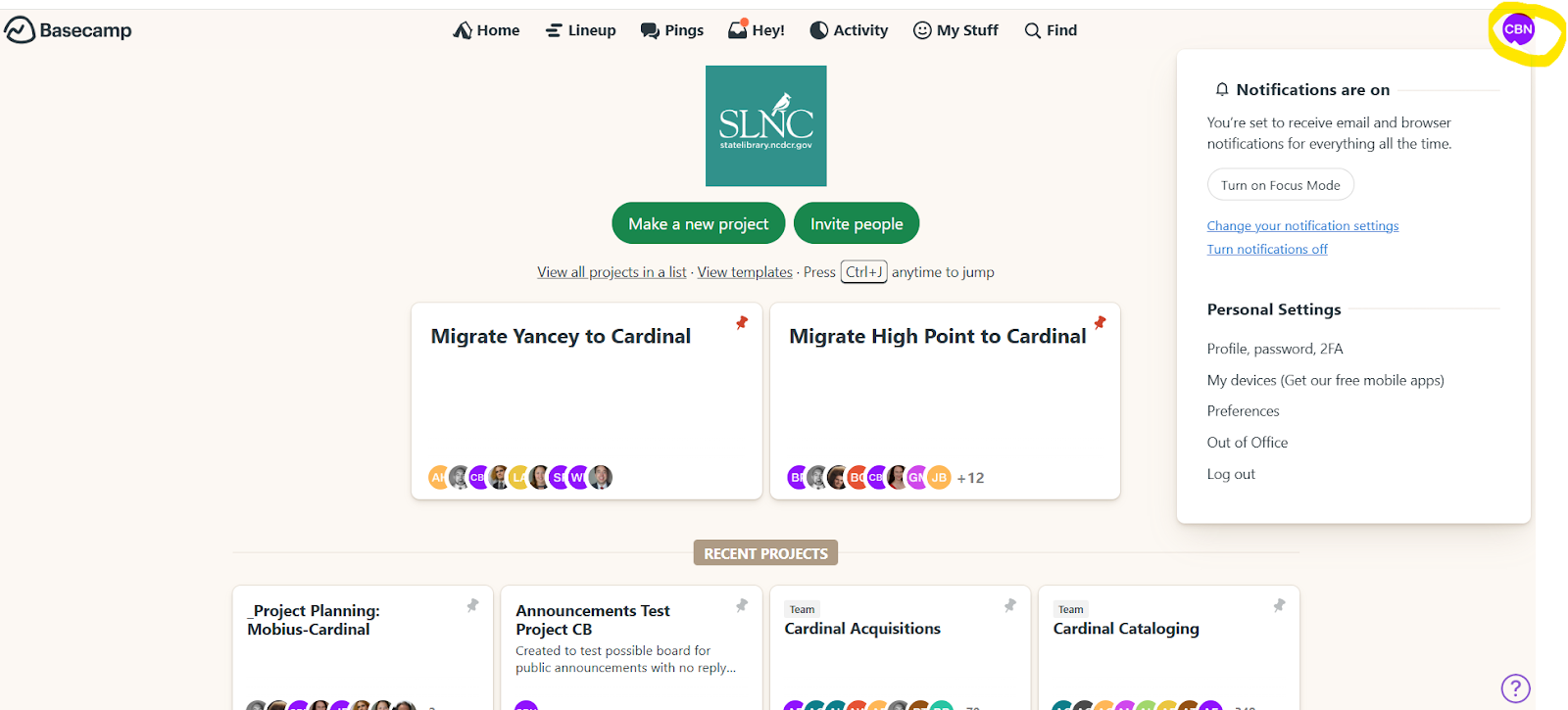
Select 'Profile, password, 2FA' from the menu that populates to edit your information. *You'll also see the 'Profile, password, 2FA' option when you click your avatar anywhere it appears in Basecamp.
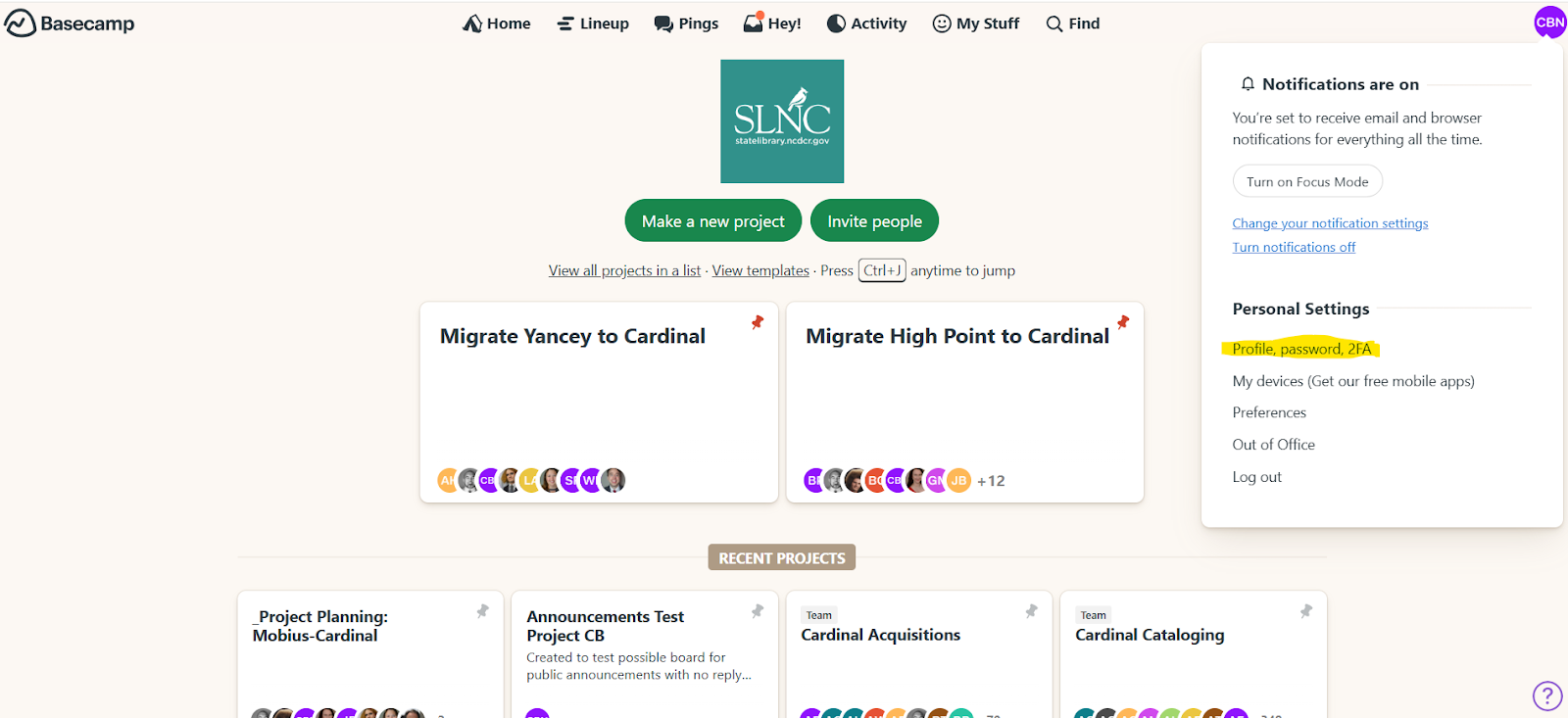
When selecting the 'Profile, password, 2FA' option, you will be provided the option to edit the following information associated with your account: Name, Title, Location, Short Bio or current status, Email address and Login Info. Remember to select the “Save my changes” option to save changes made to your account.
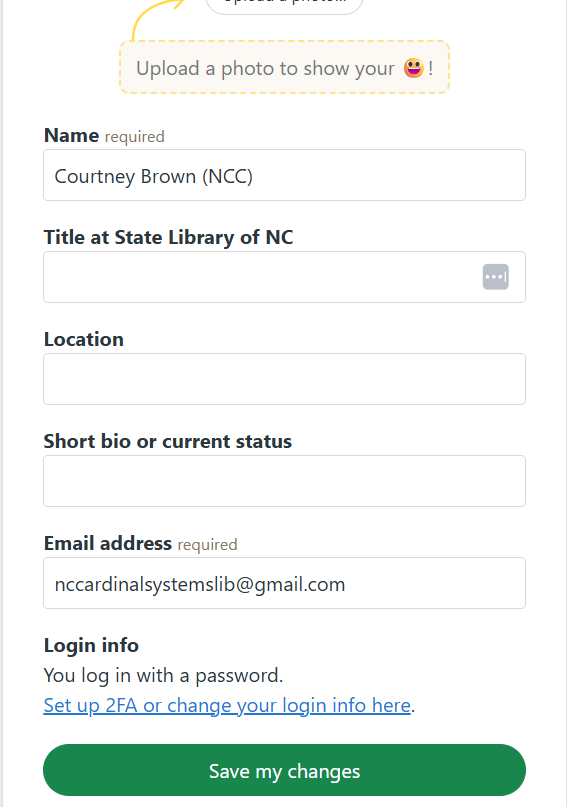
3.6. Filtering Basecamp Notifications
If you get too many email notifications about Basecamp posts, consider setting up an email filter that filters messages from a sender that has (NCC) in the name to put all the Cardinal team’s posts into a different folder.
Click your avatar in the upper-right and click the "Change your notification settings" link:
This will take you to the settings screen:
Email notifications

This feature takes notifications that happen within about 5 minutes of one another, to keep your inbox calm.
Browser notifications

Browser notifications pop up when Basecamp is open in a tab on your computer's browser. If the box is checked but you still aren't getting notifications, check your browser preferences to make sure they are allowed for Basecamp.
Unread counts

You can tailor the notification badges to suit your needs. If you like seeing exactly how many unread items are inside each menu, simply check this box. Prefer seeing a small dot? Leave it unchecked. Whatever you choose, Basecamp will remember that preference on your mobile devices, too.
Everything or just pings and @mentions

Everything includes new messages, comments, Pings, to-do assignments, new events on the schedule, and automated check-ins. Choose Only Pings and @mentions if you prefer to check Basecamp manually for new things, but still want to be notified if somebody specifically reaches out to you.
Work Can Wait

Work Can Wait prevents notifications from bothering you after hours. Set your hours and choose the days that Basecamp is allowed to notify you.
If you'd like, Basecamp will send you a catch-up email or push notification of anything you missed while you were away from work. Just click the checkbox when you set your Work Can Wait hours.

3.7. Frequently Ask Questions
- Can people view past posts before they joined Basecamp? I know there are some topics we have discussed several times like shipping label printers, but I don’t know if individuals just added can see these older posts
- Yes, new Basecamp Users are able to view message board post that were posted before they were added to Basecamp.
- What is the difference between "On Team" verses "Following" teams ?
- "Following" a project means you can access all project information but receive minimal notifications, essentially just being kept in the loop without being actively involved, while "on team" indicates you are a full participant in the project, receiving all updates and notifications and actively contributing to the work happening within it. To limit notifications, it may be a good idea to encourage staff to only join Basecamp Teams related to current job duties.
4. Annual Reports and Surveys
4.1. Annual Reports
NC Cardinal Annual Reports
2025-2026 NC Cardinal Annual Report
2024-2025 NC Cardinal Annual Report
2023-2024 NC Cardinal Annual Report
2022-2023 NC Cardinal Annual Report
2021-2022 NC Cardinal Annual Report
2020-2021 NC Cardinal Annual Report
2019-2020 NC Cardinal Annual Report
2018-2019 NC Cardinal Annual Report
2017-2018 NC Cardinal Annual Report
2016-2017 NC Cardinal Annual Report
2015-2016 NC Cardinal Annual Report
2014-2015 NC Cardinal Annual Report
2013-2014 NC Cardinal Annual Report
4.2. 2023-2024 Annual Survey Responses
Annual Survey Comments and Responses
Each year in our Annual Staff Survey, we have a few open-ended questions we ask to solicit your thoughts.
- What are the top three improvements, changes or additions you'd like to see the NC Cardinal team focus on?
- Please share any other feedback you have.
This has been a great opportunity to get your feedback and figure out what we need to focus on. Some comments we can reply to with solutions or links to documentation that may help. Some suggestions may take some planning, so we’ve added them to our "To Do" list. Other times, we may ask for more information or clarification on what your thoughts are. We may think you're saying one thing when you're really saying something else, so forgive us if our reply misses the point. We appreciate the feedback, so if you're able to offer more detail or point us in the right direction, feel free to email us at help@nccardinalsupport.org
For changes to the Evergreen software that are out of our direct control, we’ve created a wishlist or bug report in the Evergreen community’s LaunchPad tool. (https://bugs.launchpad.net/evergreen) This is the tool that the Evergreen development community uses to discuss and track software updates. If we found an existing Launchpad request that matched your suggestion, we've shared a link to it, otherwise we added your suggestion to Launchpad and shared a link to it. We encourage you to review those links, comment, “add heat”, or follow the progress of addressing the issue. (You will need to create a free account on Launchpad in order to comment or add heat to something.)
In general, if you want to submit further details or follow up on a suggestion the best way is to email us at help@nccardinalsupport.org Generally, screenshots of error messages, barcodes for patrons or items, TCNs and other such details may help us understand what you’re encountering.
We really appreciate the thoughtful feedback everyone has offered. We want to be accountable to your input and transparent in our responses, so we've tried to respond to everything as best we can.
Benjamin Murphy, NC Cardinal Program Manager
Search functionality
The search functionality is really at the core of Evergreen and one of the most important parts of the effectiveness of the software. We have made some tweaks in the last year, like adding MARC fields to search indexes to try to improve our results. Due to how integrated it is into the software, Cardinal generally has to rely on the larger Evergreen development community for improvements to search.
We'd also like to see some more modern search behavior in Evergreen, which helps users get closer to what they're looking for if they aren't precise in what they search for. Many of these sorts of core elements of the software take time for such big changes. As mentioned last year, we've been talking about how we might be able to support the implementation of Elasticsearch (https://www.elastic.co/elasticsearch) We'll keep on pushing for improvements.
This should be the case when you have Sort by Relevance chosen in the search options. That being said, the process of assigning relevance is part of the inner workings of the search process may have unexpected conclusions about what is relevant. If you see any unexpected results, we're happy to investigate.
We'd be interested to learn more details that we can investigate or suggestions you may have for improvements.
On the staff side, subject headings are clickable in the Staff View tab of the bib record. Would it be helpful for them to be links as well in the MARC View tab?
Due to the way an author search performs currently, if you include additional information that is not included in the author field of the MARC record (=100 field), then you will not receive results for that author. Using John E. Ross as an example, the =100 field includes the information "Ross, John, 1946-" with no E. So if you search for "Through the Mountains" with "Ross, John" or "John Ross," you will get a result (though you may need to click through a page or two of results to see it). However, if you search for "John E. Ross" or "John E Ross" or "Ross, John E," you will get no results, because the "E" is throwing the search off. There is an active bug report for just this type of situation (https://bugs.launchpad.net/evergreen/+bug/2059911) that will hopefully allow for searching of alternate versions of authors' names in the future.
Thanks for your suggestion. We're working on making this possible. Please add heat to this launchpad wishlist bug to get the community's attention onto the issue. https://bugs.launchpad.net/evergreen/+bug/2073988
We've added this suggestion to Launchpad: https://bugs.launchpad.net/evergreen/+bug/1028663
Search facets and filters are configurable, but also rely on existing data in the cataloging records to work. We've added this topic as one to discuss with our catalogers to figure out what's feasible based on the data we have. We can look into reader age filters specifically.
This can be done now by performing a Subject search for the genre. You can find more information regarding this in the Knowledge Book. https://nccardinalsupport.org/index.php?pg=kb.page&id=48
We had that same issue in the public facing OPAC and made modifications to how the filters are displayed to address it. We'll investigate how we can fix it in the staff client.
Sounds like you're referring to the staff search? Its hard to say why someone designed it one way or another. Recently, there was a new tab added labeled Staff View which shows more details about the item without requiring you to click through to the Patron View. We're happy to hear suggestions on ways to make it more efficient or simple.
Lost & Missing don't show up in the public OPAC, so we presume you mean the staff search. There is a Limit to Available checkbox on the search form, but that doesn't obscure lost and missing once you go to the item table for a record. I submitted a wishlist bug for this suggestion: https://bugs.launchpad.net/evergreen/+bug/2073989
Makes sense. There's an active Launchpad bug for this request: https://bugs.launchpad.net/evergreen/+bug/1028663
We're interested to hear more about what you mean by this.
If the series number is in the 245$n, it should be showing up in the public OPAC and the staff view. This might be a cataloging issue. We'd be interested in seeing examples of what you mean.
This should be possible by expanding the three dot menu in the staff search (to the right of the Search Terms field). It is also available in the advanced search page in the OPAC.
This is a result of cataloging items with a 655 tag of large print, clickable genre headings are populated through 655.
If I'm understanding you correctly, there should be options on those results pages (usually in the top right of the search results) to click through to the other pages. Another short term workaround we use is to replace "&limit=10" in the web address to something like "&limit=250" to see more results on one page.
Not sure if you're referring to the public or staff search, but the typical path we use is to click on the "Library:" field of the search form. It drops down some options and you can start typing the branch name to see it on the list. In the staff search, the box at the top right also allows you to target a branch by starting to type the name. If you click on the Search Preferences link under the library name on the staff search, you can set your default search library, which may help to keep your searches scoped to what you're interested in seeing. E-resources in search
We've recently updated the "Exclude electronic resources" criteria so that it should exclude everything that has an item Form of Electronic or Online, or a format icon of e-book, e-audio, e-video or e-serials. We've found that some of the cataloging records we get from vendors aren't properly cataloged to be caught by these filters. If you come across examples of electronic records that are bypassing the e-resource filter, please let us know the TCN so that we can figure out what the problem is, find the other records that have the same problem and fix it in bulk.
If you'd like to make this "Exclude electronic resources" checkbox checked by default on your patron facing OPAC search, we can do that. If you'd like, your library system also has the option of making electronic resources in the catalog not findable at all in your OPAC search results. Please submit a ticket if your library would like to completely remove these hits from your search results.
This option is still available, but moved to the "Search Preferences" link shown on the right hand side when you're doing a catalog search in the Staff catalog. Server
This is something we're always working to monitor and address. If you're experiencing slowness, its helpful for you to post on the Incidents Basecamp list so that we can investigate the health of the servers at the moment and address anything that's happening. OPAC interface
In the last few years, we've made a variety of updates to the mobile view of our catalog. We'd love to hear suggestions on other things we can work on. (We have some thoughts on images and deduplication shared elsewhere in our responses.)
Cardinal has looked into pricing of commercial apps, but we found that it was cost prohibitive to implement consortia-wide. Some member libraries have a choice to implemented an app called MyLibro and we're happy to help if you'd like to do this.
When you perform a title search, you are also going to get results where the title appears in a MARC record in a =246 field, =505$t field, =730 field, etc., even if the title you are searching for does not actually appear in the =245 field. This is why it may seem like you are receiving results that having to do with the title for which you searched.
We'll investigate adding more space below the item table or making the line between titles more prominent.
We're interested to learn more about what your ideas are. Something like a basic form that has a title and author field and the ability to add other filters?
We're open to suggestions on things that could be done to make the interface more user friendly.
We will pass this suggestion on to the Evergreen developer community.
Would this be for an individual patron to be able to opt out of seeing that option, or for a specific location? This is generally set at a library system level. Our best suggestion might be to have you submit a ticket so we can see what we can do to meet your needs.
Evergreen has an option called KPAC which is a kid friendly OPAC, but we haven't invested much time customizing it for any of our libraries. You can see it by replacing the /eg/opac in your library's web address with /eg/kpac. If you're interested in developing it, send us a ticket. Interface--General
This may be something that is configurable in your barcode scanner. Its possible to set it up so that it sends an "enter" character after scanning a barcode
We are not quite sure what you mean here. When you scan an out-of-county item in Item Status, does the item not appear in the list? Or are you asking if there is a way to make the Detail View appear immediately instead of having to click the button? Or do you want Item Status to take you directly to the item record? The functionality is the same for in-county and out-of-county items.
We have created a wishlist bug for this request on Launchpad (https://bugs.launchpad.net/evergreen/+bug/2073774). We recommend library staff add heat to it so that it will garner more attention.
That refresh behavior occurs when you log into the staff client using a web address that ends in 'nccardinal.org/eg/staff' Instead, we recommend updating your staff client link to end with 'nccardinal.org/eg2/en-US/staff' Your link should look like: https://yourlibrarysystemname.nccardinal.org/eg2/en-US/staff
This is something we've been working on in the public facing catalog this year. On the patron facing OPAC, in the top left where it says Search the Catalog, we added a little question mark icon that takes you to a video on search basics. Within the staff interface, some of the MARC editor fields have this sort of functionality where you can right click and get a list of options, but we'd love to see more of this as well. We're all for suggestions for places tooltips and hints would be useful.
We found a wishlist bug for this request on Launchpad. You can find it at the following link, and we recommend adding heat to it so that it gains more attention. https://bugs.launchpad.net/evergreen/+bug/2009725
We found a wishlist bug for this request on Launchpad. You can find it at the following link, and we recommend adding heat to it so that it gains more attention. https://bugs.launchpad.net/evergreen/+bug/2009726
We're open to any suggestions you have on how to make the staff/user interface more friendly.
This may not be exactly what you're looking for, but we added a Launchpad bug for better organization of the available columns in the grid column selector: https://bugs.launchpad.net/evergreen/+bug/2073995
We're always open to suggestions!
We're always open to suggestions on improving the usability and function of the software. Some of the elements we have control of, others are designed by the larger Evergreen community, but we can make suggestions and advocate for what we want to see. Error messages
There are a few existing bug reports on Launchpad related to this. We recommend adding heat to them so that they will get more attention. https://bugs.launchpad.net/evergreen/+bug/1576754 https://bugs.launchpad.net/evergreen/+bug/1974469 https://bugs.launchpad.net/evergreen/+bug/2017306 Circulation Interface
There are several keyboard shortcuts that could make navigation more efficient. A list is available in the Knowledge Books (https://nccardinalsupport.org/index.php?pg=kb.page&id=452). Additionally, it's possible to configure the Splash Page to include more direct links to commonly used circulation functions. If you are interested in this, have your library's System Administrator submit a help desk ticket.
We're open to suggestions on how to make circulation more user friendly.
A lost-then-returned item will disappear from the Items Out screen only when all bills linked to this particular circulation have been resolved. If there are still bills associated with the circulation, then the item will remain in the Other/Special Circulations tab of the patron account. Once the bills have been resolved, the item will be removed from the Other/Special Circulations tab and no longer appear on the patron's account. If you wish to have the item removed immediately upon check in, you may want to consider adjusting your library's void lost max interval, which is the period of time in which lost fees will be removed from a patron's account upon returning a lost item. If they return the item after the interval has passed, then the fees will still remain on their account. Patron accounts
Launchpad Bug 1791760 describes the need to allow group lead accounts to view all grouped accounts to pay bills. I've added heat to this bug and included your comment in the comments section of the bug. Feel free to add heat at https://bugs.launchpad.net/evergreen/+bug/1791760 by selecting the "Does the bug affect you?" option.
You should be able to clone a patron's contact information and home library automatically to use in multiple accounts by clicking on the "Save & Clone" button found in the top right corner of the Patron Registration and Patron Edit Screens. The Daytime Phone, Evening Phone, Home Library, and Mailing Address should be replicated into this new record. We'll investigate whether we can configure this process to include more fields.
This is possible by using the "Photo URL" field in the Patron Account edit screen. You will need to have an online repository where the photos are stored in order to link out to them. If this feature is used, the photos will show up at the top of the left hand column of patron information in their account. In general, the Evergreen community chose this solution to avoid having pictures stored in the database.
If we understand you correctly, you should be able to limit your search to a specific library in the patron search field, by choosing the name of the patron's branch or system in the field that generally has a default of CARDINAL. If you're not seeing this field, click on the down arrow next to the Search button on the patron search form to see more options.
We agree! Right now its possible to search by DOB, name, etc. but we don't know of a good way to have a little looser of a search to find potential duplicates or matches that aren't strictly the same. We're open to ideas on what we could suggest to the community.
We've submitted a wishlist request to make this field sticky, so that if you choose System or Branch, it would default to that next time: https://bugs.launchpad.net/evergreen/+bug/2073999
Fields displayed on the Patron Registration form can be altered with library settings. Feel free to email us at help@nccardinalsupport.org and we can assist you in removing the needed fields from being displayed on the Patron Registration Form for your system
There currently is the option of grouping accounts together so that you can see fines and overdues for all group members, if you pull up one of the member accounts. (https://nccardinalsupport.org/index.php?pg=kb.page&id=493) Are there other things you'd like to be able to do?
We have created a wishlist bug report on Launchpad for this request. https://bugs.launchpad.net/evergreen/+bug/2074010 Circulation history
I'm currently unable to locate any settings that control the amount of reading history a patron can see from the OPAC. We will investigate whether its an issue with the amount of data that is attempting to be retrieve in the patron's reading history verse the length of time.
We can understand how this would be useful, but Evergreen developers made an intentional design decision to let patrons choose to opt-in to history tracking via the My Account section of the OPAC, so that patrons know about and manage the information available about their activity. Billing and Payments
We're planning on offering training this upcoming year on billing and payments. We'll make an announcement about it on Basecamp and would welcome any questions or issues you can suggest for us to cover.
Are you referring to when we waive fines in bulk like when a library has an amnesty period, or something that the software does when it is accounting for things like returns of lost materials? If its something we're doing in our procedures for bulk changes, we can alter how we do bulk waivers. If its part of the way the software functions by default, we'd have to pursue it with the Evergreen developer community.
We'd be interested to hear more about what suggestions you have or what things you'd like to see improvements on.
We're happy to set this up for you. Email us at help@nccardinalsupport.org and we can update your circulation policies to be fine free.
Right now, we have the normal processes of adding fines and notifying the patrons. If the fines aren't paid, some libraries use debt collection or debt setoff options that are available. We'd be interested to hear more about your ideas.
There are a few ways to receive credit card payments, such as AuthorizeNet, PayPal, PayflowPro, or Stripe. (https://nccardinalsupport.org/index.php?pg=kb.page&id=386) Some self check machines also have the ability to receive and process credit card payments. Email us at help@nccardinalsupport.org if you'd like help setting this up. Cataloging Interface
We have several MARC templates in the Knowledge Book that we recommend catalogers use as references when having to create bibliographic records from scratch. They can be found at the following link. We will be adding more templates in the near future based on specific item recommendations from catalogers, like graphic novels. https://nccardinalsupport.org/index.php?pg=kb.chapter&id=32
Subject and genre headings are pulled from a number of different sources like Library of Congress, Guidelines on Subject Access to Individual Works of Fiction, Drama, Etc., Homosaurus Thesaurus, and so on, so some inconsistencies may arise, but we have a list of approved subject and genre heading codes we recommend catalogers use in the Knowledge Book. They can be found at https://nccardinalsupport.org/index.php?pg=kb.page&id=47. Additionally, the Marcive process reviews and updates subject and genre headings as necessary, though it may occasionally miss some as it only looks at records that have been edited within the past three months each time it is run. We are continually looking at ways to try and standardize different elements and fields on MARC records.
This is something that the community that develops Evergreen may eventually remove, and unfortunately its not something we have much control over.
If you typically use the Flat Text Editor, we would recommend trying out the Enhanced MARC Editor, as it more clearly separates out the individual fields in the MARC Edit screen, and you can make edits to each field in much the same way as you would in the Flat Text Editor. Some of the fields also have labels you can right click on to see options. If, however, you are already using the Enhanced MARC Editor and still find it difficult to use, accessibility-related changes are coming to the Enhanced MARC Editor with future Evergreen upgrades that should hopefully make it a bit easier to read/view. We're open to ideas and suggestions. Cataloging Standards
Over the years we've developed our Cataloging Best Practices with this goal in mind. One part of addressing this is figuring out what the norm should be and documenting it. The other part of the challenge is getting everyone that is working with records to know and follow the guidelines. Lately we've been approaching this by doing batch edits to MARC records to clean up easily correctable issues, but not every problem is fixable by these broad changes.
We've spent some time discussing and updating our guidelines for graphic novels and manga recently. We've also recently done a mini-project to make them more consistently cataloged. Part of the challenge is making sure that everyone is aware of the updated guidance and following the guidelines.
We can work on defining this with our Cataloging Committee and publishing some guidelines. This may also be something we can fix in batch once we know what we're striving for.
We'd be interested to learn more about what you mean. Are you referring to more content on our MARC templates pages? https://nccardinalsupport.org/index.php?pg=kb.chapter&id=32
This is something that we will begin working on, and we welcome any additional suggestions for specific items or materials that catalogers feel would benefit most from having their own item templates.
This is something catalogers can do by adding 'Bilingual books' in the 655 field.
We subscribed to access to the RDA toolkit for a few years but stopped the subscription due to low usage.
We're open to suggestions or ideas on ways we can improve support for cataloging. Catalog Cleanup
Up until now we have only been able to schedule the automated deduplication process for once a year because it takes a significant amount of time and we have to coordinate the work with our hosting vendor Mobius. However, as we have continued to streamline the process and really hone in on the necessary criteria for a successful deduplication, less and less time will be required for reviewing and studying the results, making tweaks to the process, and performing tests. This may allow us in the future to schedule more automated deduplications throughout the year. For example, because we had such a successful run earlier this year, we felt confident enough to move forward with creating a new deduplication process that would focus on video materials, which have not been previously covered by the deduplication. Additionally, we have developed a new system for catalogers to review the "Needs Humans" lists and perform manual deduplications. We encourage consortium catalogers, as they have time, to continue to review the records we shared with them in buckets and to manually merge as much as possible. This will help further the success of future automated deduplications, as well as help to keep the catalog clean and orderly.
Our current deduplication process includes Audiobooks. We're currently in the midst of a process to deduplicate DVDs and other video content. Cover Images
On a basic level, we rely on the free Open Library service for book covers. If an image is missing there, its possible to add it (https://nccardinalsupport.org/index.php?pg=kb.page&id=353) Evergreen also has an option to upload cover images (https://nccardinalsupport.org/index.php?pg=kb.page&id=818) In general, this is something we rely on catalogers throughout Cardinal to do as they see a title is missing a cover image.
We've talked to several vendors over the years and are keeping our eyes open for other options. Part of the challenge is cost for a consortium of our size. Shelving locations
There currently are Graphic Novel and Easy Reader shelving locations. (https://nccardinalsupport.org/index.php?pg=kb.page&id=99) Perhaps your library isn't using them?
This is a balancing act we're always trying to figure out. Having Cardinal-wide shelving locations makes administration and policy configuration much easier. In a resource sharing environment, having shelving locations others aren't using can result in strange behavior when the book is checked out elsewhere. Its possible to add unique local shelving locations if you send us a ticket. Our general guidelines are here: https://nccardinalsupport.org/index.php?pg=kb.page&id=99
We have created a wishlist bug for this request on Launchpad (https://bugs.launchpad.net/evergreen/+bug/2073976). We recommend library staff add heat to it so that it will garner more attention.
We can investigate ways for how best to accomplish this. Item editing
There is an existing wishlist Launchpad bug for this. https://bugs.launchpad.net/evergreen/+bug/1862982 Baskets/Buckets/Lists
We have created a wishlist bug for this request on Launchpad (https://bugs.launchpad.net/evergreen/+bug/2073771).
Buckets (and many other grids in the angular interfaces) allow users to add and remove columns. We have created new documentation in the KB illustrating the process of adding columns in buckets specifically. https://nccardinalsupport.org/index.php?pg=kb.page&id=937
Baskets will time out eventually. Buckets are permanent until you remove items from them. You can turn a basket into a bucket, or add items in a basket to an existing bucket. Offline mode
We will offer training in Offline Mode in October. Printing
When paying a bill, you can select the number of copies of the receipt to print by changing the number in the box labeled #Copies underneath the bills grid. Novelist
We've made some changes recently with EBSCO that added specific information for libraries that were seeing generic availability. Have a look and see if this is still an issue. If so, let us know. Notifications-General
This is possible. A handful of libraries use HTML notices. If your library would like to set this up, please submit a ticket. Notifications-SMS
This is something we're actively working on deploying. We have a new contract for a service called MessageBee that we're working to implement.
In addition to the upcoming changes with MessageBee, libraries are welcome to use 3rd party vendors for notices if they wish. At this point we generate daily exports for a few member libraries that use other tolls to notify patrons.
With us moving to an SMS vendor that charges per message sent, I don't expect us to expand the types of notices we send SMSes for this year.
We're happy to make updates. Please submit a ticket if you come across a carrier that is not listed. Resource Sharing
Open to suggestions or ideas on how we can help.
Based on your comment we've run some reports to look at how long things sit between the time they're captured and when they're checked in at the requesting branch. We found some instances where things took much longer than you'd expect, but the average time is a little over a week. If you encounter this situation, we're happy to look into it in the moment. Please contact Will, who takes the lead on Resource Sharing issues william.szwagiel@dncr.nc.gov
We're open to suggestions.
This is something we're trying to address in our Resource Sharing Basecamp group. We've been publishing how to guides and expect to release our Resource Sharing Best Practices soon.
I'm not sure that this would be feasible financially. Every package has a built in cost before you take into consideration what it weighs and where its going. This could be possible for libraries sending multiple packages to one destination.
FedEx has a fairly consistent delivery time, but the delays tend to happen between when something is pulled and the time it takes to make it through delivery to hubs and branches.
We'd be interested to learn more about this. Is the idea to limit the number of items a patron can request? Limit the number of hold requests overall? Reduce the amount of things being shipped?
In the past, Cardinal supplied a basic level of shipping materials but we found we were spending as much money splitting up the materials and shipping out to libraries. After discussions with our Governance Committee, we elected to discontinue distributing shipping materials and rely on libraries to source materials through recycling and local sources.
If you haven't seen it, check out the video Johnston county put together for us recently: https://nccardinalsupport.org/index.php?pg=kb.page&id=903
We've considered having assessments like catalogers have, but are primarily focusing on improving our training resources and communication about resource sharing best practices and guidelines. Hold targeting
Are you referring to an alert in the staff view if you retarget a hold? If so, there should be a green pop up in the bottom right of the screen that momentarily shows "Successfully Retargeted Hold" If you're referring to something else, we welcome clarification.
I believe what you're seeing is the holds targeter process running in real time. It has to process the hold rules, look at the available copies, rank them and then try to target a new item. We will however see if there's anything we can do to speed the process up.
We're interested to hear more details of what you're thinking.
We're interested to hear more details of what you're thinking.
We don't expect to return to the random process of grabbing a book from any library. All of those copies are still accessible, but the one that's closest is favored for efficiency and cost sake. Are there difficulties you've encountered with the closest proximity change?
This sounds like this might be a case where there are not other available copies on that bib record? If you have a record for a book and the one it targeted is not available, you may need to redirect the target of the hold if there is another Cardinal record that is a duplicate of your record. The easiest way to do this is to merge your bib with the Cardinal record with more copies. Information on Retargeting Holds can be found here: https://nccardinalsupport.org/index.php?pg=kb.page&id=528 If there isn't another bib with copies of the same title, this may be a situation where it is a Hopeless Hold. https://nccardinalsupport.org/index.php?pg=kb.page&id=668 Hold pull list
Another option is to go to the gear icon in the top right of the list and choose "download csv" This allows you to work with the list as a spreadsheet and delete any rows you're not interested in, or target the list to specific shelving locations or areas of your library.
The best suggestion we have at the moment is to show the Queue Position column in the Open Hold Requests grid on the patron account. You can add this column by clicking on the down arrow at the top right of that list. Be sure to then go back to that down arrow and choose Save Columns so that it shows up on your Hold Requests screen in the future. This will at least give you a sense of where their request is.
Opportunistic holds has some benefits to keeping things from bouncing around branches unnecessarily, but it also means that things can get siloed at the branch they get checked in at if they're popular there. As we continue to work with the holds targeter, we'll see if we can improve this behavior. Hold functionality and interface
As we understand the behavior right now, patrons can not place holds on materials under six month age hold protection if their library does not also have a copy in a holdable status (including On Order or In Process.) There's not a setting that defines this behavior, so we will investigate what it would take to change this and the implications it might have for resource sharing holds.
Upon investigation, we're surprised to see this isn't explained anywhere on the patron side. Another comment suggests improvement to the Age-Hold error message, so we'll approach these two together. Fix the error message and find a way to refer patrons to details on what's happening with Age Hold behavior. In researching this, we came across this bug: https://bugs.launchpad.net/evergreen/+bug/1869893
This message can easily be updated once a consensus has been reached across NC Cardinal. We'll work on figuring out a better message.
We can investigate the options for showing more than Available or Checked Out in the public facing catalog. The challenge is that it may be difficult for the system to make sense of all of the reasons an item may be unholdable for the person viewing the record. Without logging in, the Evergreen knows certain shelving locations or branch collections may be unholdable, its hard to know if the item is or isn't holdable by the person seeing the catalog record. Once they log in, their home library, patron type and other information makes it easier to tell the viewer if that item is holdable by them.
From the Holds tab in the patron's account, click on the title in the grid to navigate into the Bibliographic Record for the title on hold. From there, you can click on the "View Holds" tab to see a list of all holds on the item, and check where your patron is in that list. Alternatively, you can add the column "Queue Position" to the Patron Holds grid in their account by clicking on the down arrow to open the grid management menu. This will show you their place in the queue directly in the holds screen.
We're open to suggestions or details of issues you've encountered.
In general, the holds targeter is constantly running and looking for available copies. After a period of time, it resets and looks to see if a better, in this case closer, copy is available. This is configured to happen though only after about 36 hours, to give libraries a chance to pull the things that are on their holds lists. We'd be interested to hear more of what you're thinking.
A wishlist bug for this feature currently exists (https://bugs.launchpad.net/evergreen/+bug/1738021), and the feature is currently in development. We recommend adding heat to the bug report.
The Holds Shelf does not want items to disappear from the list until a library staff member has physically pulled the item from the hold shelf and processed it accordingly. It acts as a kind of safety mechanism to make sure things are not left lingering on the physical hold shelf that are no longer on hold. In the case of cancelled holds, similar to expired holds, the recommended course of action is to check the items in the Checkin Items screen using the Clear Holds Shelf checkin modifier instead of using the button to clear them from the Holds Shelf screen.
You may be clicking on the patron barcode after performing a search for the patron when going to place a hold on an item. If you do this, you will be taken to the patron's account and will indeed have to search for the item again from that screen to place the hold. Instead of clicking on the patron barcode, you need to check the box next to the patron barcode and then click the green "Select" button. This will take you back to the hold screen with the patron's information filled out so you can place the hold.
We are not entirely certain what you mean by this. Are you encountering a situation where, when a hold is placed, the hold is captured by an out-of-county library rather than a local, branch library that also has the item? Also, you should not have to force a hold for a patron unless you are attempting to place a hold on an item that is not actually holdable or may otherwise not be available for holds (such as an out-of-county item with a six month hold protection on it).
This is possible using the Metarecord Hold function. You can find detailed instructions for using this function in the staff client and the OPAC in the Knowledge Books: https://nccardinalsupport.org/index.php?pg=kb.page&id=471
This is possible using the Hold Groups function. You can find detailed instructions on setting up hold groups for book clubs and other groups, and instructions for placing holds for these groups in the Knowledge Books: https://nccardinalsupport.org/index.php?pg=kb.page&id=819
We have created a wishlist bug for this request on Launchpad (https://bugs.launchpad.net/evergreen/+bug/2073773). We recommend library staff add heat to it so that it will garner more attention. Transits
If you're not aware of it, one of the tools you may find helpful is the Transit List, which is available under the menu Administration > Local Administration. It lets you see everything that is in transit to or from your system, sort by the send date, shelving location, destination library, etc. That being said, while things are in transit it can be hard to know where they are at the moment. FedEx has its own tracking, but that's not at the item level. We're considering changing to a courier and the tracking options would be a key consideration for us.
Some libraries use the tracking sheets linked to on this page: https://nccardinalsupport.org/index.php?pg=kb.page&id=357 This is an area where I think we could also create some reports to provide details on where the materials in your collection are at the moment.
Essentially, that means that the material was checked in somewhere and belongs or was needed somewhere else. It can be traveling for a patron request, or coming back to its owning library. Booking module
Evergreen does currently offer a booking system that can be used for meeting room reservations. There are detailed instructions on setting up this function in the Knowledge Books: https://nccardinalsupport.org/index.php?pg=kb.chapter&id=130
While the Evergreen Booking Module does allow for meeting rooms reservations, it is currently only functional from the Staff Client. There is a wishlist item to add booking options to the OPAC. If this is something your library could benefit from, please add some heat: https://bugs.launchpad.net/evergreen/+bug/1942097 Updates and upgrades
We can appreciate that perspective. There are a variety of voices involved in the process of designing Evergreen and the changes that are made. Developers may think they're doing something that's help, when in fact it complicates your workflow. Our best suggestion is to give us feedback so that we can relay that back through the Evergreen community Launchpad site.
This may be more feasible now that Evergreen is web based, but there is lot that goes into testing and training each time we do an upgrade. We don't know that upgrading more than once a year is feasible at this stage.
We will continue to hone and work to improve upgrade training webinars. Additionally, this year we will increase our upgrade training to include follow-up training opportunities after the upgrade is live.
We're open to suggestions on how to improve the experience. Reports
We recognize that the reports feature has a steep learning curve. Evergreen 3.13 will include updates to the reporter which may improve it's usability. Once the upgrade to 3.13 is complete, we will continue to offer training on reports, via webinars, at the in-person regional training events, and through asynchronous methods including videos and Niche Academy. Please feel free to reach out to us with requests for content on creating and running specific types of reports, and we will be sure to address those needs in our training materials. When a reports fails, we encourage you to submit a ticket that includes the fail log you received. We understand that these logs are not very clear, but we are always happy to look into them for you.
There have been many requests for updated descriptions of reports. We will begin to revisit the Centralized Reports Template after the upgrade and work to improve descriptions.
Once the 3.13 upgrade is complete this fall, we will begin offering training (live and pre-recorded) and publish new documentation about the updated interface. Regional trainings will continue to offer reports sessions as well.
We have plans for a new batch of reports training videos this fall to reflect the changes coming to the Reporter.
We've added this to our list of projects and goals for the upcoming year.
A wide variety of report templates exist in the Centralized Reports Templates folder. You can find information about content and accessing this folder in the Knowledge Books: https://nccardinalsupport.org/index.php?pg=kb.page&id=726
There have been many requests for updates to the Centralized Reports Templates content. We will begin to revisit the Centralized Reports Template after the upgrade.
That's an interesting suggestion. We're glad to see some focus on the reporter lately, and though the Simple Reports doesn't meet some people's needs, it and the changes that are coming in our next upgrade are the result of an awareness that Evergreen's reporter needs improvements. We'll keep pushing for progress. Training
We will continue to announce training opportunities via Basecamp, email, and the State Library's Train Station. We have developed a Knowledge Book Page for upcoming training events: https://nccardinalsupport.org/index.php?pg=kb.page&id=930
We will be hosting a SLAM training webinar in December. Keep an eye out for more details.
Our next set of migrations has already begun, and we have taken the downtime since our last migration to re-design and hone the training provided to migrating libraries. If you have specific advice based on your own migration experience, please reach out to samantha.oconnor@dncr.nc.gov with ideas and suggestions.
Planning for training opportunities in the 24-25 fiscal year is underway, with 1-2 virtual training opportunities available each month, with both morning and afternoon sessions, and drop-in open training on rotating topics on the third Thursday of each month. Additionally, all webinars will be recorded and made available for those who were not able to attend live.
We have a fresh round of in-person regional trainings planned for this year. We're also planning on increasing our upgrade training this year to include follow up training opportunities after the upgrade is live.
This year we intend to host at least 3 cataloging webinars, and our in-person regional trainings will include cataloging specific sessions.
All live webinars and workshops are made available as recordings afterwards. Additionally, this year we will continue to develop video series offering training in individual functions related to various topics in Evergreen. Interactive asynchronous training is available in Niche Academy (https://my.nicheacademy.com/nccardinal) and we will continue to add content there as well.
We will continue to add to our resource-sharing training in Niche Academy, as well as through videos, virtual workshops, and in-person at the regional training events. You may find the Video or Step-By-Step guide on this page helpful if you're not familiar with it: https://nccardinalsupport.org/index.php?pg=kb.chapter&id=90
We intend to host at least 3 cataloging webinars with content related to the Evergreen software, and our in-person regional trainings will include cataloging specific sessions. This is in addition to the training content provided widely by the State Library on general cataloging rules and best practices.
As we continue to hone the regional in-person training events, we will try to find new ways to ensure all staff needs are considered. If you have specific suggestions or ideas, please reach out directly to Samantha O'Connor at samantha.oconnor@dncr.nc.gov. Documentation
At your suggestion, we've added a dynamically generated last update tag to each KB page.
We try to balance having thorough documentation with not having so much content that its overwhelming. That being said, we're happy to get into the weeds where its useful. We're open to suggestion on what we should add documentation for.
We have received some recommendations for new templates for specific items like graphic novels, and we will be working to create these templates. We are open to suggestions for other templates, that we should focus on.
We are continually adding to and updating the Knowledge Books. As we find processes that need to be clarified, or functions that are not fully explained, we make an update to edit, expand, or clarify. Please let us know if there specific pages or processes that need to be revised for clarity or added detail.
We'll see what we can do to simplify the landing page. Communication--Cardinal
Basecamp isn't everything we need it to be. We used to use mailing lists and they had different challenges. We're keeping our eyes open for other options, but we also have a lot of history in Basecamp at the moment.
To keep up to date on outages information, please subscribe to our Incidents Basecamp group. Our updates should be in our General Discussion group. We should have more updates on card holder policies in the upcoming year.
We can do that.
We can do that.
We can do that.
We try to keep everyone up to date on when we're preparing for an upgrade and summarize what we expect those changes to be, with a link to the full version notes. For the bigger picture of what's happening with Evergreen, we try to post the interest groups that are happening, but in general we suggest subscribing to Evergreen's General Discussion mailing list to keep up on the software's development https://evergreen-ils.org/communicate/mailing-lists/ |
Basecamp |
|
We'd be interested in suggestions of how we should reform it. We're always working to try to find the best way to make it suit the consortium's needs. |
|
We used to use mailing lists and they had different challenges. We're keeping our eyes open for other options. |
|
This year we've been developing some Basecamp Best Practices for posting, responding, etiquette etc. that will also include some tips for how to reduce and avoid extra email traffic. |
|
That's encouraging to hear! |
|
We've tried to have a variety of Basecamp groups focused on different topics so that library staff can choose the ones most suited to their job and interests. This year, at a librarians suggestion, we added a Tech Discussion group for folks that are interested in a deeper dive into some of the technical and configuration options available. If you'd like to leave a group, there should be an Unsubscribe link in the bottom of the email notification you receive, or contact the Cardinal team and we can remove you. |
Permissions |
|
We're not sure if you're referring to bib records or patron records. For bib records, a bib cataloger should be able to merge the records. For patron records, Branch Admins or System Admins should be able to merge the patron records. If you encounter issues with merging, please submit a ticket so we can figure out specifically what's going on. |
Passwords |
|
This functionality will be rolled out in our next phase of staff password project |
Student Access |
|
We rely on the school systems to send us updates. We're happy to receive and process the feeds as often as they provide them. |
Migrations |
|
We're happy to help however we can as you're getting adjusted and settled. Newly migrated libraries are more than welcome to schedule follow up calls with the Cardinal Team, after the migration has been completed to discuss and resolve specific issues regarding workflows. Migration mentors assigned to migration process are also accessible after Go Live to provide continue support in areas that may be best addressed by library staff member with front line experience. |
Consortium growth |
|
We're in active conversations with other libraries that are considering joining in the future and are always open to talking to libraries interested in joining Cardinal. |
|
This information is scattered throughout our Knowledge Book pages, so we made a page that links to all of them: https://nccardinalsupport.org/index.php?pg=kb.page&id=939 |
Other |
|
We have created a wishlist bug report on Launchpad for this request. https://bugs.launchpad.net/evergreen/+bug/2074009 |
|
If you go to the top right of the list of lost items you can choose to add Author to that list (referred to as a grid) Then, you can go back to that down arrow and choose Download Full CSV, which will allow you to look at that same information as a spreadsheet, reorder it and print it. (Don't forget to go to that down arrow and choose Save Columns if you want Author to always show up when you look at that list) |
|
We like the sound of this and are interested in learning more about what you mean |
|
We're not quite sure what your comment means, but we're interested in learning how we can help with legacy fines. |
|
The State Library Department NC Cardinal is a part of, Library Development, is actively engaged in supporting libraries addressing book bans and censorship. If you need support, please reach out to Library Development Director Sarah Gransee at sarah.gransee@dncr.nc.gov We're here to help! |
|
We're open to suggestions |
|
In recent years, we've rolled out a variety of customization options (https://nccardinalsupport.org/index.php?pg=kb.page&id=887) if you'd like to make any of these changes, please submit a ticket. |
|
This is something we've been discussing and are working our way towards an up-to-date policy. Our existing policy was put together about a decade ago, in a time before there were as many Cardinal libraries in adjoining counties. |
|
We'd like to learn more about what you mean. |
|
This is a decision made by each library individually and not a policy Cardinal sets |
|
We'll investigate whether we can do this. Thanks for the idea. |
Praise |
|
We appreciate the helpful comments, suggestions and feedback from you all! |
4.3. 2024-2025 Annual Survey Responses
NC Cardinal Annual Staff Survey: Our Response to Your Feedback
Thank you to everyone that submitted a response to our annual Staff Survey.
Each year, we ask the following questions at the end of the survey.
-
Please share your top three requests for changes, improvements, or additions you'd like to see the NC Cardinal team focus on next year.
-
Please share any other feedback you have.
Your thoughtful and detailed comments are invaluable in helping us identify areas for improvement and focus our efforts in the year ahead. We go through each of your responses and address every comment as best as we can. The comments are grouped by subject, with individual comments bulleted followed by Cardinal’s responses. By publicly sharing our responses, we hope you can learn from the suggestions and questions your peers ask, and discover resources you might not have known about.
The Cardinal team endeavors to address every concern. Some things we can answer immediately, some become projects for the year ahead, others may take more research or investigation. Some suggestions related to Evergreen are outside our direct control, so we try to make this clear in our response. The Evergreen software that we support has been created and developed by a large community. Since it is open source software, we have the ability to make some customizations to the software itself. We also have the ability to alter configurations, set policies and improve the cataloging data we have in Evergreen to make it work better for the Cardinal community. Some core parts of the software, like the search process and the reporter, are deeply integrated into the software and not as easy for us to customize. We will often add a bug or wishlist item to LaunchPad (https://bugs.launchpad.net/evergreen). Launchpad is the official tool for the larger Evergreen community to report software problems, suggest improvements, and track the progress of improvements. If your suggestion matches an existing Launchpad request, we'll provide a link so you can follow its progress. We encourage you to create a free account on Launchpad to comment, "add heat" (express support), or monitor the status of these issues. For more details on how you can "add heat", see this Knowledge Book page: https://nccardinalsupport.org/index.php?pg=kb.page&id=953
We understand that sometimes our replies may not cover everything you're addressing in your feedback. If you wish to provide further details, clarify a suggestion, or follow up on an issue, please email us at help@nccardinalsupport.org. Screenshots of error messages, barcodes for patrons or items, TCNs, and other specific details can significantly help us understand and resolve the issue.
Thank you again for your feedback and for helping us continuously improve Evergreen and the support we offer to you and your patrons.
Searching the Catalog
General Comments:
-
More leniency with the wording needed to bring back relevant results
-
Spell Check corrections within Evergreen
-
Title searches: often times, being off by one character or punctuation mark can skew a search.
-
Friendlier keyword searches in the search catalog. It’s has to be too specific currently
-
Probably an Evergreen request, but: Better subject searchability in catalog
-
A way to see a list of all subjects in your library
-
Ability to increase the menu size for options in advanced item search
-
Better Subject Search
-
Catalog Searches seem to be inconsistent
-
Improve Catalog search
-
Make the search function more user friendly
-
More intuitive search capability within Evergreen
-
catalog searches often include unrelated subjects and/or titles
-
Catalog searches
-
Filtering the material better by very specific category.
-
More filters or search functions for the catalog
-
Improve the ease of searching for a book by age. For example having to maneuver to highlight both YA and Juv.
-
better keyword searches for materials
Cardinal Response:
We appreciate the feedback on Evergreen's search functionality and will continue to advocate with Evergreen's developer community for improvements based on your suggestions. Evergreen's search functionality is one of the most deeply embedded elements of the software and we as the Cardinal team have limited ability to alter its behavior. Some of the efforts we've made recently involve redefining some of the formats to better exclude electronic resources and batch edits to bib records to improve their consistency and findability. For most of the core functionalities of the search experience, we're reliant on improvements by the larger Evergreen development community.
Comment:
In the angular portion of the catalog, the drop down menus close when you center click on a selection. This means that if I want half a dozen instances of the same item opened, I am inconvenienced. I have to use non-angular portions of the catalog for that to work the way I want.
Cardinal Response:
While researching this comment, we've been unable to reproduce what you're describing. We'd appreciate if you could reach out to us at help@nccardinalsupport.org so that we can figure out what you're encountering.
Comment:
In the staff side of the catalog, I don't like that you have to click on "Staff View" for details. That should all be visible like in the patron side.
Cardinal Response:
We recommend setting Staff View as your default view. You can do this by selecting the Staff View tab and the clicking the dark grey Set Default View button on the righthand side of the screen. Once you have done this, whenever you open a bib record it will automatically open on the Staff View.
Comment:
More accurate search results for titles and authors
Cardinal Response:
When you perform a Title and/or Author search, you will also receive results where the title and author appear in other fields within a MARC record besides just the =245 and =100 fields, respectively. So you may receive a result where the title you searched for appears in a =505$t field, or the author you searched for appears in a =700$a field. This is why it may seem like you are receiving results that have nothing to do with the title or author for which you searched.
Comment:
Please fix the glitch where if you try to search "Publication Year" "Is", the search doesn't complete. (It used to work.)
Cardinal Response:
While researching this comment, we've been unable to reproduce what you're describing. We'd appreciate if you could reach out to us at help@nccardinalsupport.org so that we can troubleshoot the issue.
Comment:
When searching for an item where only one result shows up and it brings me to the Record Summary page, there is no way to add that item to a basket. It would be nice for that to be included.
Cardinal Response:
We can change the Library Setting for your library so when you only receive one result from a search it does not automatically take you to the record summary. This will allow you to add it to a basket from the search results.
Additionally, we recommend you add heat to this Launchpad bug to have the option to add a record to a basket from the bib record: https://bugs.launchpad.net/evergreen/+bug/1949222
Comment:
Ways to search entirely by shelving location in the catalog without requiring a search term
Cardinal Response:
We've submitted a wishlist bug for this: https://bugs.launchpad.net/evergreen/+bug/2116281
Comment:
More organic searching with community tag capability
Cardinal Response:
We'd be interested to learn more about your ideas about community tags. Are you familiar with the Digital Bookplates functionality? Are you referring to something that patrons would add/edit? We'd welcome your feedback at help@nccardinalsupport.org
Comment:
Improve title search technology (I typically search all titles under keyword.)
Cardinal Response:
We recommend performing a Title search for titles rather than a Keyword search, because a Keyword search will look at an entire record for any of the words you enter, while a Title search will specifically search title fields in the record for the specific string of words you enter. This precision may have its downsides if you're unsure of the exact title, but in general it should be quicker.
Comment:
-
I would love to see a collapsible panel of the filters at the left (Personal author, corporate author, topic subject, etc.). They fill up the top of the screen when the catalog window is reduced and can make searching tricky, especially when making book lists.
-
Add more sticky features for the catalog search (ex. format & catalog field)
Cardinal Response:
We'll add this to our project list to see if we can create a custom solution.
Comment:
Sorting search results based on whether we have items attached doesn't seem to work
Cardinal Response:
We'd be interested to learn more about what you're experiencing. Are you seeing this in the staff search interface or the public OPAC search?
Comment:
Just like you can search for patrons by different criteria, Evergreen needs the ability to locate materials on an item holding/record level. This is first ILS I have used that only gives you the ability to search at the bib record level. All other ILSs used allow you to search within the ILS by different item record/holding criteria.
Cardinal Response:
We'd be interested to learn more. What kinds of information would it search on, something like item notes or call numbers?
Electronic Resources
Comments Related to Excluding Electronic Resources:
-
Making "Exclude Electronic Resources" sticky or permanent (maybe make it "include electronic resources" instead)
-
"Exclude electronic resources" box should stay checked!!
-
Exclude Electronic Resources! Would love for that to be constant!
-
Please fix the exclude electronic resources feature to be sticky and really the default if so chosen
-
I want to have a sticky setting to exclude electronic resources
-
Would like the "Exclude Electronic Resources" button to be sticky
Cardinal Response:
Other users in the Evergreen community have also identified this as a concern. We recommend adding heat to this Launchpad bug so that it receives more attention: https://bugs.launchpad.net/evergreen/+bug/2101894
Comment:
take e books out of the catalog
Cardinal Response:
While we can't completely remove e-book records from the catalog for everyone, we can configure records so that they don't appear in your catalog search results. If this is something you would like us to do, please submit a help ticket. We've recently found a scenario that causes e-resource records to show up in search results of libraries that do not want to see them and are working to fix that issue. If you're not familiar with it, selecting the "Exclude Electronic Resources" checkbox when performing a search in the catalog will help to exclude many of them.
Comment:
-
The exclude Electronic Resource button should exclude all electronic resources, not just some which it currently does. Also, that button should have the ability to be sticky so when you press it once in the morning, it stays all day.
-
Excluding electronic resources still doesn't seem like it works
Cardinal Response:
If you could provide some specific examples where electronic resources are still appearing in search results even when the "Exclude Electronic Resources" box is checked, it would help us with narrowing down what might be causing the issue. We've made updates this past year to improve this functionality, and in our tests we have not seen electronic resources appearing when we perform searches on our end. It could be an issue of how the records are cataloged or the feature may be missing a key piece of information that it should be looking for. As to the option of making the checkbox sticky, we recommend you add heat to this Launchpad bug so that it receives more attention: https://bugs.launchpad.net/evergreen/+bug/2101894
OPAC
General Comments:
-
I would love to see a serious overhaul of the patron facing search experience. It's opaque, confusing, and patrons are very reluctant to make use of it.
-
More user-friendly patron facing catalog
-
OPAC overhaul or mobile app
Cardinal Response:
We're open to suggestions on things that could be done to make the interface more user friendly.
Comment:
Would also love some improvements to the user side of the site. Its clunky and reminiscent of the internet 20 years ago. I also notice patrons struggling to figure out which call number info goes with which catalog record.
Cardinal Response:
After reviewing the Staff Survey comments this year, the Cardinal team has been talking about undertaking a project to gather feedback on the OPAC and how we could update it. We've got some ideas for improvements. Keep an eye out on Basecamp for more details.
Comment:
I also ask for this every year: I cannot read the shelving location filters in the catalogue because the box is too small and I cannot read the entire line.
Cardinal Response:
This is something that we've investigated in the past that is challenging due to the way the page is designed. We will make a project plan to circle back to it this year.
KPAC
General Comments:
-
Improve kids OPAC- not visually appealing and difficult to navigate and understand
-
It would be great to have KIDS MODE. I found somewhere online in another consortia's knowledge books that they had this option. As far as I know, NC Cardinal does not have this.
-
The KPAC is almost unusable. There's no way to see where the items are located without clicking on them and no way to filter out e-materials that I can see. The colors and layout make it more kid-friendly but I've seen many children give up using it because it's difficult to find where the item actually is.
Cardinal Response:
Evergreen has an option called KPAC which is a kid friendly OPAC. As an example, we've done some fairly extensive customization of Polk County's KPAC. https://polk.nccardinal.org/eg/kpac/home You can your library's KPAC by replacing the /eg/opac/home in your library's web address with /eg/kpac/home. If you're interested in developing it, send us a ticket. In our recent community testing activities, we've seen what appears to be a complete new rewrite of the KPAC, so there may be some updates coming in the next upgrade.
Interface
Comment:
A more engaging interface for the staff and patron catalog
Cardinal Response:
We're open to suggestions on things that could be done to make the interface more engaging. One of the projects we've been discussing for the year ahead is to gather some more detailed feedback from staff and patrons on some design update ideas to make some updates to the catalog.
Comment:
Easier way to change staff password
Cardinal Response:
We'd be interested to know which process you usually use and the challenges you face. Do you change it at the login screen when it expires? Do you use the change password process available in the "hamburger menu" at the top right of the staff interface? Do you go through the My Account process on the public facing OPAC?
Comment:
It would be helpful if the circulation interface didn't require staff to have multiple tabs open at one time.
Cardinal Response:
We're interested to learn more about the tasks require multiple tabs. We may be able to offer ideas for other workflows or submit design wishlist suggestions.
Comment:
It would be helpful if we could go to the item table record for an item directly from the patron's hold lists even when our library does not own the item (in the case where a specific item has not already been targeted).
Cardinal Response:
If you modify the columns showing on the list of patron holds to add "Title" that is a clickable link that takes you to the bib record, where you can see the other items.
General Comments:
- OPAC and staff catalog visual aspects - such as the title is huge for the OPAC which can take up a lot of space whenever you have a DVD record or something with a lot of authors ; and the
- ability to resize the OPAC filters listed on the left side of the screen after you complete a search.
Cardinal Response:
We have some ideas for how we can adjust font size in response to smaller screens. We'll add this to our project list.
Comment:
the "Patron Search" form is laid out in an awkward fashion. You really have to concentrate to find the most used fields. It really could be simpler.
Cardinal Response:
We've submitted a wishlist bug for this: https://bugs.launchpad.net/evergreen/+bug/2116189
General Comments:
-
When you click a title in "Item Status", you get to the "Staff Catalog" page (all good). Once there, you only see items from your default search library (also fine). Please put back the link to see "Cardinal" from that page (there used to be links for branch, system, and Cardinal), instead of making us type in an entire new search.
-
A way in a search results item page to expand or narrow the table to see all of cardinal or only my branch, without having to redo the whole search
Cardinal Response:
If we're understanding you correctly, it sounds like there is an active wishlist item for this. We recommend adding heat to it so that it receives more attention: https://bugs.launchpad.net/evergreen/+bug/1996782
Comment:
I would love a 'dark mode' to help prevent eyestrain after staring at a screen all day.
Cardinal Response:
That is included in Evergreen version 3.14 and will be a part of our next upgrade this fall
Comment:
More contrast on the layout of the pages in the system. I have partial blindness. So, some things have zero contrast and I struggle to see everything
Cardinal Response:
In the version of Evergreen that we'll be upgrading to this fall, there has been some significant work done to improve the accessibility. We hope you'll find these changes to be an improvement.
Comment:
Improve User Interface for Both Staff and Patrons
Cardinal Response:
We're open to suggestions on ways to improve the user interface.
Comment:
I really miss the keyboard shortcuts from the desktop version!
Cardinal Response:
The existing keyboard shortcuts for the web version can be found at https://nccardinalsupport.org/index.php?pg=kb.page&id=987 Are there other quick functions you'd find shortcuts useful for that aren't in the web based version of Evergreen?
Grids, etc.
Comment:
Consistency of columns/rows across accounts/not by workstation.
Cardinal Response:
We've found an active Launchpad wishlist request for this. We recommend adding heat to it so that it receives more attention: https://bugs.launchpad.net/evergreen/+bug/1702929
Comment:
I ask for this every year: when trying to manage columns, it would be much easier to search if the columns were in alpha order
Cardinal Response:
We've submitted a wishlist bug for this: https://bugs.launchpad.net/evergreen/+bug/2073995
Comment:
I would like to be able to have easier print options from the holds list: for example, with our old system (Horizon/Syrsi-Dynix), you could check a few books off the list, and then print just that selection. The current mode of having to either print the whole list, or download an entire Excel file in order to highlight and print a more selected list is just a little ridiculous.
Cardinal Response:
According to this bug https://bugs.launchpad.net/evergreen/+bug/1750894 this is now possible using the checkboxes next to the items on the holds list. You check the boxes next to the items you want to print and then go to the action menu in the top right of the grid and choose "Print Selected Rows" Let us know if this is not what you mean.
General Comments:
-
Please put back the option to see what library a hold is coming from.
-
Please return the column in the patron holds section that tells the name of the library from which their hold is being sent.
-
Put the circulating library back on the hold books. It's nice to know where the books are coming from when patrons ask.
-
In the past there was a column in the hold section of the patron account that showed which branch the title was coming from. This greatly improved my ability to quickly let the patron know an approximate date of arrival. It is frustrating no such column exists with the update.
-
Please add name of library a hold item is being shipped from on the patron holds tab.
-
Please restore fulfillment library on patron holds screen.
Cardinal Response:
We've found an active Launchpad wishlist request for this. We recommend adding heat to it so that it receives more attention: https://bugs.launchpad.net/evergreen/+bug/2087870
Comment:
The ability to create column templates that can be applied whenever we are forced to clear cache and cookies as a troubleshooting step. Having to rebuild the column views across so many tabs manually each time this is needed is a bit ridiculous.
Cardinal Response:
We've found an active Launchpad wishlist request for this. We recommend adding heat to it so that it receives more attention: https://bugs.launchpad.net/evergreen/+bug/1976525
Baskets and Buckets
Comments About Call Numbers in Buckets:
- Please add the call # to the basket and buckets feature.
- When I have made a basket that I want to print a list of, it would be nice if the printed list included the Call Number for each item.
Cardinal Response:
There is a column for call numbers in the item buckets. If you don't see it, you can add it from the Grid Settings menu and save it to make it your default. However, since the Record Buckets only list Bib Records, and call numbers are assigned at the volume level so that they can vary between libraries, it's not possible to show the call number in a record bucket.
Comment:
I'd like to see contextual information added to item bucket drop down menus. It would be helpful to know the number of items in a bucket when i drop the menu so I don't have to click every single one to see what needs to be addressed. Example: Adult Fiction (6)
Cardinal Response:
We've found an active Launchpad wishlist request for this. We recommend adding heat to it so that it receives more attention: https://bugs.launchpad.net/evergreen/+bug/2115070
Comment:
For the Basket to Bucket items to have the same column functions as item status
Cardinal Response:
We have created a Launchpad bug for this request, and we recommend adding heat to it so that it receives more attention: https://bugs.launchpad.net/evergreen/+bug/2115073
App
Comments:
-
Better mobile edition
-
Evergreen is not very mobile friendly. It would be great is there was an app.
-
Mobile Friendly App
Cardinal Response:
Cardinal has looked into pricing of commercial apps, but we found that it was cost prohibitive to implement consortia-wide. Some member libraries have a choice to implemented an app called MyLibro and we're happy to help if you'd like to do this. We're also currently investigating how to make Cardinal accessible in the Hemlock app.
Performance/Server
Comment:
Is there any way we could get a more behind the scenes look of how Evergreen performs? Obviously the system runs on a big server stack (not sure how big compared to the average goes in the enterprise world. What's the overall specs for Evergreen? How much load does the system see every day? How hard is it trying to keep up with dozens of counties, and hundreds of libraries of staff accessing and using it daily? Is Evergreen slow like it is just because of the load it experience in a given moment? How stable is the system as whole? I'm just curious because maybe it would help me and others understand the well known latency and loading issues we all deal with daily. Overall it's working fine day to day, but there are days I feel like pulling my hair out. Whoever is maintaining the system at the bare metal level of things probably feels the same I imagine.
Cardinal Response:
We're always happy to share more about how things work behind the scenes for those of you that are interested. We'll look into having this as one of our topics for our drop in training in the year ahead.
General Comments:
-
Slowness of system-happens too often that we are all struggling to operate
-
Sluggish, unresponsive interface at times, seemingly unrelated to internet connection.
-
Sometimes Evergreen is slow to load and I'm not sure if it's the internet or Evergreen.
-
The loading time for our holdings to appear when there are a lot of items
-
Ways to improve the issues with Cardinal being so slow at times
-
Currently the main thing with Evergreen that I've seen is the lag or buffer that deletes work or takes too long and it feels like a crash more than it stalling (especially when placing holds) Improvements with evergreen slowness
Cardinal Response:
We're constantly working with the vendor that hosts our software to monitor and address performance issues. If you're experiencing slowness, its helpful for you to post on the Incidents Basecamp list so that we can investigate the health of the servers at the moment and address anything that's happening.
Comment:
This is supplemental to my first question: Are there any comprehensive plans to keep Evergreen performant as far as hardware capabilities are concerned? I see we keep adding system year over year and it seems Evergreen gets a bit slower over time too. Each time a new library system is added to Evergreen, is the state of Evergreen's performance considered before adding it? I assume its a fairly technical process either way.
Cardinal Response:
Over the years our hosting vendor has made dramatic changes to the server environment we're using to host our instance of the Evergreen software. As it is now, its is dynamically scalable to add more virtual servers based on demand. So, for instance, every afternoon we see increases in traffic and based on this additional servers are spun up to handle the load. Lately, we've been fending off a variety of bot traffic, as have all Evergreen users. It is a constant game of cat and mouse to figure out what's real human traffic and separate it from the bots so that it doesn't slow down performance.
Cataloging
Comments About Cover Images:
-
Cover photos on records!
-
Make cataloging the correct book image standard
-
I really wish that we could see more book covers in Cardinal
-
Minor tweaks to catalog searching in Evergreen to improve clarity (i.e. add proper thumbnails to more items)
Cardinal Response:
We use Open Library as the basic source for our book cover images and rely on catalogers to add any images that aren't available there. Instructions for adding cover images are located in the Knowledge Book: https://nccardinalsupport.org/index.php?pg=kb.page&id=818
Comment:
It wastes time to have to click an "Apply" button for each box when I am going to click an "Apply and save" button when I am finished. Extra steps waste time.
Cardinal Response:
It is not necessary to click apply for each item attribute. You can select them, then hit Apply All & Save when done with your selections and they will apply. We will update documentation to make this clearer.
Comment:
Make sure batch record changes conform to the knowledge book guidelines (juvenile graphic novels/manga missing $vJuvenile fiction in 650s).
Cardinal Response:
We're open to suggestions on how to improve these batch changes. Often, when making bulk changes, we're hunting for records with one specific issue and making changes to address that issue. For instance, adding manga GMDs or fixing specific 336/337/338 issues. Making a fix like you suggest is something we can address.
Comment:
There are several places where you can start an edit on either an import or a merge and then accidentally click import or merge and lose all of your work. Either a block on that key or a prompt would be nice.
Cardinal Response:
We'd like to know more about the issue you're describing. Please reach out to us at help@nccardinalsupport.org so we can learn more.
Comment:
Would like to see some of the bugs in Marc fixed
Cardinal Response:
We recommend adding heat to the various bugs related to the MARC Editor so that they will receive more attention. You can find a list of these bugs in the Knowledge Book here under "Cataloging": https://nccardinalsupport.org/index.php?pg=kb.page&id=941
Comment:
Cataloging>Manage Authorities doesn't seem to be working ?? Can this be addressed?
Cardinal Response:
This has been a longstanding issue with Evergreen going back to at least 3.0.3 (per this Launchpad bug). There are many more "wishlist" bug reports related to managing authorities on Launchpad, as well, though this does not appear to be a high priority. We recommend adding heat to the linked bug so that it receives more attention.
Comment:
Require more knowledge in cataloging before allowing someone to be passed as a item or bibliographical cataloger. I find way too many errors and variations on how fields are done. Somehow require that the first library to add a real holding to have actually edited the record. I find many records where several other libraries have added their copies and no one has edited the record.
Cardinal Response:
We are currently looking at ways to update our item and bibliographic cataloging assessments to include the latest updates and changes to our policies and procedures with the assistance of the Cataloging Interest Group. It is currently policy for the first library that adds a holding to a record to edit/update the record. This is known as the "First Cataloger Rule" (https://nccardinalsupport.org/index.php?pg=kb.page&id=40). We can always make sure to bring more attention to this rule, though.
Comment:
In the Catalog, when you select a record and view it in "Staff View" if there is something under Series Title, the Series and number become a clickable link that will search the catalog for the series with whatever is in subfield v, usually a volume number. It would be cool if the search didn't include the number, just the series title(exclude 490 subfield v).
Cardinal Response:
This is a standing bug that has existed since at least 2.8.4. We recommend you add heat to the Launchpad bug so that it receives more attention: https://bugs.launchpad.net/evergreen/+bug/1502328
Comment:
Would love to have paperbacks separated from "regular print" as so many patrons cannot read the smaller print in paperbacks. Treat like LP
Cardinal Response:
This has been discussed on a few different occasions with catalogers in the consortium, and every time it was decided that it is better to leave paperbacks on the same records as hardcovers due to the immense workload and time commitment necessary to separate out paperbacks from hardcovers.
Comment:
Updating training slides/videos for the cataloging assessments to encompass all aspects of cataloging.
Cardinal Response:
We have started working with the Cataloging Interest Group on identifying questions that need to be updated on the assessment. Once that update is complete, we will begin re-designing cataloging training to speak directly to the assessments.
Comment:
Ways to make your own tags and To Be Read shelf or tags
Cardinal Response:
We'd like to learn more about your suggestion. Would this be on the patron side of the OPAC, like a function within user baskets or lists? Or on the staff side, similar to digital bookplates?
Acquisitions
Comment:
In Acquisitions, we really need a return of the NOTE subfield in Holdings Definitions for Providers in EDI setup.
Cardinal Response:
The Evergreen developer's community is aware of this bug and it has been assigned high importance. You can add "heat" to it here: https://bugs.launchpad.net/evergreen/+bug/2026600
Comment:
Acquisitions updates
Cardinal Response:
The next upgrade is not expected to include significant acquisitions updates, but we can work on developing a regular acquisitions-specific training program on new features after relevant upgrades.
Comment:
Improve ILS ability to receive (ASN/EDI) shipments for libraries with separate branch billing.
Cardinal Response:
We are expecting further development of this capability in Evergreen 3.15. As we learn more about this capability for the next upgrade, we will share.
Duplicates and merging
General Comments:
-
Duplicate record consolidation. Patrons select records from outside of the home library when given too many options which results in an unnecessary RS request.
-
Improve ways to find matches in duplication process
-
Making the catalog a little cleaner less duplicate records.
-
Integrated records for duplicate items
-
Catalog dedup and clean up of formats other than books
-
deduplication
-
Further Dedup
Cardinal Response:
We are continually working to improve our annual automated deduplication process, and this past year we performed our first deduplication of video records. This year we rolled out a process where we requested the assistance of catalogers to review and merge potential matches that the automated process matched but did not merge. Each year we are able to make improvements to the overall process, but sometimes these adjustments have to be incremental so as to avoid as many potential mismerges as possible. We also encourage catalogers to perform manual merges as they come across duplicate records during their normal cataloging duties.
Shelving Locations
Comment:
This may be strange, but an additional shelving location: cozy mystery. Not sure how much of an issue this is across the state, but with cozies becoming more popular and currently the biggest circulation trend (in competition with romance), this would helpful!
Cardinal Response:
In general, we try to limit the number of shelving locations. If your library wants to add a shelving location, please submit a help ticket. If a local shelving location is requested by a variety of libraries, we'll usually elevate it to a Cardinal-wide shelving location. One other thing to consider is using call numbers (or just prefixes) to genre-fy your collection. We've recently helped a member library change from Dewey to genres for their call numbers and could explore that with you for portions of your collection if that's helpful.
Incorrect Formats
General Comments:
-
The MP3 and CD records need to be separated, many records have both on them still.
-
There are a lot of CD-MP3s stuck on regular CD audiobook records right now and patrons are not happy when they get an MP3 audiobook that they don't know how to use.
Cardinal Response:
This is something that will require the assistance of catalogers, because only library staff will be able to determine if their item attached to a bib record is an MP3-CD or regular CD. If we can get catalogers to help with separating out these materials, we can then go in and try to determine what information in both records can be used to help prevent accidental bib merges in the future, whether by the annual automated deduplication process or by manual merges by catalogers. We may need to look into possibly creating a new format icon specifically for MP3-CDs, because currently it appears that they share the same format icon with CD audiobooks.
Patron Accounts
Comment:
Long lost items should automatically clear from the patron's account.
Cardinal Response:
In general, we don't make these kinds of changes automatically because they have financial implications and sometimes different parts of library leadership have to sign off on forgiving the money that is owed for the lost items. But, we're happy to help you and your library address old lost items on your patron accounts. If you send in a ticket, we can help set up a process for you.
Comment:
When creating a note, the default for Depth should be This Branch (vs. Cardinal)
Cardinal Response:
When creating patron notes, the note's visible depth is set at the branch level by default to ensure that staff do not share sensitive notes with other libraries. When interest, staff are able to extend a notes visibility between Branch, System, or Cardinal.
Comment:
Refine the list of descriptors in the patron record for items checked out or on hold
Cardinal Response:
If you're referring to the information shown in the columns of the Items Out and Holds screen, there are a bunch of other fields of information that are available. Go to the top right of that "grid" and choose the gear button next to where it says Rows and Page. That menu lets you select other information columns you can add. There's some more information on this functionality here: https://nccardinalsupport.org/index.php?pg=kb.page&id=687 If that's not what you meant, we're happy to assist further.
Comment:
Have a way to remove the requirement (Yellow field) from Daytime phone same as for Email, so we don't have to put garbage in the field
Cardinal Response:
Required fields (which show up in yellow) are configurable for each library system. We're happy to update your required fields if you submit a ticket.
Comment:
Modify the patron account screen to clearly show when an account is part of a group. It's frustrating that there's no indication from that screen and that you have to search for the "Group member details" button from the menu. Maybe add "group" to the list of tabs (next to 'check out' and 'holds' etc.) on the account page.
Cardinal Response:
We have created a Launchpad bug for this request, and we recommend adding heat to it so that it receives more attention: https://bugs.launchpad.net/evergreen/+bug/2115428
Comment:
Hide legal names under a click box or tab when the patron has a preferred name. As a trans person, I don't want to know another person's dead name unless its absolutely necessary.
Cardinal Response:
We have created a Launchpad bug for this request, and we recommend adding heat to it so that it receives more attention: https://bugs.launchpad.net/evergreen/+bug/2115429
Comment:
Accuracy in "same name" & "same address" when registering new patron
Cardinal Response:
We'll have a look at how this is done and how to improve it.
Circulation Functions
General Comments:
-
Material checkout issues.
-
Problems with due dates.
Cardinal Response:
We'd be interested to learn more about the issues you're describing. If you encounter an issue like this, please reach out to us at help@nccardinalsupport.org so we can track down what is causing the issue.
Comments about Linking to Patron from Checkin:
-
Link to patron from check-in screen
-
In Check-In, have the ability to go to the patron the item was just checked in for as a column option.
Cardinal Response:
It is possible to add a column to the grid on the checkin screen for Staff Client/OPAC Username. This will match the patron's barcode in most cases, and is hyperlinked to the patron's account so you can click on it to go directly to the account. After adding this column, you can save the grid and the column will be included every time you use the checkin interface.
Comment:
There seem to be glitches still in circulation. For example; we check in books slowly whether coming in from a patron or from resource sharing and the system shows the item checked in on the screen. We still have constant situations where a book(s) say they are still "in transit" or on a patron's account when we and they know the book has been checked in.
Cardinal Response:
We'd be interested to learn more about the issues you're describing. If you encounter an issue like this, please reach out to us at help@nccardinalsupport.org so we can track down what is causing the issue.
Circ History
Comment:
Better item view menu showing clearly when and who circulated an item.
Cardinal Response:
Currently, when you go to the detailed view of an item in the Item Status Screen, this information is available in the "Circ History List" tab. We're interested in suggestions on how this could be better displayed.
Comments about Reading History:
-
If it is possible to alter Evergreen so that patrons' reading history is automatically tracked in their accounts that would please many people.
-
Make a Patron's borrowing history available.
-
The ability to view a patrons circulation history. We get asked this a lot by older patrons that do not use devices and do not log into their library accounts.
-
Parton account history
Cardinal Response:
We can understand how this would be useful, but Evergreen developers made an intentional design decision to let patrons choose to opt-in to history tracking via the My Account section of the OPAC, so that patrons know about and manage the information available about their activity.
Billing & Payments
Comment:
I would like for NC Cardinal to be able to connect to a point-of-sale system to make it easier for bookkeeping.
Cardinal Response:
I think there are several libraries that would appreciate this. I'd suggest adding heat to this Launchpad wishlist item: https://bugs.launchpad.net/evergreen/+bug/1851586
Comment:
See more details on billing interfaces should be easier to see
Cardinal Response:
We'd be interested to learn more about your suggestions on how to improve it. Are you referring to getting to the Statement that you can see by double clicking or right clicking on the fine, or the History that you have to select the fine and hit the History button for?
Notifications
Comment:
Continue seeking ways to be able to use text messages for all activities.
Cardinal Response:
The functionality we now have with MessageBee is better than we had before, but unfortunately our constraint right now is that each message costs money when before it did not. Due to recent budgetary constraints, we've limited SMS notifications to hold notifications but we'd be open to expanding further if and as the budget allows.
Comment:
Notification bugs - whether or not they're email or text, some notifications are sending and some are not.
Cardinal Response:
When you encounter these kinds of issues, its helpful to have a ticket with the patrons barcode and information on what they didn't receive notification about so that we can track down if it is something within our control. Sometimes there are internal issues that we can fix and sometimes we send the messages out but they're never delivered due to SPAM filtering by the patron's email provider.
Upgrades
Comment:
-
Better communication regarding upcoming upgrades
-
Better awareness of upgrades for staff who don't work behind-the-scenes on Evergreen
-
Communication of changes before they happen
Cardinal Response:
We're open to ideas on how to improve. Our strategy at this stage is to announce the upgrades on Basecamp and have a Knowledge Book page where we detail what we know about the upgrade and the biggest impacts we expect it to have. https://nccardinalsupport.org/index.php?pg=kb.book&id=10 We also send out requests for interested users to join the Upgrade Testing specific Basecamp group which has proven to be really helpful to learn about what works and needs to be fixed. We follow this up by having a webinar where we go through the big changes to give libraries an opportunity to make sure staff are ready. We then usually follow up post-upgrade with further webinars to cover specific changes and topics. This coming fall, we've decided to not have any migration projects happening while in the midst of the upgrade planning so that we can focus our training and testing efforts on the upgrade. We're open to other suggestions you may have. To keep up with the broader changes happening in the Evergreen software and community as changes are being developed, we suggest subscribing to Evergreen's General Discussion mailing list to keep up on the software's development https://evergreen-ils.org/communicate/mailing-lists/
Comment:
Bugs that have been on the list for a while.
Cardinal Response:
This is something we find challenging as well. As part of an open source community, we have a voice in raising bugs and suggesting wishlist items, but there are a lot of other people that are a part of the development and decision making process for what gets added to the software. We have a Developer on our team that can make some changes, but some improvements are difficult or broad ranging. We encourage library staff to add heat to bugs on Launchpad as a way to attract attention to them. The more head a bug gets, the more likely it is to receive attention from Developers in the Evergreen community. Some bugs unfortunately do not get much attention because they are simply deemed not a priority.
Comments about Upgrade Usefulness:
-
Ensuring that upgrades are beneficial
-
More of a general design philosophy request. Having kept up with the tech world in my own personal life quite a bit, I often see companies small or big make changes that don't need to be made under the guise of improving the experience. Evergreen is of course more insulated from that kind of decision making given its purpose, but my suggestion is to always keep away from what I would call the Microsoft design philosophy of "fix it until its broken" and "if it's broken, only fix it if it's broken enough". While kind of hyperbolic, it is a thing that is pervasive in the tech world. When planning upgrades a design changes, I hope serious consideration is taken to preserve the legacy function of how we all have gotten used to doing things. While changes are inevitable as libraries change, we should make sure to steer away from reworking things that don't need that sort of attention. If I had to use an example, I would point to something like the drop down menu for searching the catalog being changed so that you have to click on the three dots to have it show more advance search criteria. Before, it used to be something that showed up automatically. I have yet to see a good reason for this change. While minor, there are a number of other changes that I'm sure have been posted about at great length which highlight changes that were never asked for. Some of these are certainly bugs in the system that were not intended but not all are. Also, I see in previous survey results it is mentioned the NC Cardinal team does not always directly affect changes. What does this mean exactly? Are changes simply being requested and NC Cardinal implements them? If so, how are change request filtered for viability and or efficacy? Some insight in the how this exact process takes place would be useful.
Cardinal Response:
This can be challenging. We're making use of software that's developed and changed by a larger software development community. There are ways that you can be involved in the change process by being part of Evergreen's committees and interest groups (https://evergreen-ils.org/communicate/committees/) that are making these changes through the process of software development. When we go through an upgrade to a new version of Evergreen, we get all the changes that come with that new version of the software. We don't get to pick and choose which new features we implement, though we do have some customizations we have to sync with the new version of the software. All that being said, opinions on what is beneficial and what is not may differ. Someone may have what they think is a great new idea that ends up being a pain for other people. We try to solicit feedback and testing when we go through upgrades to fix as many things as we can, but we have a limit to how much we can make our version of Evergreen different than the versions that are released to the larger Evergreen community.
Comment:
useful features
Cardinal Response:
We're open to suggestions on features that you'd find useful.
Comment:
The Upgrade was truly helpful and very successful.
Cardinal Response:
We're glad you found it useful! Sometimes upgrades can be challenging and not everyone is pleased with the changes.
Comment:
I have no real notes. I am pretty interested in some of the upcoming changes to evergreen with buckets and the holdings editor. I hope they are implemented sooner rather than later.
Cardinal Response:
They should be coming in our next upgrade this fall.
Comment:
The one z39.50 change that I truly dislike is how much I have to scroll to get to my results. Since the results are at the bottom of the screen with every new search box pushing it further and further down, the results are difficult to see in normal cataloging workflow. I almost wish the results box was at the top since there are never so many results, or else that each thing was in containers so the search boxes can scroll but the whole page does not have to.
Cardinal Response:
Thanks for the feedback. Would it be helpful if the "Search Query" and "Services and Credentials" columns took up less vertical space, so that the results at the bottom are less likely to be so far down on the page? I'm not sure what the interface looks like on your screen, but it seems like there's a lot of blank space in the middle of the columns that might be used more efficiently.
Permissions
Comment:
It has been years since we performed a staff permissions review. Maybe a project where SLAMs get together to look at staff permissions group and associated permissions and consider any changes that may be needed. Ideally, we would get to a place where we could come up with standards and an assessment of understanding (similar to Bib and Item Catalogers) so additional permissions could be granted to SLAMs who are interested in doing more. This is a lot to ask, though, and may not be the highest priority for the consortium.
Cardinal Response:
Thanks for the suggestion. We can add this to our project goals. Its been about six years since we've done our last Staff Permissions Project.
Comment:
Evergreen needs the ability to allow local admins to batch purge/delete expired patron accounts.
Cardinal Response:
Currently, batch user deletion permissions using User Buckets are assigned to Branch Administrators or higher. If you do not have Branch Administrator permissions, we'd suggest building the bucket of users that you wish to delete and referring the bucket to your Branch Admin, or asking your SLAM if you're eligible for Branch Admin privileges. If you have Branch Admin privileges and are having difficulties with bulk patron deletions, you may be encountering other issues. If so, send in a ticket and we can investigate.
Reports
Requests for Report Lists:
-
Provide an easily searchable database of existing report templates
-
I would like to see a list of reports that can be run
Cardinal Response:
At this point, there is a search tab in the main Reports screen that may help. We also have a list of the shared report templates at: https://nccardinalsupport.org/index.php?pg=kb.page&id=726
Comments about Shelving Location Filters:
-
Reports Interface - when you have to add multiple shelving locations, you have to click on each one and add them individually. It would be nice to have checkboxes like you do for the system names to make these easier to select.
-
I would like to see improvements on the reporter. I feel like we lost some small things from the old one to the new, that were very handy. Having the ability to choose multiple shelving location in one swipe was very useful. This feature saved so much time.
Cardinal Response:
We expect this bug to be fixed in the next upgrade this fall.
Comment:
Make it easier to compile lists of items with a particular subject heading in reports
Cardinal Response:
We've created a report template named "List: Items by Subject Heading". You may clone it from the Centralized Reports Templates folder in the Admin folder: Admin>Centralized Reports Templates>Item Templates>Lists. We'd welcome your feedback on if and how this meets your needs.
General Comments:
-
I'd like to see very simple reporting in groups for basic activities instead of having to build reports that are very confusing to do.
-
Improve the reports
-
Improvement to reports.
-
Make Reports easier and simpler
-
Reports are still hard to navigate and too many steps/too complex. It feels overwhelming to see so many input fields and not being sure what to select.
-
Bring the reports into the 21st century
-
Reports, especially simple ones, are a hard one for me.
-
Simplify reports
-
Simplify the reports
-
To have the reporting feature/ function more user friendly.
-
building a report
-
Reporting interface that is intuitive and less overwhelming that the current interface.
-
Not really something Cardinal has much individual control over but I did not care for the changes to the report interface. It did not make the reports process simpler but just rearranged how to do certain things in a way that made things more confusing for staff still learning how to do reports.
-
Reports is convoluted and hard for most to use. Make that easier without having to go through so many unnecessary steps. TLC has an excellent reports module that doesn't require any cloning, re-saving, etc.
-
Make pulling reports easier/more intuitive
-
Reach out to all other consortia to see if we can all pool money for a true reports module improvement
-
Add to/Expand Simple Reports - it actually works and is easy to use.
-
Make improvements to the reporting interface in Evergreen
Cardinal Response:
The complexity and difficulty of the Evergreen reporter is something that's been a long standing concern for everyone in the Evergreen community that uses it. The Evergreen developer community has continued to try to improve it, rolling out Simple Reports in our previous upgrade and again making updates to the standard reporter in our most recent upgrade. The reporter is one of the components of Evergreen that we as the Cardinal team don't have much control over, so we try to adjust to the challenges by offering regular trainings online and in-person, as well as offering support for creating new report templates. We will continue to offer your feedback to the Evergreen developer community and advocate for improvements.
Comment:
Getting lots of "error running report" messages only correctable by clearing caches, happening with distressing regularity.
Cardinal Response:
Thank you for making us aware of this. We'd welcome a ticket when you encounter this so we can investigate if it is something specific to the report you're working on. We may be able to offer strategies to simplify the report, if that is contributing to the issue.
Resource Sharing
Comment:
Better communication between library systems about noted damage on material so that we are not making assumptions that patrons damaged material.
Cardinal Response:
We stress open communication between member libraries and have even updated our resource sharing guidelines and best practices to emphasize this. Ultimately, though, it is down to each library system to make sure their staff are communicating with staff from other libraries when an item is damaged.
Comment:
Can always use more refreshers on Resource Sharing best practices
Cardinal Response:
We welcome any suggestions for how we can better share this information with libraries and staff. We have overhauled the Resource Sharing section of our Knowledge Book in an effort to make it easier to follow and understand. We have also recently held trainings, both in person and virtual, for resource sharing.
Requests for Resource Sharing Assessments:
-
Resource Sharing assessment in order to perform workflow
-
Mandatory resource sharing assessments similar to cataloging. At this point, proper handling of resource sharing has become just as important as cataloging. While additional trainings have helped to some extent, many libraries are still missing the mark. With how poorly FedEx handles packages, it's even more important that material is packaged properly. Would be great if the trainings/assessments encompassed all aspects of RS (communication protocol, packing and unpacking, managing transit list, etc.).
Cardinal Response:
We've heard the suggestion more and more in recent years. There are some physical tasks that are harder to assess for, but we'll look at putting together a knowledge check for in the coming year.
General Comment:
-
Interested in the idea of a courier service. Even if the cost is similar to FedEx, I think the staff time would be considerably less packing into reusable tubs. Out west, FedEx hasn't recovered from Helene and I spend a good amount of time working with them when deliveries aren't picked up.
-
Improved shipping situation for resource sharing.
-
Resource sharing sustainability.
Cardinal Response:
We're continuing to pursue ways to improve resource sharing, figure out the best carrier and make sure it is sustainable. We've received a lot of good feedback in the discussion about different options. The recent federal budget uncertainty has distracted from long term planning for courier options.
Comment:
Standards for condition of material that circulates. (We get a lot of material from other library systems that are in horrible condition.)
Cardinal Response:
Different libraries have different ideas of what constitutes "damage," and it is difficult to find a "one size fits all" solution for everyone. We do, however, offer some examples and points of reference in the Knowledge Book here: https://nccardinalsupport.org/index.php?pg=kb.page&id=945
Comment:
A major problem we have is when books get lost or not returned or damaged when out in resource sharing. One of our books was severely damaged and the check out library had patron pay for the book. That library kept the money and sent the destroyed book back to us. I realize Cardinal does not want money sent through resource. Whenever a book is destroyed or lost here, the patron will pay or I will use funds here to replace book and send the replacement back to original library through resource sharing. This is courtesy.
Cardinal Response:
We really try to stress communication between library systems whenever an item is damaged or lost. Not all libraries will want their damaged item back, and not all libraries will accept a replacement copy. We recommend libraries both reach out to the owning library when an item is damaged/lost and to also refer to this page in the Knowledge Book: https://nccardinalsupport.org/index.php?pg=kb.page&id=909
Comment:
Sometimes emails/messages in resource sharing boxes can be a bit more aggressive than they need to be or should be from library to library. You guys aren't and shouldn't have to be mediators of communication, but I do think a healthy reminder of taking a breath before responding could be warranted.
Cardinal Response:
We can certainly put out a friendly reminder to libraries and library staff to please be respectful and professional in any and all communications with other libraries, though this will ultimately come down to each library.
Comment:
Updated "Library Preferences for Lost or Damaged Materials" page. Maybe require libraries to select from list of preferences - some systems have rather vague instructions like "Call to discuss" while others having nothing listed at all. I think this list could really become more useful with a few tweaks. I'd be happy to offer more suggestions.
Cardinal Response:
We have reached out to libraries on a number occasions in order to make sure this page is as up-to-date as possible. Unfortunately we do not always get a 100% response rate, so some libraries have to be left blank. This is why we stress reaching out to the owning library whenever an item is damaged or lost, even as just a courtesy if they do provide instructions on that Knowledge Book page.
Comment:
We appreciate NC Cardinal Resource Sharing so much and so do our patrons. It is amazing how well everything works - especially considering the volume of items that change hands every day.
Cardinal Response:
Thanks for the feedback. There's things that can be improved, but we appreciate the efforts and collaboration of so many library staff across the state that help to get wanted resources into the hands of library patrons.
Holds
Comment:
6 month hold block should automatically disappear six months from the create date. This seems like a logical and time saving idea.
Cardinal Response:
Six Month Age Hold Protection automatically expires six months after the Active Date of the item and is removed on a nightly basis. We use Active Date rather than the Create Date because items are often created in a processing status after creation and are unavailable for weeks before they are activated.
Comment:
ability to make multiple holds at one time for book clubs
Cardinal Response:
There are two functions available in Evergreen that allow multiple holds for book clubs. You can make multiple hold events at once for the same hold group. We have added a wishlist to increase the flexibility of this function. You can add heat to it if you believe this might meet your needs: https://bugs.launchpad.net/evergreen/+bug/2115081
For the process of placing multiple holds on the same title for the same account, such as a “Book Club” account that does not require all users to register as part of the hold group to participate, there is an existing function in Evergreen for this process as well, but it must be turned on for your library, and the permission to place multiple holds granted to specific staff login accounts. This is something we are still experimenting with, but if you would like to help us test it, please reach out!
Comment:
I want there to be a longer turn-around periods for more rural libraries for books on hold
Cardinal Response:
We can appreciate your concern. In the past the hold shelf length varied widely and in an effort to improve accessibility when popular titles weren't retrieved by patrons, the Governance Committee passed rule with the limit of 7 days on the hold shelf.
Comment:
The bug that makes a patron's hold screen not sticky when you're putting multiple items on hold and you can't look at their account in a new tab or open anyone else's account in a new tab without their name disappearing from the top of your holds page. This bug has been around since the upgrade last year and never been fixed, and it’s something that I run into several times a week at the circ desk.
Cardinal Response:
We recommend adding heat to this Launchpad bug so that it receives more attention: https://bugs.launchpad.net/evergreen/+bug/2043715
Comment:
Holds trap for in house items before trapping for out of county item
Cardinal Response:
This should generally be the case, as holds are targeted according to their proximity to the pickup library and holds from the local branch are given top priority (through opportunistic hold capture.) There are scenarios where a item could be targeted for an external hold before a hold at another branch is considered. If you see oddities we would welcome a ticket so that we can look at specifically what happened and when.
Comment:
The distance proximity for holds at our branch does not seem to work properly and won't pull from the main branch when the item is available
Cardinal Response:
The proximity factor is only in place for holds that are being filled through resource sharing. Within your system, the distance between branches isn't considered, its more of a random targeting within your branches based on what's available.
Comments about Hold Queue:
-
Would love to be able to see where patrons are in line for a hold again, that column only displays "1" now
-
Holds queue questions--the number given now is completely unhelpful/doesn't take into account 6 month hold blocks, etc.
Cardinal Response:
We recommend adding heat to this Launchpad bug so that it receives more attention: https://bugs.launchpad.net/evergreen/+bug/1954937
Transit Tracking
General Comments:
-
For Resource Sharing holds it would be nice if there was a better way to track the book status instead of just marking the book "In Transit"
-
Resource sharing materials are taking months, in some cases, over a year to be returned with no real way to track them once they leave and are simply "in transit."
Cardinal Response:
One of the tools you may find helpful is the Transit List, which is available under the menu Administration > Local Administration. It lets you see everything that is in transit to or from your system, sort by the send date, shelving location, destination library, etc. That being said, while things are in transit it can be hard to know where they are at the moment. FedEx has its own tracking, but that's not at the item level. We've also started sending out a monthly list of things that have been in transit for a long time with the goal of having member libraries search for them to resolve the issue.
Comment:
I would still like a way to generate a good in-transit report by shipping hub. It's hard to see if something went wrong with a specific package, if you have to reconcile a dozen different libraries.
Cardinal Response:
We have a proof of concept template for a report of this type. You may clone it from the Centralized Reports Templates folder in the Admin folder: Admin>Centralized Reports Templates>Hold & Transit Templates>Lists>"List:
Comment:
When looking into unfilled holds, I've found several items that seem to have been "in transit" status for more than a year. Meanwhile, there are holds placed on these items and patrons waiting. Is there a way to make it so that the "in transit" status times out after a certain period of time and automatically switches over to lost or missing instead? That would give the lending and borrowing libraries a heads-up that something may be going on with an item... and keeps more patrons from placing holds on an unavailable item. (If an example is helpful, the book " Just an ordinary family" 30372101863253 seems to have been in transit since 2023.
Cardinal Response:
We'll add it to our list of projects for the upcoming year.
Training Request
Requests for Virtual Training Topics:
- Director sessions
- learn more about buckets and baskets
- Maybe a simple basics training on using Evergreen for new library staff.
- More Offline transactions training
- More reports training
- More thorough training on reports, preferably in-person.
- info on running custom reports post-Evergreen upgrade
- Better training on reports
- More training on reports
Cardinal Response:
We are putting together our training plan for FY 25-26 and will include training on the requested topics. If there are specific details you would like to have included in these trainings, please reach out.
Requests for In-Person Trainings:
-
more training locally
-
Regional in-person small group training
-
More regional training opportunities near Franklin County
-
Multiple dates for in-person classes
- In-person training on best resource sharing practices
Cardinal Response:
We will continue to offer multiple in-person training events around the state. As we've ramped up the in-person classes, our strategy has been to offer sessions in different geographic areas, put out surveys on the dates that work best for the most people and open those sessions to library staff from all regions. The in-person classes take significantly more planning and cost than an online class, so our capacity is limited. If you would like to ensure that one is held close to you, contact your director and ask them to offer to host!
Comment:
more user friendly
Cardinal Response:
We're open to any suggestion you have on how we can make the training more user friendly. Was there a specific session you attended that wasn't very clear?
Comment:
Would like to see more on-line training videos pertaining to cataloging. Dr. Archer does a great job at these. Also, continued updated knowledge book and some additional guidance on authorities (subject)
Cardinal Response:
We're doing some work to try to improve our practices with authorities in the absence of Marcive. We will offer some Cardinal-specific training on Authorities in August of this year. If you're interested in other online cataloging training sessions, I'd suggest keeping an eye on the SLNC Train Station (https://statelibrary.ncdcr.libguides.com/trainstation) or checking out the continuing education opportunities made available by the State Library (https://statelibrary.ncdcr.gov/services-libraries/learning-opportunities/continuing-education)
Requests for One-on-One Training:
-
Schedule a time for one-on-one trainings. I think this could be beneficial for peeps that need a little extra help (me included).
-
One on one training
Cardinal Response:
Our first suggestion would be to drop in to our monthly "office hours." These are meant to be a time to field questions and they also offer the opportunity for other people to learn at the same time. We have also scheduled individual training sessions on request for challenging issues.
Comment:
Multiple dates for in-person classes
Cardinal Response:
As we've ramped up the in-person classes, our strategy has been to offer sessions in different geographic areas, put out surveys on the dates that work best for the most people and open those sessions to library staff from all regions. The in-person classes take significantly more planning and cost than an online class, so our capacity is limited.
Comment:
Multiple dates for virtual classes
Cardinal Response:
While it is not always feasible to host the same session multiple times throughout the year, we will plan to continue offering many of the same topics year after year. Additionally, most webinars are recorded and posted on the NC Cardinal YouTube page.
Comment:
Recordings/webinars that can be viewed after the event is over.
Cardinal Response:
We record most of our webinars and online trainings and post them to the NC Cardinal YouTube page, along with a number of shorter video demonstrations of specific functions in Evergreen. If you are looking for specific videos, please reach out and we can direct you to any existing videos or add your topic request to our list of videos to create.
Comment:
"Many of these replies is on the end. I would like to block out some time to dedicate to learning more. As many, we are very short staffed and have staff changes. Still trying to catch up?"
Cardinal Response:
If there is any type of training or learning tool that would be easier for you to access during your limited time, please let us know. We're always happy to find new ways to accommodate learning.
Comment:
Staff turnover is high in public libraries, and new staff often need help navigating NC Cardinal procedures and Evergreen functions. Offer short, role-specific on-demand video tutorials (e.g., “Circulation Basics,” “Intro to Reports,” “Cataloging Standards”), quick guides, and regular live refresher Q&A sessions tailored to different staff roles. Improve consistency in shared policies across libraries and provide clearer, more frequent updates to staff. Reduces confusion, strengthens the “one system” feeling for staff and patrons alike, and supports smoother resource sharing. Evergreen staff client and OPAC (Online Public Access Catalog) are functional but can feel outdated or unintuitive compared to modern systems. Continue enhancements to the staff interface for smoother workflows (e.g., fewer clicks, better navigation for holds and patron accounts).
Cardinal Response:
We have some shorter videos on specific functions that we post on our YouTube page. We will continue to add to these as we are able. For now, we have added "Circulation Basics" and "Cataloging Standards" to our list of videos to make. We have several shorter videos on report basics, but will continue working on updating these to match the current upgraded reporter.
Comment:
How about an NC Cardinal conference? It would be nice to meet and interface with the folks we interreact with virtually but never get to meet. I think a call for proposals would generate a lot of good content for conference sessions. I expect there are a lot of good ideas, projects, and processes, workflows that happen at other libraries and I’m not aware of that I might want to apply at my library. Probably not every year. We could do it every other year. The even years, when NCLA does not hold a conference.
Cardinal Response:
We love this idea! We will discuss its feasibility and try to figure out when and where we might be able to host something of this sort. It may not happen this year, but we would love to see it in the future.
Policies
Multi-Card Comment:
-
The multiple card policy seems a little wonky. As does the handling of lost or damaged items.
-
Updated multi-card policy. I know this had been in the works, but not sure what the current status is. Apologies if this has been communicated and I just missed it!
Cardinal Response:
We're in the midst of reviewing and updating our Multi-card policy. We hope to complete it this summer.
Communication
Comment:
acceptance of new idea from your libraries
Cardinal Response:
We love to get ideas from our community. We make an earnest effort to consider ideas and figure out if it is feasible to implement suggestions. Sometimes an idea, no matter how good it is, turns out to simply not be possible based on resources, compatibility with Evergreen or other factors.
Comment:
Champion needed changes to Evergreen (and send instructions to users how to help with that goal)
Cardinal Response:
Individually, this is something the Cardinal team is engaged in and we'd welcome the involvement of the Cardinal community. The best thing you can do is to add "heat" to the Launchpad bugs we link to in these responses. Guidance on how to do that can be found here: https://nccardinalsupport.org/index.php?pg=kb.page&id=953
Comment:
If a natural disaster affects member systems, it would be helpful to have targeted messaging on important need-to-see vs can-skip info for when those staff people get overwhelmed with hundreds of emails.
Cardinal Response:
We can appreciate that feedback. The pandemic and Helene were reminders of how quickly unexpected circumstances can impact everyone and how important it is to communicate clearly. Recently, we've established our Primary Points of Contact list for each library so that we can be in direct communication with library leadership who can find the best members on their team to make decisions and respond.
Comment:
quick response when a problem arises
Cardinal Response:
This is very important to us. We keep a close eye on the Incidents Basecamp group watching for reports of performance issues.
Comment:
Spread the word about the advantages of using Basecamp to help resolve issues.
Cardinal Response:
We've been trying to address this year by releasing the Basecamp Best Practices: https://nccardinalsupport.org/index.php?pg=kb.chapter&id=211
Comment:
How can I do a better job with keeping up with what is going on with Cardinal?
Cardinal Response:
Our top suggestion is to join the Basecamp groups that are relevant to your job duties. (See the Mailing List tab at the top of this page: https://nccardinalsupport.org/index.php?pg=request) Also, participation in Evergreen interest groups that match your interests (https://evergreen-ils.org/communicate/committees/)
Comment:
Individual contact person
Cardinal Response:
We try to channel all of our support tasks towards our ticketing system so that we can balance the load and adapt to when team members are out of the office. You can reach out to us directly if you have policy or privacy concerns, but generally, if you reach out to us with a request to do something we'll turn your request into a ticket so that we can track the life of the request and make sure it is resolved and doesn't get lost in our inboxes
.
Comment:
Streamline Policy Consistency and Communication Across the Consortium
Cardinal Response:
We've been working on this idea over the past year and trying to put together "One Sheets" of things that are useful to know. Generally, our policies can be found here: https://nccardinalsupport.org/index.php?pg=kb.chapter&id=167
Comment:
Better awareness of trainings
Cardinal Response:
We are always trying to improve our communications about training. Based on other feedback from this survey, we will do more direct emails about upcoming training opportunities, and adding them to the training section on the Splash Page, while continuing to post on Basecamp.
Comment:
Regarding this survey, the final questions, 1-3 should be set to paragraph and not short answer.
Cardinal Response:
Thanks! Noted.
Comment:
I think basecamp could be formatted differently as it sometimes is difficult to follow. It seems jumbled. It does not flow well.
Cardinal Response:
We unfortunately don't have much control over how Basecamp is formatted. We're working to improve what we can, for example by releasing some Basecamp best practices this year: https://nccardinalsupport.org/index.php?pg=kb.chapter&id=211
Comment:
I noticed a noticeable change in letting us know the libraries that are adding on and when in advance. It is so appreciated. It helps us plan for when they come on board for resource sharing. Thank you!
Cardinal Response:
That's great! We can plan to announce our scheduled migrations at the beginning of migration season and provide updates to the consortium as we complete each process.
Comment:
Communicate through email lists rather than through the Basecamp
Cardinal Response:
We had mailing lists in the past, but lost access to them. Perhaps filtering your Basecamp notifications differently might help? https://nccardinalsupport.org/index.php?pg=kb.chapter&id=211
Documentation
Comment:
I would love for there to be a quick link to a list of NC Cardinal libraries that we could access, and that could easily be attached to individual library websites.
Cardinal Response:
The State Library website includes both an interactive map of NC Cardinal and a list of participating libraries https://statelibrary.ncdcr.gov/services-libraries/nc-cardinal
Comment:
Make the Knowledge Book easier to use and understand.
Comment:
In this past year, we undertook a project assessing the usability of the Knowledge Books. Based on the feedback from this project, we are currently working on an improved layout and expansion of the Knowledge Books in the hopes of making them easier to use.
Comment:
I would like customized links to things that a Librarian might need to know as it relates to NC Cardinal
Cardinal Response:
As part of our updates to the Knowledge Books, we are hoping to make the content more workflow-based. If you have specific suggestions for workflows you would like to see covered, please let us know!
Comment:
A search option for the knowledge books that actually works well.
Cardinal Response:
This is something we've spent time trying to solve, and have yet to figure it out. We've worked with the company that provides the software, looked at Google options and tried other alternatives. We'd like to see it improved as well and are continuing to try to improve it.
Comment:
Link to Knowledge Books in green bar
Cardinal Response:
This is something we could help you add to your Evergreen staff login splash page. If you submit a ticket, we can walk you through the process.
General Concerns
Comment:
We are concerned about the spread of legal initiatives like HB 636, the challenges to Student Access cards, and/or the breaking-up of regional systems like A-M-Y. These challenges concern us. We (staff) know that our consortium vastly improves our library services, and we (staff) find it irreplaceable. Most of our patrons thank us every day for services that NCC helps us to provide. You should know that thousands of patrons and staff actively appreciate NC Cardinal!
Cardinal Response:
Thank you. We are also concerned with these trends and how to help libraries navigate through them.
Comment:
Less "projects" or cleanup that involve library staff hours during summer months when library patronage grows due to summer reading and programming.
Cardinal Response:
We can appreciate that the summer months are busy for most libraries. We tend to do most of our project work in the winter, but will keep your request in mind.
Funding/Finance
General Comments:
-
Find ways to advocate for funding and find alternative funding sources
-
Figuring out a way to continue to exist in the face of upcoming federal budget issues.
Cardinal Response:
This is definitely on our mind.
Comment:
Would love to get updates regarding the future of Cardinal in light of IMLS funding elimination. I rely on my director to share info, and he doesn't seem to share much.
Cardinal Response:
IMLS was named in an Executive Order issued on March 14, titled "Continuing the Reduction of the Federal Bureaucracy". Since March 14, IMLS has terminated many awards and employees. However, the Grants to States LSTA program has not been cancelled, and we have received our allotment for federal fiscal year 2025. The future of IMLS is uncertain, and we are continuing to monitor this evolving situation. NC Cardinal will continue to discuss budget scenarios with Cardinal directors, but any decisions or adjustments to the NC Cardinal program will be communicated widely once confirmed. More information about LSTA funding in North Carolina may be found here: https://statelibrary.ncdcr.gov/lsta-federal-funding-north-carolina
Comment:
NC Cardinal provides excellent service to libraries and the community's we serve. As long as NC Cardinal continues to grow mindfully and with input from member libraries we will make it through growing pains and funding cuts. The recent NC Cardinal updates and funding scenarios presented to member libraries were timely and invaluable for planning as we are all faced with many uncertainties.
Cardinal Response:
We're glad you found those helpful and appreciate the thoughtful counsel our member libraries have offered as we navigate these challenges.
Praise/Thanks
General Comments:
-
I don't have anything, the experience has been great for me as a longtime employee of a Polaris system and on every level I've really appreciated all of this experience. Evergreen has its issues, but I love that everything generally has an answer and that there's a culture of working together to concoct solutions.
-
I'm sure you guys see a lot of repeat complaints, but overall Evergreen functions well for what it is and the scope/diversity of it's users and their expectations.
-
Thank you for all you do to keep the libraries running seamlessly on a day to day basis! Thank you!
-
You all are working hard to make the system better for everyone. It is very obvious that you care about feedback and listening to the concerns of library staff. I appreciate you and everything you do!
-
You're doing an amazing job...I mean, look at this survey! Where is you manager? You need a raise!
-
Continue all of the various training programs and top notch communication/troubleshooting NC Cardinal is great! You all have made such great changes over the years in response to feedback. We appreciate your constant effort to make it functional and usable for us users! Whether it's answering hard questions, helping with a funky working report, or making seemingly massive changes. Thank you all!
-
The NC Cardinal team is amazing, keep up the excellent work!
-
I've stated a lot of negatives with our system, but please don't think that I don't appreciate all of the hard work you all put into it. Everything needs improvements and that's not a reflection of those who are trying to keep it running. Thank you for your work!
-
Thank you for all of the work you do for each library system and for Cardinal as a whole.
-
Kudos to the NC Cardinal team for always being open to feedback and suggestions. I appreciate what you all do!
-
Thanks to Llewellyn for all the development work: improvements, applying bug fixes, and many other things we probably don’t even hear about.
-
Thanks to Samantha for the improvements to training opportunities. These have become more diverse in content, frequency, and the formats they are offered in.
Cardinal Response:
Thank you for the kind words. We love serving libraries and are always striving to improve the services we provide. We appreciate all the helpful feedback and comments.
Third Party
Comment:
Give hoopla the option to transfer books to Kindle and allow patrons to check out more than one show in a series at a time with a check out time longer than 3 days.
Cardinal Response:
Unfortunately, this is something outside of our control. We'd suggest reaching out to Hoopla with this suggestion.
4.4. 2025-2026 Annual Survey Responses
Responses to 25-26 Annual Staff Survey Feedback
In the 2025-26 fiscal year, we surveyed staff at NC Cardinal libraries at the end of May through early June. We received a total of 463 responses this year on a range of questions from comfort levels with various functions to thoughts on training and communication. You may read the full analysis in our Staff Survey Report.
Each year, we ask the following questions at the end of the survey.
-
Please share your top three requests for changes, improvements, or additions you'd like to see the NC Cardinal team focus on next year.
-
Please share any other feedback you have.
Your thoughtful and detailed comments are invaluable in helping us identify areas for improvement and focus our efforts in the year ahead. We go through each of your responses and address every comment as best as we can. The comments are grouped by subject, with individual comments bulleted followed by Cardinal’s responses. By publicly sharing our responses, we hope you can learn from the suggestions and questions your peers ask, and discover resources you might not have known about.
The Cardinal team endeavors to address every concern. Some things we can answer immediately, some become projects for the year ahead, others may take more research or investigation. Some suggestions related to Evergreen are outside our direct control, so we try to make this clear in our response. The Evergreen software that we support has been created and developed by a large community. Since it is open source software, we have the ability to make some customizations to the software itself. We also have the ability to alter configurations, set policies and improve the cataloging data we have in Evergreen to make it work better for the Cardinal community.
If we can't change something ourselves, we will often add a bug or wishlist item to LaunchPad (https://bugs.launchpad.net/evergreen). Launchpad is the official tool for the larger Evergreen community to report software problems, suggest improvements, and track the progress of improvements. If your suggestion matches an existing Launchpad request, we'll provide a link so you can follow its progress. We encourage you to create a free account on Launchpad to comment, "add heat" (express support), or monitor the status of these issues. For more details on how you can "add heat", see this Knowledge Book page: https://nccardinalsupport.org/index.php?pg=kb.page&id=953
We understand that sometimes our replies may not cover everything you're addressing in your feedback. If you wish to provide further details, clarify a suggestion, or follow up on an issue, please email us at help@nccardinalsupport.org. Screenshots of error messages, barcodes for patrons or items, TCNs, and other specific details can significantly help us understand and resolve the issue.
Thank you again for your feedback and for helping us continuously improve Evergreen and the support we offer to you and your patrons.
Buckets
Comment:
A faster way to add titles to an item bucket (like the record bucket button).
Cardinal Response:
Last year, we developed a patch that allows users to create a bucket using a CSV file. This patch is currently on production and also has been accepted into the main Evergreen code branch in the 3.17 release. You can use this feature in the Add/Edit bucket popup. If you have other suggestions for how to improve this interface, please submit a ticket.
Comment:Help using Baskets.
Cardinal Response:
We will be creating new documentation related to searching the staff catalog, which will include a chapter on working with baskets. In addition to updating documentation, we will include baskets in a training webinar this year.
Comments:
- Make display pull lists easier to accomplish.
- Providing call number information on baskets/lists printouts and downloads.
Cardinal Response:
There is an existing Launchpad bug for this request, and we recommend adding "heat" to it so that it receives more attention.
Comment:
Placing items in a bucket from a basket - it never works when I follow the prompts.
Cardinal Response:
Please send in a support ticket with screen shots. We'd be happy to help you figure this out.
Comment:
Angular shelf browse has no means to put items into basket.
Cardinal Response:
We have created a wishlist Launchpad bug for this request (Wishlist: Add Search Results From Shelf Browse to Basket), and we recommend adding "heat" to it so that it receives more attention.
Comment:
Baskets don't communicate well across tabs in angular they won't pick up changes until the page is refreshed.
Cardinal Response:
We found a Launchpad wishlist for this (Wish List - Ability to move records from one bucket to another), which mentions a process that may work for you until the fix is in place. In an Item Bucket, highlight the items you want to copy to another bucket, from the Action Menu choose "Open in Item Status" Then from Item Status, select the items and select "Add to Item Bucket" from the Action Menu.
Comment:
If you put the same item in a bucket twice, it only shows up once, but you have to remove it from the bucket twice.
Cardinal Response:
We have created a wishlist Launchpad bug for this request (duplicate items in a copy bucket), and we recommend adding "heat" to it so that it receives more attention.
Comment:
More information on baskets and how to make better use of them.
Cardinal Response:
We are working on developing our training plan for the coming fiscal year, and will include a webinar on this topic. We will also work on developing more documentation on baskets for the Knowledge Books.
Comment:
When entering delete items in a bucket, I would like to see the items in order as the item are scanned in the bucket.
Cardinal Response:
There is an existing Launchpad bug for this request (Web Client: Copy Buckets Default Sort Seems to be Random), and we recommend adding "heat" to it so that it receives more attention.
Cataloging
Comments (General):
- Images available during general searches
- Images!
- make the interface more visually appealing by adding photos to items
- More book covers
- more images of items for patrons to visualize
- Photos for records
- Pics for the books
- Book Covers
- Cover Photos for ALL media
- Get pictures of the covers as part of all (or as close to all results as possible). There have been way too many times the patron has described the cover they remember, but there are only Cardinal icons for the page of results pulled up.
Cardinal Response
There are two ways for title records to display cover images. We use Openlibrary as the default, which provides a cover based on the ISBN in the first 020 field of the MARC record, if that ISBN has a cover. Alternatively, catalogers can upload covers manually in Evergreen. Instructions for adding cover images are located in the Knowledge Book: https://nccardinalsupport.org/index.php?pg=kb.page&id=818
Comment:
Authority control.
Cardinal Response:
We have a section in the Knowledge Book on authorities that catalogers can review here. We also have an Authorities Working Group on Basecamp for discussing and assistance with authorities that we recommend those interested in learning more about authorities join. We welcome any ideas or suggestions on how to address authority control in the catalog more efficiently and accurately.
Comment:
Accurate and precise title/volume information on ALL media.
Cardinal Response:
We have guidance in the Knowledge Book for entering title and volume information in a MARC record, but we welcome suggestions and ideas on how to improve both the information in the Knowledge Book and the catalog. Some examples in the Knowledge Book include MARC Field Guidance, handling title and volume information for Graphic Novels and Manga, and Series Statements, which include volume information.
Comment:
Cataloging
Cardinal Response:
We would welcome any suggestions or ideas for how we can improve cataloging in NC Cardinal, whether it be training, Knowledge Book information, assessments, etc.
Comment:
Continue cleaning up records.
Cardinal Response:
Cardinal has developed an automated process that we run on a regular basis that cleans up large batches of bib records (e.g. removing unnecessary MARC fields, fixing invalid fields, etc.) We welcome any additional suggestions or ideas for how we can improve that process or for other ways we can continue working to clean up records.
Comment:
Having multiple format icons on materials.
Cardinal Response:
Some records require more than one format icon to accurately represent the item/s present on the record (e.g. a DVD/Blu-Ray combo pack will have a format icon for a DVD and a format icon for a Blu-Ray). Some format icons cannot be doubled up like that, however, so if you have any specific requests for records that should have multiple format icons but do not, we would be happy to look into the possibility. Alternatively, if there are any records that have multiple format icons that you believe should not, we can look into those, as well.
Comment:
More detailed descriptions of materials.
Cardinal Response:
We would welcome any suggestions or ideas you may have for how we can improve the descriptions of materials in the catalog.
Comment:
Series cataloging.
Cardinal Response:
We have guidance in the Knowledge Book for cataloging series, such as this page on Series Statements and this page on the difference between multi-volume and multi-part sets, but we would welcome any suggestions or ideas on how to improve this information or any additional training we can provide on the topic.
Comment:
Simple Bib-catalogue.
Cardinal Response:
We certainly would like to make bibliographic cataloging simpler for catalogers, and we are interested in learning more about what you mean. Please submit a help ticket with more information and we will get back to you.
Comment:
The same item being catalogued differently between two systems.
Cardinal Response:
This was the reason we began the Cataloger Assessments, too try to make sure that everyone who is cataloging materials in the shared catalog is doing it in the same way. Duplicate records can often be a result of new libraries migrating into Cardinal, and it is one reason why de-duplication is important. We encourage catalogers to edit/update records as they come across them, and if there are duplicate records, to merge them.
Comment:
The lag between adding a holding to a record and it being factored in to the items available for holds.
Cardinal Response:
The holds targeter runs at specific, regular intervals. Newly added items will not be considered available to fill a hold until the targeter has identified them as potential copies. In order to force the targeter to run at the point an item is added, catalogers need to check the item in with the Checkin Modifier Retarget Local Holds.
Comment:
The way the Holdings Editor loads and then loads again with the picture of the item.
Cardinal Response:
There is an existing Launchpad bug (browser caching of added content is too long), and we recommend adding "heat" to it so that it receives more attention.
Comment:
User friendly MARC templates, need less clicking.
Cardinal Response:
The current templates we have were designed by catalogers from the Cardinal community. We would welcome any suggestions or ideas for how we can improve the MARC templates in Evergreen.
Comment:
Adding a Cozy shelving location!
Cardinal Response:
In general, we try to limit the number of shelving locations. If your library wants to add a shelving location, please submit a help ticket. If a local shelving location is requested by a variety of libraries, we will usually elevate it to a Cardinal-wide shelving location. One other thing to consider is using call numbers (or just prefixes) to genre-fy your collection. We have recently helped a member library change from Dewey to genres for their call numbers and could explore that with you for portions of your collection if that is helpful.
Comments (Deduplication):
- Consolidating records that are the same
- De-duplication
- Eliminate/clean up many more of the duplicate records that seem to slow the system down in multiple ways.
- Merging duplicate records for materials
Cardinal Response:
We are continually working to improve our annual automated deduplication process. As with last year, we requested the assistance of catalogers to review and merge potential matches that the automated process matched but did not merge. We have also begun sending lists out to catalogers of records that match based on ISBN for their review and potential merging. Each year we are able to make improvements to the overall process, but sometimes these adjustments have to be incremental so as to avoid as many potential mis-merges as possible. We also encourage catalogers to perform manual merges as they come across duplicate records during their normal cataloging duties.
Comment:
You shouldn't be able to accidentally complete a merge (with the editor open) without saving your edits (thus losing your edits.) (Maybe a save and merge button next to the merge, or a warning dialog box that changes will be lost, or disable the merge button while the editor is open.)
Cardinal Response:
There is an existing Launchpad bug for this request (No prompt to save Bib Record Merge Edits/Changes), and we recommend adding "heat" to it so that it receives more attention.
Comment:
An overlay failure means you lose all of your work on that record.
Cardinal Response:
We were unable to replicate this issue for testing, because we could not get an overlay to fail. However, this seems like it would be the intended behavior, because the record you are editing is a Z39.50 record that has not yet been imported into the local catalog. So even though you have to save the edits before you can overlay, the record as it exists in the other library's catalog is not going to be changed when you do, and since it does not exist in the local catalog, there is, functionally speaking, no record to save the edits to.
Comment:
In a merge situation, if your merge fails, you lose all of your edits.
Cardinal Response:
We were unable to replicate this issue for testing, because we could not get a merge to fail. However, the only way we could replicate losing edits during a merge is to not save the edits first before performing the merge. Whether you choose to merge records or not, if you save the edits you have made to the lead record, those edits will remain. If you do not save the edits first, then those edits will be lost whether you choose to merge the records or not.
Comment:
Cataloging is very important. Sometimes we request a LP book from an LP title record but receive a regular size print book. This is very disappointing to our customers who request LP items. Thank you.
Cardinal Response:
We appreciate how important this is and it is what has led to the cataloger assessments. We also strongly encourage catalogers to refer to the Knowledge Book, attend additional trainings throughout the year, and to make use of the expertise of their colleagues from across the consortium on Basecamp.
Comment:
Getting the correct format icons to display can sometimes be a tricky process of trial and error. The knowledge book on this topic may need some updating.
Cardinal Response:
We've experienced the same thing and found that sometimes you set the values that have to be a certain way, but then there's also a value that can't be a certain way that's easy to overlook. We'll make a plan to update that Knowledge Book page this year.
Comment:
If you mark a target for overlay in import record then choose not to overlay, it's easy to accidently overlay the wrong item.
Cardinal Response:
We have created a wishlist Launchpad bug for this request (Wishlist: Remove Overlay Target After Canceling Overlay), and we recommend adding "heat" to it so that it receives more attention.
Comment:
When using the merge editor, the blue done button does the same thing as the yellow cancel button. If you're doing it that way, you need an exit and save changes button next to it. A blue button shouldn't dump your work.
Cardinal Response:
We have created a Launchpad bug for this request ("Done" and "Cancel" buttons in merge editor are redundant), and we recommend adding "heat" to it so that it receives more attention.
Communication
Comment:
Basecamp replies come through one at a time and can be very overwhelming especially when many of us can't seem to figure out what is going on.
Cardinal Response:
Basecamp offers several filtering options. We've created a Filtering Basecamp Notification KB Page that describes filtering options https://nccardinalsupport.org/index.php?pg=kb.page&id=936
Comment:
Having a way to upvote comments on Basecamp would prevent a lot of unnecessary chatter. More often than not, people comment that Evergreen is running slowly from multiple libraries. The ability to upvote what another library says would decrease the amount of notifications that everyone in basecamp receives when multiple libraries report the same thing.
Cardinal Response:
This is possible on Basecamp, though it is referred to as "Boosting" rather than "upvoting." If you are not familiar with this feature, you find instructions for how to do it in the Knowledge Book here.
Comment:
- Communication about incoming libraries.
- Provide more communication on updates.
Cardinal Response:
We are certainly open to any suggestions or ideas about how we can improve our communication methods. In the meantime, we suggest subscribing to Evergreen's General Discussion Basecamp group to keep up with announcements and updates related to Evergreen and Cardinal, including announcements about new libraries and software upgrades.
Comment:
- Communications between branches within Cardinal.
- I feel not all staff at all libraries are on the same page.
- Maintaining communication with library staff.
Cardinal Response:
We stress open communication between member libraries and have even updated our resource sharing guidelines and best practices to emphasize this. Ultimately, though, it is down to each library system to make sure their staff are communicating with staff from other libraries.
e-Resources
Comment:
- Making "Exclude Electronic Resources" sticky or permanent in Search.
- Make "exclude electronic..." always stay on for the staff.
Cardinal Response:
There is an existing wishlist Launchpad bug for this request (Wishlist: Make "Exclude Electronic Resources" Checkbox Sticky), and we recommend adding "heat" to it so that it receives more attention.
Comment:
Make OPAC clearer to patrons that their searches include electronic choices. They can't seem to understand that we don't actually have those books and we can't say that they are available without searching on Libby.
Cardinal Response:
We will test some ways to make this more clear in the OPAC. This might include a text box on the search page when they're included or alterations to the electronic resources icon.
Comment:
- Make searches easier to eliminate electronic resources.
- When I ask only for books in my search it will sometimes still show electronic books.
Cardinal Response:
If you are not familiar with it, selecting the "Exclude Electronic Resources" checkbox when performing a search in the catalog will help to exclude many of them. That said, if you are still seeing some electronic resources in your search results even when checking this box, please provide some specific examples as this will help us with narrowing down what might be causing the issue. We have made updates this past year to improve this functionality, and in our tests we have not seen electronic resources appearing when we perform searches on our end. It could be an issue of how the records are cataloged or the feature may be missing a key piece of information that it should be looking for.
Comment:
More Libby titles, especially audio books.
Cardinal Response:
Electronic resources are purchased by individual member libraries, or by consortia like e-iNC or NC Digital. Additionally, the NC Public Library Director's Association and NC Live provide a large chunk of the available resources. Cardinal itself does not purchase any electronic resources.
Comment:
- When we check a box saying exclude electronic resources, it means we really do want to exclude electronic resources.
- Some electronic resources still show when box is selected.
Cardinal Response:
If you could provide some specific examples where electronic resources are still appearing in search results even when the "Exclude Electronic Resources" box is checked, it would help us with narrowing down what might be causing the issue. We have made updates this past year to improve this functionality, and in our tests we have not seen electronic resources appearing when we perform searches on our end. It could be an issue of how the records are cataloged or the feature may be missing a key piece of information that it should be looking for.
Comment:
Streamline ebooks to include Libby.
Cardinal Response:
We'd be interested in learning more about what you mean.
Growth
Comment:
- Add more libraries to the system
- Involving Wake/Wilson counties
Cardinal Response:
Chatham County will be joining Cardinal on November 19th, 2026, and Pender County will be joining on February 25th, 2027.
Comment:
Let us know at the beginning of the fiscal year which systems will be joining so we can go ahead and make room on our shelves beforehand.
Cardinal Response:
We can certainly do this.
Holds
Comments (clearing holds shelf):
- A way to clear certain items from the hold's shelf.
- Fix the Hold Shelf functionality so that we can clearing the "Clearable Hold Shelf" with one click, "Clear these holds".
- Have a better way to clear specific holds form the holds shelf. It is currently much too easy to clear the entire holds shelf and not only the selected ones.
- Currently on the Hold's Shelf, there is a tab for "Show Clearable Holds". When it's time to clear them (if they are past the 7 day mark) you have to clear the entire list. The system won't allow you to only clear certain ones, without going into each one and changing the hold date. Also, when clicking the "Clear these Holds" button, you have to refresh the screen for it to actually take effect. I wish that it automatically updated the screen.
Cardinal Response:
We have created a Launchpad bug for this request (Unable to clear individual holds from Holds Shelf), and we recommend adding "heat" to it so that it receives more attention.
Comment:
Allow resource sharing holds to be placed for items under age protection - and then just activate them later.
Cardinal Response:
This is currently possible, though only for library staff. Library staff can override the age hold protection to place a hold for a patron, and then once the protection has expired, the hold targeter will begin looking for potential items to fulfill the hold. Or did you mean that this should be possible for patrons?
Comment:
Ask patrons on long waitlists if they still need to be on hold for an item.
Cardinal Response:
We have created a Launchpad bug for this request, and we recommend adding "heat" to it so that it receives more attention.
Comments (hold slips):
- Change wording on hold slips.
- Please change wording on the holds slip to Notified by phone/email as this is very confusing to new staff.
Cardinal Response:
If you would like the wording on your hold slips changed, we can do this for you. Please submit a help ticket with this request, and we will be happy to assist.
Comment:
More specific error messages with non-accessible hold requests.
Cardinal Response:
We've investigated modifying these before and found that they're hardcoded into Evergreen in a way that make them very difficult to edit. We'll continue to push for this in the Evergreen community.
Comment:
Improving status updates of holds for patrons.
Cardinal Response:
We need more information. For example, would it be helpful to notify patrons of when their holds go into transit? There are hooks for transit start, transit end, hold capture, hold cancel etc. Submit a ticket and we can see what's possible.
Comment:
I mentioned it in the OPAC section, but allow more than one DVD to be placed on hold when the rest of the items are books. When a person has around 10 books on hold, and only one DVD, the system does not allow any more DVDs to be placed on hold, despite neither the max-DVD total nor the max-holds total being reached.
Cardinal Response:
There is an existing Launchpad bug for this request (max holds enhancements), and we recommend adding "heat" to it so that it receives more attention.
Comment:
Keep working on the holds management process -- balancing patron needs and timeliness with cost effectiveness and functionality.
Cardinal Response:
This has been an ongoing project of ours. We're working behind the scenes to make adjustments to the process to save time and money. Last fiscal year, we implemented hold stalling to the targeter that will limit a hold's potential copies to those within its pickup library system for up to 10 days.
Comment:
- Clarify to patrons if their hold items are fulfillable through resource sharing or if they're only waiting for in-county items.
- The ability to "predict" the amount of time it might take for a book to arrive.
- Make it easier to know where a book is coming from while you are looking for holds.
Cardinal Response:
This is challenging because even if a specific item is targeted, the hold may end up being filed by a different item depending on when the library pulls their items. Until an item is pulled and checked in to fill the hold, its hard to know where it will be coming from.
Comment:
Make it easier to put an individual copy of a book back on hold for a patron when it has just been turned back in by a patron who had checked it out and it is now technically "In Transit." this situation happens in book club contexts all the time, and the hold function doesn't always work.
Cardinal Response:
The options in this scenario depend on whether that copy is just going home or has been targeted to fill a hold elsewhere through "opportunistic capture," which is trying to find what it calculates is the best hold to fill with that item. If the item is simply transiting home to go back to the shelf, then making sure there's an active hold for that title and checking it in again with the "Retarget Local Holds" checkin modifier should get it to be reconsidered to fill local holds. Alternatively, if the item going in transit to fill another hold elsewhere, we'd want that patron to have their turn at the item.
Comment:
Please allow holds to be filled by a library system's branch or library system if showing available in the catalog instead of pulling an out-of-county item to fill the hold first.
Cardinal Response:
This is the intended behavior for filling holds and we've tested some changes this year that wait even longer to allow a local item to fill a hold. If you encounter a specific scenario in which a local hold is available but an out-of-system hold is being targeted, we're happy to investigate.
Comment:
- Shorten the 6 month holds limit for new items.
- Allow systems to share new resources at 3 months instead of 6.
Cardinal Response:
Libraries can choose to use a 3 month age hold protection instead of the 6 month age hold protection, but this is up to individual libraries.
Comment:
Show number of holds before patron.
Cardinal Response:
Holds aren't "first in first out" which makes it difficult to show an accurate queue order. Instead, we have a "best hold sort order" that will select the best hold given our custom criteria. We can get a count of how many holds target a record, but it might not be particularly useful information to the patron.
Comment:
The holds shelf tab.
Cardinal Response:
We are interested in learning more about what you mean. Please submit a help ticket with more information and we will get back to you.
Comment:
I just pull books for holds and put items back on the shelf. It does aggravate me to pull a hold only to realize the customer account is blocked by overdues and the item remains on the list.
Cardinal Response:
There is an existing Launchpad bug for this request (Captured hold remains on pull list even after requesting patron is blocked), and we recommend adding "heat" to it so that it receives more attention.
Comment:
I've had a lot of trouble recently placing copy holds, scanning items in and evergreen indicating that the items were to be sent back to holding libraries and that other copies had been targeted for the holds.
Cardinal Response:
Please send in a support ticket with screen shots. We'd be happy to help you figure this out.
Comments (multiple/duplicate holds):
- When placing a book on hold for patrons, the system will inform us if the patron already has a hold for the item.
- Please bring back notification of duplicate holds for the same items. Patrons are accidentally having multiple holds for the same items because the system no longer tells us that the item is already on hold.
Cardinal Response:
This is an existing bug related to the permission allowing staff to place multiple holds for book clubs and programming (Duplicate hold warning). The bug is listed as High Importance, but has not been addressed by the Evergreen developer community yet. If this affects you and your library, please add heat to the bug.
Comment:
The only question I've come across recently is related to text notifications. On patron accounts, we no longer have to list the phone/SMS carrier. But when placing a hold, it still asks for an SMS carrier. I'm just curious if it's still necessary, or if the hold page could be updated to no longer ask for it. I apologize if this is an ignorant question. Overall, it's a very small issue, and I'm happy to be using the Cardinal system. Thanks for all you do to make our jobs easier!
Cardinal Response:
SMS carrier is a holdover from how SMS notices used to work. In the past, carriers would allow anyone to send an SMS message through email to their customers. This feature was heavily abused and all major carriers have dropped support for it. We now use MessageBee to send our SMS messages. They have physical machines that send these messages rather than using email. Thus, carrier is no longer relevant information. Removing the carrier from the place holds screen is problematic because of a constraint in the database that requires its inclusion. Until this constraint is removed, the option must appear on the screen in one form or another. Everyone's carrier defaults to "Verizon" now. It shouldn't be changed from this.
Knowledge Books
Comments (general):
- Continue simplifying and streamlining the Knowledge Books -- they're super helpful but still a bit clunky.
- Improve instructions in the Knowledge Book to include more details and screenshots. (I've had to create my own instructional resources for staff on things like how to register new patrons, place holds, and update expired cards because the current Knowledge Book offerings are not sufficient for training purposes.)
- Easy-to-access troubleshooting FAQs for staff.
Cardinal Response:
We will continue our project to update the Knowledge Books based on feedback received from UX testing. If there are particular pages that need attention, or you have suggestions for further improvements, please reach out.
Comments (searching):
- The search function in the KB could be more user friendly.
- Improve the search function in Knowledge Book.
Cardinal Response:
This is something we have spent time trying to solve, and have yet to figure it out. We have worked with the company that provides the software, looked at Google options and tried other alternatives. We would like to see it improved as well and are continuing to try to improve it.
Comments (reports documentation):
- More detailed reference material for running reports
- More reports how to info
Cardinal Response:
We will work to improve the documentation on reports in the Knowledge Books this year. If there are particular reports you would like to know how to run, please let us know so we can include specific instructions whenever possible.
Comment:
Provide a PDF containing basic system tips and helpful shortcuts for staff.
Cardinal Response:
We have a document called "Circ One Sheets' in the Circulation Knowledge Book that is meant to be printed. It contains basic circulation information, as well as tips for navigation.
Comment:
Training manuals easier to understand.
Cardinal Response:
We will continue our project to update the Knowledge Books based on feedback received from UX testing. If there are particular pages that need attention, or you have suggestions for further improvements, please reach out.
Comment:
Having easy access to training materials and guides covering all possible actions on NC Cardinal could be beneficial in assisting patrons on case by case scenarios.
Cardinal Response:
This is what we're intending to provide with our Knowledge Books. If you have suggestions for things that are missing, we're happy to make additions and changes.
Library-specific policies
Comments (library policy):
- Bring back Interlibrary Loan.
- Connect the public library collections in N.C. with OCLC so people in other states and countries could see what our rare holdings are.
- Getting rid of fines that are 10+ years old
Cardinal Response:
These are library-specific service that is decided upon by each individual library, rather than by the NC Cardinal consortium as a whole.
Comment:
Options for part-time employee involvement for Q & A, comment sessions online.
Cardinal Response:
NC Cardinal welcomes all staff, including part time, to attend webinars and workshops, and we encourage all staff to respond to surveys, and join Basecamp. Individual libraries may have different guidelines about which staff are given the time to participate in NC Cardinal activities.
Comment:
Patron resource options - live chat with a librarian, for example.
Cardinal Response:
Live chat with reference librarians can be provided to patrons by member libraries, but in general, reference services aren't part of what NC Cardinal supplies.
Offline Mode
Comments:
- Easier navigation during offline mode. It can get a little confusing to use when the internet is down.
- Offline checkout streamlined and simplified.
Cardinal Response:
We will plan to develop printable instructions for using offline mode so that libraries have access to step-by-step help even when their internet is down. We are interested in learning more about what you mean regarding streamlining and simplfying Offline Mode. Please submit a help ticket with more information and we will get back to you.
Optimization
Comments:
- Keeping the system from going down, or rebooting it within minutes (if possible).
- Address how slow the system is to use
- Consistent speed and service of evergreen
- Dealing with system-wide slowdowns
- Faster search results
- Faster service when looking something up
- Figure out how to make Evergreen faster (stop the bots)
- If there is a way to keep the Holdings View from taking so long to open because there are so many items
- Improved response times
- Latency when checking in and out library materials
- Less slow down time
- Load times
- Make it faster
- Make the catalog run faster if possible
- Making sure Cardinal runs smoothly with fewer unexpected slowdowns.
- No lag time with cataloguing
- Occasional slow operation of system
- Optimization: Less freezing, slowing, outages
- Slowness of system some days.
- Speed of pages loading when searching
- Speeding up patron search, particularly when searching for patrons by email.
- Speeding up the system so that we don't see blank screens as much and improve the number of clicks we have to make to accomplish a task
- Speeding up the website (it's very slow)
- The random bouts of slowness
- The speed issues
- Working on the lag with the systems especially on Mondays & after holidays
- Work on the slowness of the system that happens way too often.
- If there is a way to improve Cardinal slowness. It seems to lack behind and have long loading times quite often.
- It can be slow.
- One common issue is that this program will sometimes be sooo slooww. Patrons have to wait so long for us to pull up book information because the program is so slow.
- Sometimes the NC Cardinal software can be a little slow
- The constant slow downs of NC Cardinal are really frustrating from a staff's perspective. It seems to be if not once a day, every other day, leaving patrons awkwardly standing in front of us waiting longer than they should.
- Also, navigating to different pages is really slow and clunky and I wish could be sped up. Also, leaving notes on its seems to be very buggy and also clunky. But in all, love my cardinal and thanks for all that you do!
- The only issues we have are lag time in searches but I believe that is due to our Internet, not Cardinal.
- The speed of Evergreen seems to be getting slower and slower. We need this system to perform when needed and not have to tell patrons "I'm waiting on the computer."
- There's probably not much that can be done, but I wish it was faster. Sometimes Evergreen can be fairly snappy, but a lot of the time, I have to wait awhile for things to load, like the Patron Edit screen or the Holds Pull List.
Cardinal Response:
We are constantly working with the vendor that hosts our software to monitor and address performance issues. If you are experiencing slowness, it is helpful for you to post on the Incidents Basecamp list so that we can investigate the health of the servers at the moment and address anything that is happening.
Patron Accounts
Comment:
Any way to make the process of creating multiple library cards for several family members smoother - the clone function does not clone all info (email etc).
Cardinal Response:
There is an existing wishlist Launchpad bug for this request (Wish List: Copy more fields when using save & clone), and we recommend adding "heat" to it so that it receives more attention.
Comment:
Have a warning pop up when a county is trying to edit another county's patron's library card.
Cardinal Response:
We have created a Launchpad bug for this request (Wishlist: Popup Warning On Attempts to Edit Patron Accounts Not Belonging to Library System), and we recommend adding "heat" to it so that it receives more attention.
Comment:
Linking cards automatically with parent's birthdates and names with dependents.
Cardinal Response:
We have created a Launchpad bug for this request (Linking cards automatically with parent's birthdates and names with dependents), and we recommend adding "heat" to it so that it receives more attention.
Comment:
- Maybe a place to leave notes on the pending patrons page to communicate ongoing situations with other circ staff before processing cards so we don't make multiple calls to same person.
- We would like the ability to add a note to a NEW PATRON account while we are registering them for the first time. This way we can easily add notes about the type of account etc. This USED to be an available function but after one of the upgrades it went away.
Cardinal Response:
We have created a Launchpad bug for this request (Wishlist: Ability to Create Notes for Pending Patron), and we recommend adding "heat" to it so that it receives more attention.
Comment:
New Patron Registration.
Cardinal Response:
We are interested in learning more about what you mean. Please submit a help ticket with more information and we will get back to you.
Comment:
When registering new patrons in the patron registration section, the system's ability to pick up duplicate information (name, address, email, etc) found in other patron accounts can seem slow or unreliable at times.
Cardinal Response:
Evergreen should alert staff of duplicate records for same combination of first and last name, same email address, same daytime phone number, and same physical or mailing address. These alerts should show up automatically, though you may experience a delay of a few seconds while the system runs a check. If you experience a longer delay than that, or recieve no alert at all, please submit a help ticket with the patron information so we can investigate.
Comments (Patron Check-Out History):
- Let us turn on the patron's checkout history from OUR side. So many people ask us about that and, while they can do it on their own account, sometimes it would be a lot easier especially if it's an elderly patron asking, if we could just do that for them on our end.
- Option to see a list of all previously checked out materials on all patron accounts
- Record of patrons lending history
- Staff to be able to view patrons past check outs.
- The biggest suggestion I have is being able to turn on patron checkout history from our side of things. We get asked so many times to do that and it's frustrating that we don't have that option to help the patron out so they don't have to do it themselves.
Cardinal Response:
We can understand how this would be useful, but Evergreen developers made an intentional design decision to let patrons choose to opt-in to history tracking via the My Account section of the OPAC, so that patrons know about and manage the information available about their activity while protecting the privacy of their circulation records.
Comment:
Perhaps add something on the checkout history page (maybe a ? icon they can click) that explains to patrons why we do not default to saving their history. I feel most patrons don't understand the privacy protection idea of it. Also if when they activate their history, if the page would tell them that it is only saving that history from that day forward and it is NOT retroactive.
Cardinal Response:
This shouldn't be too difficult to implement in the OPAC. Please submit a ticket and we can see what is possible.
Comment:
I would like the ability to return to the patron's home screen after putting them on hold for an item through the holds screen.
Cardinal Response:
We have created a wishlist Launchpad bug for this request (Wishlist: Ability to Go to Patron Account from Place Hold Screen), and we recommend adding "heat" to it so that it receives more attention.
Comment:
When searching for a patron by name if name is misspelled the system find names closely related to name entered and displays on search results
Cardinal Response:
We have created a wishlist Launchpad bug for this request, and we recommend adding "heat" to it so that it receives more attention.
Comment:
When searching for a patron I would like to be able to sort by DOB.
Cardinal Response:
This is currently possible in Evergreen. If you click "DoB" at the top of the column with the dates of birth, the patrons will be sorted according to their dates of birth.
Patron facing functions
Comment:
- A mobile application.
- Would like suggestions on how to encourage patrons to use Cardinal on their end-an app would be great!
Cardinal Response:
Cardinal has looked into pricing of commercial apps, but we found that it was cost prohibitive to implement consortia-wide. Some member libraries have chosen to implement an app called MyLibro, and we are happy to help if you would like to do this. We are also currently investigating how to make Cardinal accessible in the Hemlock app.
Comment:
Ability for patrons to check out items using their device.
Cardinal Response:
We have created a Launchpad bug for this request (Wishlist: Ability to Checkout Items from Personal Devices), and we recommend adding "heat" to it so that it receives more attention.
Comments (Mobile User Interface):
- Mobile-friendly
- More mobile friendly opac
- User friendly mobile version
Cardinal Response:
Over the years we've made several updates to the OPAC to make it more accessible to browsers on mobile devices. The wide variety of mobile devices means that it can be a challenge to land on solutions that work for everyone. If you have suggestions for how to improve the OPAC for mobile devices, please submit a ticket and we can work together to find a solution.
Comment:
A better way to advertise collections in the OPAC. Like the list function in Bibliocommons. I think this could possibly be beneficial to help combat falling circulation numbers. https://durhamcounty.bibliocommons.com/v2/list/display/1936401409/3029268987
Cardinal Response:
Carousels allow library staff to create visual lists that appear on their OPAC home page. These can be hand-selected titles, or use criteria like purchase date or shelving location to create rotating lists.
Comments (Requests requiring more details):
- Changes to the Lists options in the OPAC.
- Ease of hold for patrons
- Fix OPAC bugs
- Larger notification for Patrons when a book in at their library.
- Late notices/due/overdue notices do not reach patrons, despite that they have opted in for this and provided contact information
- OPAC features upgrade
- Streamlining OPAC search for patrons
Cardinal Response:
We are interested in learning more about what you mean. Please submit a help ticket with some specific examples of what you mean here, we would be happy to look into this issue.
Comment:
Kids OPAC
Cardinal Response:
The upgrade planned for November of 2026 will include improvements to the kids OPAC. We will share more details as we get close to the upgrade.
Comment:
Make patron checkout history easier for them to find (move the icon to be below the icon for "items checked out" instead of having to click on items checked out).
Cardinal Response:
We have created a Launchpad bug for this request (Wishlist: Easily Accessible Patron Checkout History), and we recommend adding "heat" to it so that it receives more attention.
Printables
Comment:
Brochures, handouts, flyers, bookmarks, etc.
Cardinal Response:
We would love to provide more templates for printables that libraries can provide their patrons. We currently have a small collection of materials gathered from libraries in the consortium. Please let us know what information you would like to see included in these materials.
Comment:
- Instructional materials to help patrons use the catalog/account functions.
- Patron informational resources.
Cardinal Response:
After completing a patron-facing survey about the OPAC we have a number of patron specific training and documentation ideas. We will work on finding ways to develop those in the coming fiscal year.
Comment:
It would be helpful to have a printable version of the map with current and future NC Cardinal Libraries that is easy to locate in the Knowledge book.
Cardinal Response:
We keep the map on NC Cardinal's homepage up to date. You can get a bigger version if you right click on it and open it in a new tab: https://library.nc.gov/services-libraries/nc-cardinal Additionally, we have some more images here: https://nccardinalsupport.org/index.php?pg=kb.page&id=663
Reports
Comments (Written Report Instructions):
- Better directions for generating reports.
- Continued improvements and/or things to include on Cardinal Cataloging Reports page.
Cardinal Response:
We plan to work continue our Knowledge Book updates this year with major changes to the Reports book, among others. If you have suggestions for what types of instructions would be most helpful for you, please reach out.
Comment:
- Circulation reports.
- No standard pre-made reports available and it is complicated to create your own.
- Continued improvements and/or things to include on Cardinal Cataloging Reports page.
Cardinal Response:
We currently have a collection of pre-made templates available for staff to clone and run in the Centralized Reports Templates folder of the shared reports. We hope to curate a more targeted collection of basic reports in the coming year. If you have particular reports you need regularly, please share those details with us to consider as we work towards this goal.
Comment:
Pop-up tips in the reporter explaining what each option does.
Cardinal Response:
This could be a good idea but also create a lot of clutter on the interface that might be distracting. We'd be interested in hearing about what particular options need more explanation and expand upon that as seamlessly as possible.
Comments (simplifying reports):
- Report templates streamlined and simplified.
- An easier report function.
- Easier lost reports.
- Easier reports (x3).
- I wish it was easier to create a report. Right now, it's still pretty complicated - even the simple reports are not that simple.
- Improve the reporting system.
- Making reports easier for everyone to use on staff.
- Making Reports easier.
- Making reports simpler to run.
- More intuitive report index.
- Reports. Always reports. I'm very bad at them and they are very hard to use.
- Simpler report system.
- Simpler reports.
- Simplifying Circulation and Shelving Location in Reports.
- Streamline building reports for departments.
Cardinal Response:
The complexity and difficulty of the Evergreen reporter is something that's been a long standing concern for everyone in the Evergreen community that uses it. The Evergreen developer community has continued to try to improve it, rolling out Simple Reports in a previous upgrade and making updates to the standard reporter in a more recent upgrade. The reporter is one of the components of Evergreen that we as the Cardinal team don't have much control over, so we try to adjust to the challenges by offering regular trainings online and in-person, as well as offering support for creating new report templates. We will continue to offer your feedback to the Evergreen developer community and advocate for improvements.
Resource Sharing
Comment:
Better system/procedures/reports in place to deal with library closures and staff outages that delay books getting to our library from other counties.
Cardinal Response:
This is something we've taken steps to improve in this last year. We have a page in the Knowledge Book for tracking resource sharing pauses that we recommend all resource sharing staff bookmark, but we would also welcome any suggestions or ideas you may have for improving our methods of communication regarding these matters. We typically request that a library inform us about a month or so before they intend to close or pause resource sharing, but this is not always possible if it is a sudden closure due to an unforeseen emergency.
Comment:
When a library is going to be unavailable for a long time for resource sharing, knowing a time frame rather than saying 'TBD' will be much more helpful
Cardinal Response:
We certainly understand the concern, but unfortunately this is not something that is always possible, as the library itself may not know how long they will be unavailable for resource sharing or may not have an idea of when they can expect to begin resource sharing again.
Comment:
A best practice guidelines for resource sharing when a book needs to be replaced due to loss, damage etc.
Cardinal Response:
We have guidance in the Knowledge Book for addressing damaged or lost materials, such as this page on assessing damaged materials, as well as this page which lists libraries' preferences for handling lost or damaged materials.
Comment:
Address better practices with resource sharing.
Cardinal Response:
We would welcome any suggestions or ideas you may have for this, whether it be additional trainings, clarifying information in the Knowledge Book, or something else.
Comment:
Consistency with Cardinal Libraries packaging of materials. There is one region that places the receipt down in the book to ship. The receiving library has to open every single book to find the receipt to determine which library to route the book from their hub library. Very time consuming.
Cardinal Response:
We encourage all resource sharing staff to review the tutorials in the Knowledge Book on how best to package materials. These can be found here and here.
Comment:
Continue working and exploring ways to make resource sharing more affordable and effective.
Cardinal Response:
We are continuing to pursue ways to improve resource sharing, to figure out the best carrier, and to make sure it is sustainable.
Comment:
Holds & Shipping.
Cardinal Response:
We are interested in learning more about what you mean. Please submit a help ticket with more information and we will get back to you.
Comment:
If a library is planning on keeping the book on IN TRANSIT past two weeks before shipping it out, notify the receiving library so they can alert the patron.
Cardinal Response:
We typically encourage libraries to wait no longer than one week to ship out materials, but we can certainly send out a reminder and make a formal request of libraries that may need to hold items longer for whatever reason.
Comment:
Implement policies and procedures to decrease resource sharing costs.
Cardinal Response:
We are continuing to pursue ways to improve resource sharing, to figure out the best carrier, and to make sure it is sustainable.
Comment:
Remember that books are not to be sent in envelope mailers. Several books have been arriving in Amazon/or FedEx Mailers rather than boxes with packing to protect the book.
Cardinal Response:
We can certainly send out a reminder to libraries regarding this.
Comment:
Resource sharing guidance.
Cardinal Response:
We would welcome any suggestions or ideas you may have for improving our guidance and instructions for resource sharing.
Comment:
I would love to see items get here faster than they do now. Many items take weeks and the patron loses interest or thinks that we are somehow doing something incorrectly to cause the delay. I do understand that this would be hard to accomplish, but it would be awesome.
Cardinal Response:
We understand. Right now we're working on a challenging balance between customer service and cost. Some of the resource sharing changes we're testing give more time for a local copy to fill a hold, which may take more time, in an effort to not spend money on resource sharing if its not necessary. We're trying to find the right balance.
Comment:
Cardinal team itself is great. Sometimes some of the systems staff don't understand that not all library systems have a huge RS team, some only have ONE person that wears many many hats. And if that one person gets sick or has to take time off no one fills in for them as all libraries are more than likely short staffed. Especially when the move to make items pull closer pulls some libraries a lot more than others.
Cardinal Response:
We can appreciate that. Communication about scenarios like that as they're happening helps us to work with you to adjust and adapt as best we can. We're happy to work with you to adapt when these kinds of things happen.
Comment:
Resource sharing: would like a way to identify items by shipping hub or library system rather than by individual branch (for reports and such)[I think this exists but I can't make it work to my satisfaction]
Cardinal Response:
This is possible through the reporter. Please submit a ticket and we can help you create a report template.
Comments (volume):
- Since we changed holds to account for geolocation a few years ago, our shipping has increased by 20,000 items a year (mainly due to our proximity to a larger system). This has significantly increased my staff's workload and what we are able to accomplish. I think trying to reduce the amount of shipping we are doing across systems is essential. I understand the need to get patron's the materials they would like, but is the cost worth it. I know that many items are not used and sent back because patrons did not understand what type of material they were receiving (out of date, self-published, damaged, etc.). Adding covers to items may help distinguish some items from others, adding publication dates more prominently may also help, as well as reducing duplicate records. I think it is also important to try and get staff to not send items that are in poor condition, so they can be used without having to first be returned.
- The amount of materials we are receiving and sending out with incoming and outgoing can be overwhelming especially in summer when we are at our busiest, I am unsure of how best to approach that, but that is a general feeling among my fellow coworkers.
Cardinal Response:
This is helpful insight for us. As resource sharing has continued to grow over the years, we're trying to figure out the best way to manage it functionally for member libraries and financially for Cardinal as a whole. As we continue to work with the mechanics of resource sharing, we will see what we can do to make sure that the work is distributed in a way that isn't imbalanced.
Comment:
The limits on resource sharing holds to 10 per patron will adversely affect some of our homebound patrons who get 25 items per month delivered to them. Many of them have exhausted our collection as far as their preferred genres/authors/formats go, and we rely heavily on resource sharing items to fulfill their needs.
Cardinal Response:
The limit of 10 would only be on the total number of things in the midst of being sent to a patron at one moment, so they would still be able to checkout more than that. Please continue to let us know how our testing impacts your users. We're trying to find the right balance of serivce and cost.
Comment:
Resource Sharing Transit times.
Cardinal Response:
We'll do what we can do to help make the process more efficient.
Comments (tracking transits):
- This would be difficult, but maybe a tracking feature to see how long someone will have to wait for book they placed on hold.
- It would be nice if there was better tracking for the materials. The system should update every time the item is scanned.
Cardinal Response:
There are existing wishlist Launchpad bugs for these requests, and we recommend adding "heat" to them so that they receive more attention.
Searching
Comment:
650/655 Focus for Search Logic Purposes.
Cardinal Response:
A "Subject" search in Evergreen is scoped to search these fields, but we welcome any suggestions or ideas for how to improve this functionality.
Comment:
More intuitive genre search, and search options like NoveListPlus. They also have great features like "author read-alikes" and "title read-alikes" that I would love to see in NC Cardinal.
Cardinal Response:
A search for genre can be performed via a "Subject" search. The features listed from Novelist are actually currently available in the OPAC via integration with Novelist, but this may need to be set up for your library. If you are interested, please feel free to submit a help ticket.
Comment:
When you search the catalog by unique identifiers (TCN or Barcode), it should take you directly to the record, instead of taking you to a list that always contains exactly one item first.
Cardinal Response:
This is a library setting that can be set for your library. If you would like this setting applied to your instance of Evergreen, please feel free to submit a help ticket.
Comment:
Cleaner and easier options for subject searching. For example, have subjects terms for books that you can click on to get everything within that subject. Yes you have a subject search but it does not give the "proper" subject. An example is "World War, 1914-1918"- it would be nice to be able to see that subject when pulling up a book to see what else is catalogued that way. That subject is not something a person would know to search but if the subject was offered to click on it would be helpful. I hope that makes sense.
Cardinal Response:
If we are understanding you correctly, this is currently possible in Evergreen. When you bring up a bibliographic record for an item in the catalog, you can click on the various subject headings, and these will bring up a list of other records in the catalog that share those same subjects.
Comment:
A button to clear the last search/start a new search.
Cardinal Response:
If you are referring to the staff catalog, this is actually currently possible in Evergreen by clicking the "Reset" button. If you are referring to the patron OPAC, we have created a wishlist Launchpad bug for this request (Wishlist: Clear Search Button in OPAC), and we recommend adding "heat" to it so that it receives more attention.
Comment:
The option to change (and permanently save) the default search to something other than "Keyword."
Cardinal Response:
It is currently possible to create search templates that allow you to set your search parameters (such as changing Keyword to Title), and there is an existing Launchpad bug requesting the ability to set one of these templates as your default search (Default Search Template). We recommend adding "heat" to it so that it receives more attention.
Comment:
- Improved MARC mapping for improved searching--fields/subfields that get "lost" in searches.
- Focus on search logic parameters improving through use of subject headings, genre headings, and authority links. Also, creating records for Large type vs larger type so they stop merging those records.
Cardinal Response:
Searches in Evergreen are scoped to search different MARC field depending on the search, and we would welcome any suggestions or ideas for fields that may need to be added to specific search types. For example, genre (=655 field) was added to the scope of the "Subject" search after a request was made by cataloging staff and libraries. We have been working to improve elements of MARC records such as subject headings, genre headings, and authority linking with the assistance of both the Cataloging Interest Group and the Authorities Working Group, and we have expanded the scoping of certain searches such as Subject searches to include genre headings. We have also developed guidelines and policies for cataloging large print books and "larger" print books separately to try and make sure they do not end up on the same records. However, we are always open to suggestions or ideas for how to improve these aspects of the catalog and searching.
Comment:
The ability to search by call number/category.
Cardinal Response:
This is currently possible in Evergreen with a "Numeric Search" in the OPAC and via "Shelf Browse" in the staff client.
Comment:
It seems when doing a search, there doesn't seem to be a consistent way to find titles. For example, some graphic novels can be found by entering the series name. Others, need a number behind the title to be found and other times the exact title within the series is needed. There doesn't seem to be any conformity.
Cardinal Response:
This may be down to how the individual graphic novels are cataloged, but if you can provide specific examples, we would be happy to investigate. We have attempted to improve and streamline the cataloging of manga and graphic novels, and guidance can be found in the Knowledge Book here, but there may still be outliers. Also, when you perform a Title search, you will also receive results where the title appears in other fields within a MARC record besides just the =245 field. So you may receive a result where the title you searched for appears in a =505$t field. This is why it may seem like you are receiving results that have nothing to do with the title.
Comment:
Let the homepage automatically start up at the Branch that we are located at, instead of automatically reverting to the Cardinal catalog.
Cardinal Response:
We'd be interested to learn more about your suggestion. Do you mean the public facing OPAC, or do you you mean the staff interface that you log in to? If you're referring to searching in the staff side, you may need to change your Preferred Library in search settings. You can find more information here: https://nccardinalsupport.org/index.php?pg=kb.page&id=453 We'd welcome more details at help@nccardinalsupport.org
Comment:
When grouping formats and editions for the metarecord, the subtitle field 245ξb is ignored. e.g. A bunch of Fancy Nancys are grouped into one horrendous pile.
Cardinal Response:
We have received similar requests regarding this in the past, but unfortunately this is something that is baked into the way Evergreen compiles record fingerprints for the metarecord search. At this time it's not possible to make changes to Evergreen's underlying functionality in this way, but we will keep it in mind if future updates seem to allow for it.
Comments (search functionality):
- Be able to use keyword with phrases, maybe use " " around the phrase
- Being able to just search for juvenile or easy children's books separate from adult books.
- Better filter system
- Better search functions
- Filtering when looking for a book
- Fixing the entire search system. Everything about it is ineffective in some way.
- Improve the search functionality (x4)
- Improvement to the evergreen search catalog
- Improving series searches
- Keyword Searching
- Make easier to search, with more managabe results
- Make filtering for shelving location faster from the main search screen
- Make it easier to narrow down a search.
- Make the search function more user friendly
- Making the patron's portal for their searches more user-friendly
- More accurate searches
- More intuitive search
- More options for staff catalog searches
- Search Function
- Search optimization
- Semantic search engines
- Series searches - more logical order of numbered books
- Simpler catalog search for patrons
- Smart searching
- Specific subject search options
- Spell check corrections (x3)
- Sticky search features (eg electronic resources, formats)
- Usability of the search feature
- Ways to search with sometimes vague details: if a patron says a recent spy novel with a female detective set in London. I can find this book using an Amazon search, but not a Cardinal search.
- Searching the catalog is difficult to navigate sometimes. When I am searching for an item for a patron, I often Google the requested item beforehand to make sure I can find exactly what they are looking for before I place it on hold in the catalog. Also, the format icons are very small and too similar; I have twice placed e-books on hold by accident when I meant to place books. Same with the large print and book icons, etc.
Cardinal Response:
We appreciate the feedback on Evergreen's search functionality and will continue to advocate with Evergreen's developer community for improvements based on your suggestions. Evergreen's search functionality is one of the most deeply embedded elements of the software and we as the Cardinal team have limited ability to alter its behavior. Some of the efforts we've made recently involve redefining some of the formats to better exclude electronic resources and batch edits to bib records to improve their consistency and findability. For most of the core functionalities of the search experience, we're reliant on improvements by the larger Evergreen development community.
Comments (fuzzy searching):
- A more forgiving search engine. One letter incorrect gets you nowhere. And at times just changing something gets you nothing to exactly what you wanted. So a lot of time is wasted trying different names, titles and spelling.
- Allow some room for error with spelling during all searches.
- Fuzzy logic
- Non-exact searches
- More forgiving with spelling and punctuation
- "More leniency in keyword searches"; this does seem to have improved as of late, but it could still be a bit friendlier
- Have items pop up on the keyword search even if it's not spelled perfectly
- More leniency with the wording needed to bring back relevant results
- Certain searches won't work if the word "the" or "a" are included in the title.
- Fixing the entire search system. Everything about it is ineffective in some way.
- I have used TLC and it was so much easier to navigate and the searches could easily predict what patrons and staff were trying to find which helped reduce wait time for staff placing holds and finding books.
- It would be nice if software had predictive text when searching for titles or authors
- Make searching easier by allowing for less specific terms to bring up options
- Spell Check corrections within Evergreen
- When searching for a specific title it would be helpful if the system could display possible search results that are closely related to the title name. For example, if the searcher typed, "A Tale for Two Cities", it would be great if the system recognized that the searcher meant, "A Tale of Two Cities" and included that book title in the search results.
Cardinal Response:
In the past we had a "fuzzy search" symspell feature but the size of our catalog and number of users made this inefficient process that slowed down searches. We're looking into ways to use large language models to improve the search functionality.
Specific Functions
Comment:
Ability to email check out list.
Cardinal Response:
There is currently an option to set up email receipts by default for patrons who request that format, or to select "email receipt" when finishing a circulation transaction. You can find details about this process in teh Circulation Knowledge Book: https://nccardinalsupport.org/index.php?pg=kb.page&id=1161
Comment:
Acquisition--Cannot cancel one copy when 2 copies or more are ordered.
Cardinal Response:
It is possible to cancel single items even when multiple have been ordered, though this causes a bug in the invoice, so it's best to submit a ticket when cancelling single copies of a multi-copy line item.
Comment:
Acquisition--Cannot invoice manually for 1 copy separately when 2 or more are ordered.
Cardinal Response:
It is possible to invoice different copies of the same line item on separate invoices, either via EDI or when using the manual invoice creation. It's a bit tricky, and we recommend you submit a help ticket next time you run into this issue so we can walk you through the process. The basics involve manually changing the number of items being billed/paid in the invoice.
Comments (mark for...):
- Adding Mark Item in Repair to the drop down menu.
- Repair button!
- Also having a "mark as in repair" feature would be quicker than the current method of putting an item in repair. Thank you!
Cardinal Response:
There is an existing Launchpad bug for this request (Update item status from Check In / Item Status window), and we recommend adding "heat" to it so that it receives more attention. We've also got this on our radar as a local project.
Comment:
Being able to see a clear date when a book will no longer be "new" and available to hold outside home system.
Cardinal Response:
We have created a Launchpad bug for this request (Wishlist: Display Expiration Date for Age Hold Protection Rule), and we recommend adding "heat" to it so that it receives more attention.
Comment:
Enhanced content in the catalog (Read Alikes, Author information, Awards)--similar content to what Novelist Select provides.
Cardinal Response:
This is not something Evergreen offers natively, but as you mention it is available through external services like Novelist. If you are interested in implementing the integration of one of these services into your library's catalog, please feel free to submit a help ticket.
Comment:
From an item title, allow toggling from local, to system, to Cardinal. When I go to a title from, say, Item Status (not a catalog search), it shows me only my default search location, but doesn't auto-fill the search parameters above. In order to find NC Cardinal holdings from there, I have to copy the TCN, go to numerical search, choose TCN, change the search location to Cardinal, then submit. I just want to do it in one click -- like Evergreen used to allow.
Cardinal Response:
We'd like to create a LaunchPad bug for this, but we want to make sure we are describing it correctly. Please send us a message at help@nccardinalsupport.org If we're understanding, clicking on a title link from Item Status takes your Preferred Library into account and impacts the display of the Item Table, showing you your things at the top. The method you described with Numeric Search doesn't seem to pay attention to Preferred Library, so you see the default Cardinal context. Perhaps a button on that Item Table page to jump between Branch-System-Cardinal scoping?
Comment:
Make "Item Status" and "Check In" screens look more different from each other. For example, put the words "Item Status" at the top of the screen, instead of "Scan", and/or since "Check in" already has a blue band at the top, maybe put "Item status" in a yellow band, and/or maybe move the location of the scan-in field to the R side. More than once I've accidentally discharged an item when I only meant to check the status.
Cardinal Response:
This should not be too difficult to implement. We'll add that to our list of tasks to do this year.
Comments (mark as repair):
- Quality of Life options like the "mark as repair" button.
- Reduce steps to putting items in "repair".
- Simplifying the process for damaged books, books for repair, missing books.
Cardinal Response:
This is something we've been brewing on as the Cardinal team. We'd like to develop a feature in Evergreen that will allow you to add any status to that action menu as a "Mark item as" action. There is an existing Launchpad bug for this request (Update item status from Check In / Item Status window), and we recommend adding "heat" to it so that it receives more attention.
Comment:
Showing availability of books based on distance from Branch.
Cardinal Response:
When you search for a title in the public catalog and go to the page with the information about the title, there is a box on that page that says "Sort by distance from" and lets you enter a zip code. If you would be interested in seeing that functionality in the staff catalog, please let us know.
Comment:
When paying or waiving fines for a patron, if a patron has purchased a replacement copy of a title, having "replacement copy purchased" or something similar on the payment method would be useful.
Cardinal Response:
We have created a launchpad bug for this issue (Wishlist: Add “Replacement Copy Purchased” Payment Type). We may circle back to this in a future project.
Comment:
I'd like a way to use item id's through the interface, rather than just the address bar.
Cardinal Response:
We have created a wishlist Launchpad bug for this request (Wishlist: Use IDs in Staff Client Interface, Not Just URL), and we recommend adding "heat" to it so that it receives more attention.
Comment:
Check-in items from an uploaded list on the Check-in menu so that you can use modifiers.
Cardinal Response:
We have created a launchpad bug for this issue (upload CSV on check in screen). We may circle back to this in a future project.
Comment:
Would there be a way to track the operator's eyes to remind "staff" to "Watch the screen" if the system sees they are checking books in or out, but not watching the screen. Maybe that is something for the future.
Cardinal Response:
An interesting suggestion, but probably outside of the scope of the current Evergreen project.
Training Requests
Comment:
Additional training regarding Summon be made available via recorded webinar.
Cardinal Response:
Summon is a resource made available through NC Live. While we are not able to provide much training on this tool, you may view NC Live's training calendar here: https://www.nclive.org/for-librarians/training/calendar
Comment:
It might be beneficial to have tests we could take on different aspects of NC Cardinal to see what areas it would be helpful to focus training on. We don't always know what we don't know. If you got a question wrong then the Correct Answer could also link to the relevant section of the Knowledge book.
Cardinal Response:
We are hoping to overhaul our online training materials and will consider this as part of that project.
Comment:
More video lessons attached to knowledge books.
Cardinal Response:
We will work on identifying some KB pages that would benefit from video demonstrations and see what we can put together. Please reach out if you have any specific suggestions.
Comments (admin training):
- I would love designated time for branch managers to sit and learn.
- I am a new Branch Manager, so I would appreciate any training possible. Thank you.
Cardinal Response:
We are working on developing our training plan for the coming fiscal year, and will include a webinar aimed at administrators. If there are particular topics that would be helpful to you as a branch manager, please reach out to Samantha O'Connor with your suggestions at samantha.oconnor@dncr.nc.gov.
Comments (specific training requests):
- Bills-training to explain
- Acquisitions training
- An acquisitions-specific training program for any new hires or recently promoted.
- General cataloging training.
- Reports training
- Training on making reports
- Acquisitions information knowledge book section or more guidance on how to perform acquisitions
- More accessible general Cardinal training on Cardinal features/functions
Cardinal Response:
We are working on developing our training plan for the coming fiscal year, and will include a webinar on this topic.
Comments (requests for in-person training in Jackson County):
- Come to Jackson County Library for trainings
- In person trainings Western NC (Jackson)
- SLP trainings hosted Jackson County 2027
Cardinal Response:
We are working on plans for our in-person training events this year, and would love to host one in Jackson if feasible.
Comments (new staff training):
- New employee training.
- Would love it if there was a beginner training for NC Cardinal for new circulation staff, and then maybe an Advanced version for more seasoned staff.
Cardinal Response:
We plan to work on expanding the Niche Academy modules for new staff. Please reach out if you have ideas for specific training that might be helpful for new staff. We will continue to explore a wide variety of topics in our webinars, with introductory topics in our "New Staff Series" and more advanced topics throughout the year. When reviewing webinar information in the knowledge books, check out the Audience tag to determine if the topic is right for you.
Comments (general in-person training requests):
- In person training.
- I think we need more hands on training.
- There needs to be more training as there still seems to be a gap in understanding of basic features.
Cardinal Response:
We will continue to offer in-person training events around the state. We currently have one session scheduled in Carteret County in September. Keep an eye on Basecamp, your email inbox, and the training landing page of the Knowledge Books for details about additional dates and locations.
Comments (upgrade training):
- Just have some training on updates.
- When there is a proposed upgrade, showing the specific changes
Cardinal Response:
We will have our standard pre-upgrade webinar and some webinars looking at specific functions after the upgrade. We hope to provide some self-paced training materials prior to the upgrade this year, as well.
Comments (general training requests):
- I think that we need more webinars and learning
- Keep training
- More training (x2).
- Training
- Training in Evergreen
Cardinal Response:
We will continue to host 1-3 webinars a month on a variety of topics. You can see our upcoming schedule and register to attend on the training landing page in the knowledge books: https://nccardinalsupport.org/index.php?pg=kb.page&id=930
Comments:
Easier access to training sessions.
Cardinal Response:
We try to make trainings easy to access while still reducing the ability for outside people to come in and potentially create disturbances. We will continue to work on streamlining our efforts to share WebEx links. If you have suggestions of ways training could be easier to access, we would love to hear them!
Comment:
I do not typically ask question in the live webinar training. Many times I feel if I ask a question, I will be embarrassed by what I do not know. Most of the time I do not know what is going on. It is kind of like "this is way above my head." I am not sure how to improve this. I attend many of the sessions when the library isn't busy but many times it is. It is not easy to find time to watch the videos either when one works in a small library. I am not criticizing in a detrimental way. This is purely to let you know how it is with small libraries and low staff numbers. A goal of mine is to improve my viewing of the videos even after attending them to reinforce what I can. I think I may do some reaching out to some of the presenters when I have questions on a one on one communication.
Cardinal Response:
We can appreciate what you're saying. We try to offer different channels for questions and feedback because we realize sometimes it can be intimidating asking questions that you feel like others may know the answers to. We're here for you and we want to make Evergreen easier for you to use. There are options for asking direct questions in the webinar chat. These questions are only visible to panelists, and can be addressed without mentioning the name of the person who asked. Additionally, many participants email the host with follow up questions after the sessions, and we encourage you to do so. We assure you, we feel the same way sometimes and we're here to answer your questions with grace and empathy.
In addition to the videos, many topics are also covered in Niche Academy modules, which may be easier to fit into your day at a busy library. If here are particular topics you would like to see covered in these self-paced learning modules, please let us know.
Comment:
A lot of Evergreen training seems to cover the basics of Evergreen, which is where a lot of staff need help. But many of the advanced features and nuances of Evergreen are not covered, such as the triggered events. I have to explain to staff many times about how to check where items are coming and going to within the item status screen and that they cannot count on the "Check In Workstation" to see where an item last was. I also have to explain about voiding patron bills and how to handle negative balances and how these negative balances were generated. I think some additional training that goes into detail in different sections of Evergreen would be helpful. Thanks!
Cardinal Response:
We are working on developing our training plan for the coming fiscal year, and will try to include some advanced learning topics.
Upgrades
Comment:
Better address bugs/hiccups with upgrades and how to fix.
Cardinal Response:
The best way to address bugs it to create tickets on the support site and check launchpad to see if anyone has had the issue before. If the issue already has a launchpad bug, you can add comments and heat to it.
Comment:
Evergreen upgrades more than once per year.
Cardinal Response:
The upgrade process is one that takes several months due to the amount of testing and work that must be completed. NC Cardinal has many customizations and patches that are not currently part of default Evergreen software. Over time, several of these patches have been accepted into the main Evergreen software, but the others must be manually updated and tested to ensure their compatibility with the new versions.
Comment:
Keep stream lining the glitches and updates.
Cardinal Response:
We have refined the process that we use to manage projects so that we are able to address issues more efficiently and accurately.
User Interface
Comment:
A more simplified and streamlined layout of patrons accounts.
Cardinal Response:
The angularized patron editor is coming soon in a new update.
Comment Requiring More Details:
- A more user friendly layout for associates and patrons that are not technically savvy
- a more user-friendly and simplified interface when searching for items on both the staff and patron side
- clean up the UI
- Continued interface improvements
- Ease of navigation
- Ease of use/shortcuts
- Easier Catalog Usage
- Easier for patrons
- Easier interface
- Easier user interface
- Functionality of Evergreen
- General user interface design improvements. Cardinal's design looks a little clunky and dated!
- improved ui would be great, it isn't very user friendly as is.
- make Evergreen more user friendly.
- Make everything as user friendly as possible
- Patron interface
- Reduce clicks more streamlining
- The option for a more modern, less academic look for public libraries would be nice.
- UX Design
Cardinal Response:
We are interested in learning more about what you mean. Please submit a help ticket with more information and we will get back to you.
Comment:
Website accessibility for patrons
Cardinal Response:
Accessibility is a major concern of the Evergreen Project. Significant steps were taken to improve the accessibility of the staff client over the past few upgrades, and those efforts are continuing along with new projects aimed at addressing accessibility concerns in the OPAC.
Comment:
Acquisition--PO printout is not in order by title or same on screen.
Cardinal Response:
The printable purchase orders are based on a print template. It may be possible to impact the order of line items, and we will add this project to our goals for this year.
Comment:
Alphabetize the field list when configuring screens.
Cardinal Response:
We're happy to submit a Wishlist bug to the Evergreen Community in Launchpad on your behalf. However, further details regarding the fields in Evergreen that you would like to have alphabetized are appreciated. Are you referring to fields found in forms such as the patron registration that you would like to have alphabetized? Or, maybe you’re referring to alphabetizing the drop down menu for the columns that can be added to the grids?
Comment:
Change the default options on the sidebar after initiating a basic search. Patrons don't care about subject or corporate author. They prefer drop-down over pre-linked filters for them to click on. They care about being able to filter by shelving location, or intended audience. Ex. Charlotte Mecklenburg's Catalog.
Cardinal Response:
There are several libraries that have expressed that they do not wish to use facets. Facets can also slow down searches due to the complexity of generating them. We will look into a new project to optionally remove these facets for systems that do not want them.
Comment:
Make the OPAC screens simpler and easier to navigate. Maybe even make an option where the user answers prompt questions in order to find an item (e.g. Do you know the exact title of the book you want?" "Can you type in at least one word from the title? or Do you know the author's name?" "We can get that book for you from another library in the state, but it will take a week to ten days. Is that wait time okay with you?"). The NCDMV has a similar setup when paying your taxes and registration online.
Cardinal Response:
Thank you for those suggestions. We did a survey this year about a few ideas on how we can improve the OPAC, but were looking for more ideas. We'll see what's possible with a process like you mention where it walks you through the decision making and searching.
Comment:
Night Mode not being hard to use.
Cardinal Response:
There are a number of existing Launchpad bugs related to Dark Mode, and we recommend adding "heat" to them so that they receive more attention. You can find a list of them in the Knowledge Book here.
Comment:
Please add the ability to save column templates.
Cardinal Response:
There is an existing wishlist Launchpad bug for this request (Wishlist: Import/Export Column selection), and we recommend adding "heat" to it so that it receives more attention.
Comment:
- Updating OPAC appearance to look/act more "of-this-century".
- I'd personally love any "beautification" efforts on both the patron and staff side. We like the straight forward aspects of using the service but that doesn't mean UI couldn't look a little better!
- Make the whole program less clunky more user friendly
Cardinal Response:
We are always striving to keep the OPAC accessible and up to date. If you have suggestions for how we can improve, please submit a ticket on our support site and we can see how to address the issue.
Comment:
F-Key shortcut for holds shelf.
Cardinal Response:
We have created a wishlist Launchpad bug for this request (Wishlist: Keyboard Shortcut for Holds Shelf), and we recommend adding "heat" to it so that it receives more attention.
Comment:
Alphabetical order does not ignore articles and treats capital letters as a different character set. All Capital letters come before a lowercase letter.
Cardinal Response:
This issue has been addressed in Evergreen 3.17. You will see standard capitalization in most grids starting with the planned upgrade to the latest version of the software, currently scheduled for December 5th.
Comment:
Evergreen is difficult to use with many features and functions that are hard to learn and follow. The system is set-up for database management that is cumbersome and time-consuming. Also, it is not always accurate. Example: a recent patron registration with information about another patron to check for prior registration. The two patron accounts showed completely different information, including birthdate, etc. NC Cardinal is rarely used by patrons themselves for account management with librarian assistance preferred.
Cardinal Response:
We're here to help! We can appreciate the challenge of making sense of it all and getting comfortable with how Evergreen works. We try to balance the information we have for people that are learning Evergreen with the depth of information we have for people that have been working with it for a while. We'd encourage you to email us at help@ncncardinalsupport.org when you hit a hurdle so that we can help
Comments (UI):
Maybe add a sidebar for the items most used/ the quick tabs on the home page for easier access than the drop bar.
Cardinal Response:
If you're referring to the screen you see when you log in to the staff side of Evergreen, it is customizable. You can find more details here: https://nccardinalsupport.org/index.php?pg=kb.page&id=810
Comment:
Optimize the MARC editor interface to reduce click fatigue and improve keyboard navigation.
Cardinal Response:
We are interested in learning more about what you mean. Please submit a help ticket with more information and we will get back to you.
Comment:
When I center-click to choose something from an angular menu, it closes the menu. I'd prefer it stays open.
Cardinal Response:
Is this occurring in Windows or Mac? Please send us an email at help@nccardinalsupport.org with more information on which screen you're on when this happens.
Other
The comments in this section don't fit neatly into any category listed above.
Comment:
Billing, it is sometimes complicated when we are trying to remove a fee for a book and we have to adjust the math when the late fee is included or they've made a partial payment.
Cardinal Response:
Feel free to submit a help request for assistance with billing matters. Several library settings are referenced when dealing with billings in Evergreen. Some complications may be due to values currently assigned to your library system that may need to be updated or removed to reflect updated workflows.
Comment:
Evergreen doesn't function optimally in Edge which our County wants us to use. We still use Chrome.
Cardinal Response:
There is an existing Launchpad bug for this request (Exploring official support for Microsoft Edge), and we recommend adding "heat" to it so that it receives more attention.
Comment:
Evergreen improvements that would limit access at the system level instead of having a manual process
Cardinal Response:
We are interested in learning more about what you mean. Please submit a help ticket with more information and we will get back to you.
Comment:
Fixing inconsistencies
Cardinal Response:
We're always open to suggestions when you find inconsistencies that can be fixed.
Comment:
For outreach collections that are put on and off a bookmobile it would be nice if there was a way to know what we had on the bookmobile and what we didn't by simply scanning the item.
Cardinal Response:
Shelving locations can be used to identify an item’s physical location. Library Staff should be able to scan an item’s barcode in the item status screen to and go to the Detail View in order to review the item's current Circulating Library. Running an Item Inventory Report may also provide assistance to staff.
Comment:
Hatch/receipt issues.
Cardinal Response:
We don't recommend using hatch because it can cause white screen issues in the staff client. For help with receipts and formatting, please submit a help ticket.
Comment:
Have buttons for general questions (or comments) visible on each page so we might ask or tell you our thoughts when things come up, rather than trying to recall details while doing surveys.
Cardinal Response:
We welcome comments and feedback throughout the year. General questions and comments may be submitted using Cardinal Ticketing System https://nccardinalsupport.org/index.php?pg=request. Anonymous suggestions may be submitted at https://nccardinalsupport.org/index.php?pg=request. We also offer our General Discussions Basecamp Group.
Comment:
I would like to see in Summon a way to search for a genre. I haven't figured out how to do that if that is an option that is already available.
Cardinal Response:
We would recommend reaching out to Summon directly regarding this, as they are not associated with Evergreen or NC Cardinal.
Comment:
It would be nice if circulation staff didn't have to have multiple tabs open at one time
Cardinal Response:
We'd be interested to learn more about which functionalities require the multiple tabs in your workflow. We'd be happy to see what we can do to suggest improvements.
Comment:
Nuances of Evergreen.
Cardinal Response:
We would like to provide more training materials and documentation on specific functions, troubleshooting, and other nuances. Please reach out with details about any specific you would like us to focus on.
Comments (streamlining):
- Streamlining processes
- Not so many complicated rules
Cardinal Response:
We can appreciate what you're saying. There are local policies, Cardinal policies, cataloging rules, etc. We try to be as straightforward as we can and simplify things, and seek to explain the complexity as best we can when offering training. If there's anything specific you come across that you'd like to highlight to us as something that can be simplified, we'd like to hear it.
Comment:
Photo ID.
Cardinal Response:
The implementation of photo ids in Evergreen is possible using the “Photo URL” field found under the “Edit” tab in the patron account screen. Use of this feature allows photos to be displayed on top of the patron information column on the left hand side of the patron account. This feature requires you to have an online repository where the photos may be stored in order to link to the appropriate accounts. In general, the Evergreen community chose this solution to avoid having pictures stored in the database.
Comment:
Suggestions on materials that are similar.
Cardinal Response:
This is not something Evergreen offers natively, but is available through external services like Novelist. If you are interested in integrating this service with Evergreen, please feel free to submit a help ticket.
Comment:
The ability to document and organize donated and replacement books so that every library has access to the discarded books for a period of time. This would help build collections, especially collecting books for book club collections.
Cardinal Response:
Similar to how NC Cardinal Libraries share extra or unwanted resource sharing packing items, library staff could post to the General Discussion Basecamp Group regarding available items that they would like to offer to other Cardinal Libraries. To create a more organized process within Evergreen, library staff could create a shared item bucket to display their unwanted items to other libraries. When staff locate an item they are interested in obtaining, staff could reach out to the owning library to retrieve the item.
Comment:
I need to set up a meeting to see about getting our local school system set up with Student Access.
Cardinal Response:
We are happy to assist you with this. Please feel free to reach out to Will Szwagiel at william.szwagiel@dncr.nc.gov for assistance with the Student Access program.
Comment:
I would be interested on serving on a team to help with any part of Evergreen. I served as a Circulation manager for the last 10 years in ARL and I serve in Harnett at the Erwin library in circulation.
Cardinal Response:
Thank you! Reach out to us directly and we'll be happy to get you involved.
Comment:
If a patron searches for an item in Cardinal and it is unavailable, could it be possible to create a service where patrons are then directed through Cardinal to their library's ILL services?
Cardinal Response:
We should be able to customize the search results page that says "Sorry, no entries were found for..." to include links to information about ILL. Submit a ticket so we can pursue this for your library.
Comment:
it’s 2026 with a rise in AI. use it, implement it, get it on the site to help users do their own searches.
Cardinal Response:
AI can be a useful tool to include in applications, but implementation can be difficult and fraught with errors that are hard to detect and that skew the results. As more organizations expand their use of AI, they're finding that the costs are quickly going up. Each request to an AI takes "tokens" that have a cost associated with them. Costs can balloon depending on how complex the task is. We currently don't have the budget to explore that. That being said, one thing we have been experimenting with is the creation of a local AI that can assist with searching. Rather than directly communicating with the patrons, the AI would take in marc records and output "embeddings" that numerically represent the meaning of the data and can be used in the database to improve the accuracy and efficiency of searching. This is only in the research stage right now, and development on the feature will take quite some time should we choose to pursue it.
Comment:
It's a bit overwhelming with being new to this system, as it is my first time with Evergreen and NC Cardinal. So, I am still learning things.
Cardinal Response:
We are happy to assist in any way that we can!
Comment:
Item notes should be viewable from somewhere in the item view.
Cardinal Response:
There is an existing Launchpad bug for this request (Web Client: Item Alerts in Item Status Detailed View not visible), and we recommend adding "heat" to it so that it receives more attention.
Comment:
More staff
Cardinal Response:
We're not sure if you mean at your library or on the Cardinal team, but as we grow, this is something we've been advocating for to adjust the growing demands and needs for services.
Comments requiring more details:
- Evergreen improvements that would limit access at the system level instead of having a manual process
- more functionality of local SAMs
- processing
- quick reference
- Why some libraries aren't recognized through their barcode as a library in the system and have to be pushed through
- Cardinal system has help increase our resources, our overdue list of books is hard to get, maybe if we can get an easy way for each library to print our list will be helpful
thank youCardinal Response:
We are interested in learning more about what you mean. Please submit a help ticket with more information and we will get back to you.