Home → Cataloging Bibliographic Records → Bibliographic Record Buckets → Sharing Record Buckets
12.3. Sharing Record Buckets
Last Updated 02/18/2026
Make Record Buckets Viewable and Editable by Others
On This Page
While only users with Bibliographic Cataloging permission may use record buckets tomake batch edits, buckets may be shared with any specific individual users, or with all staff by branch, system, or consortium. Shared buckets may be view only or editable.
Record buckets may be shared with:
- Individual staff users
- All staff at a single branch
- All staff in a system
- The entire NC Cardinal Consortium
Shared buckets may be:
- View Only: staff with whom the bucket is shared may view it but may not add or remove records or make any edits
- Editable: staff with whom the bucket is shared may add and remove records. They may make edits to the records if they have Bibliographic Cataloging permissions.
Sharing Buckets with Individuals
-
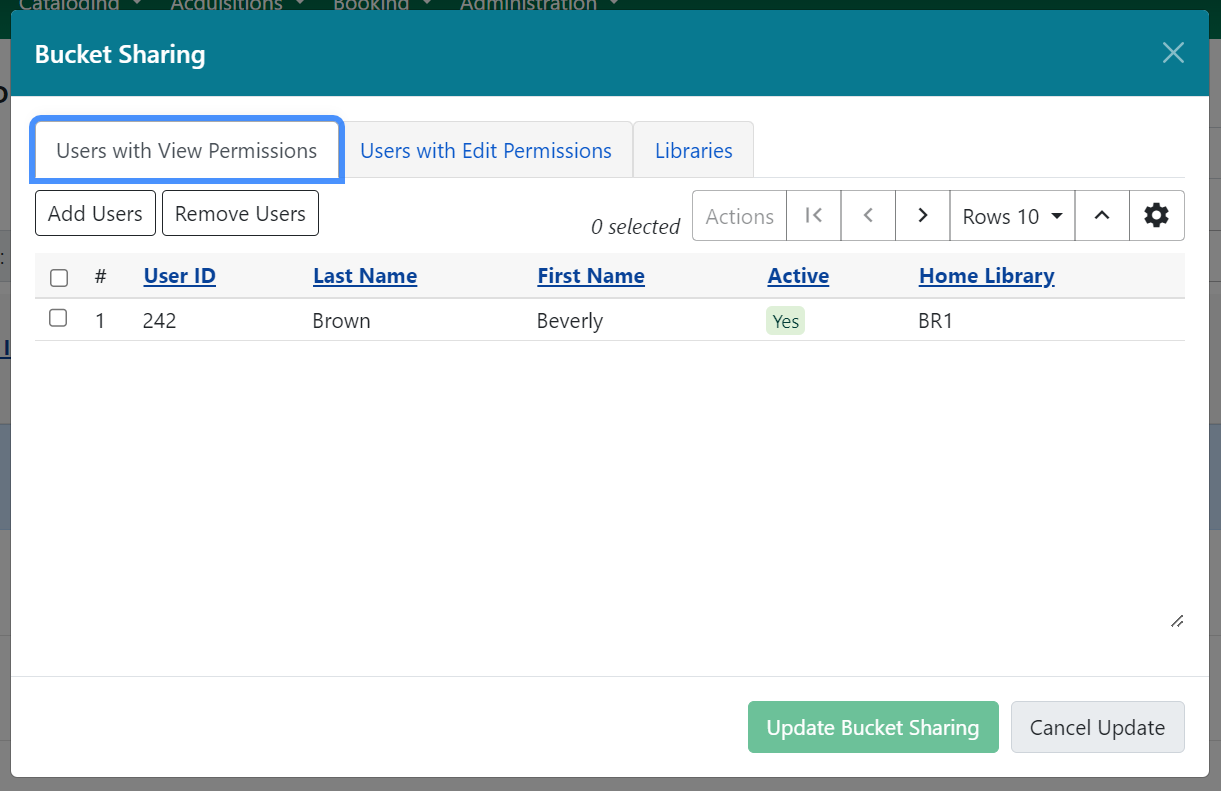
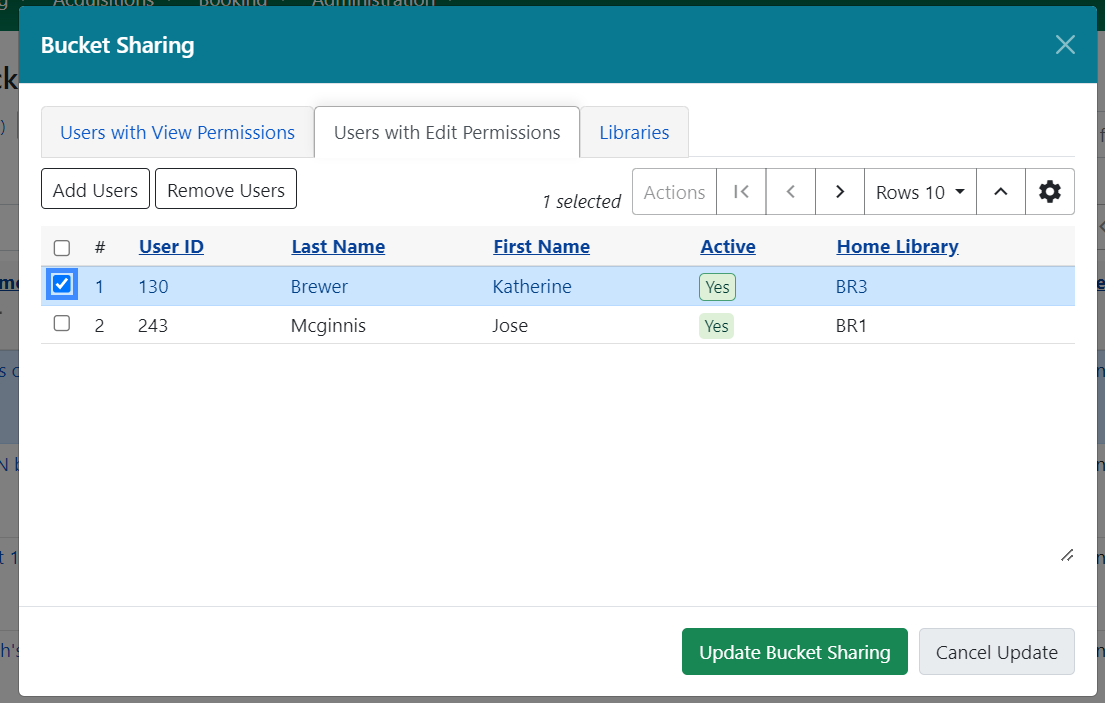
To add a user, navigate to either the Users with View Permissions or Users with Edit Permission tab. You will see a list of the current users with whom the bucket is shared.
-
Select Add Users which will open a user search modal.
-
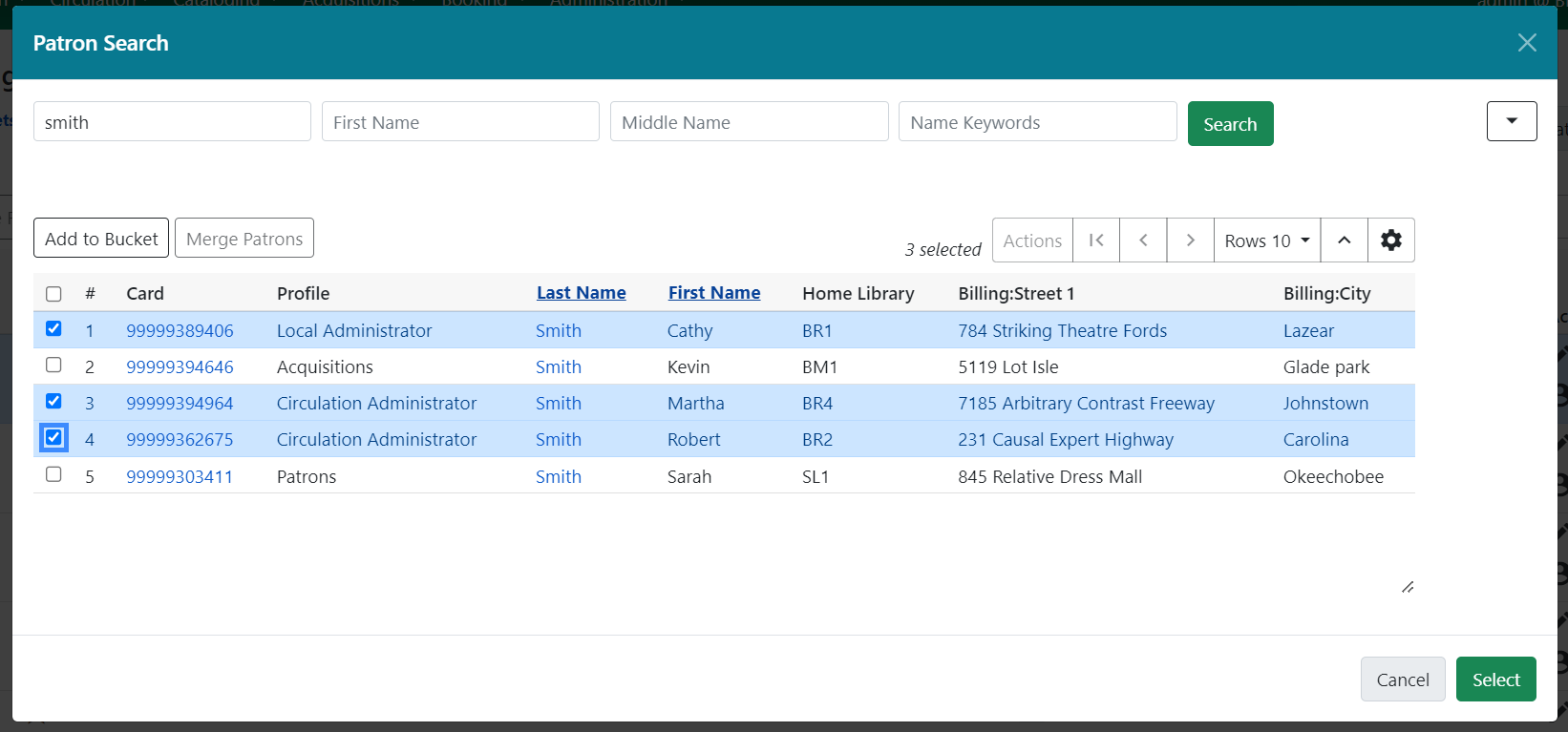
Search for users and select one or several users with the checkbox.
-
Use the Select button to add these users to your share list. You may only share buckets with staff users.
-
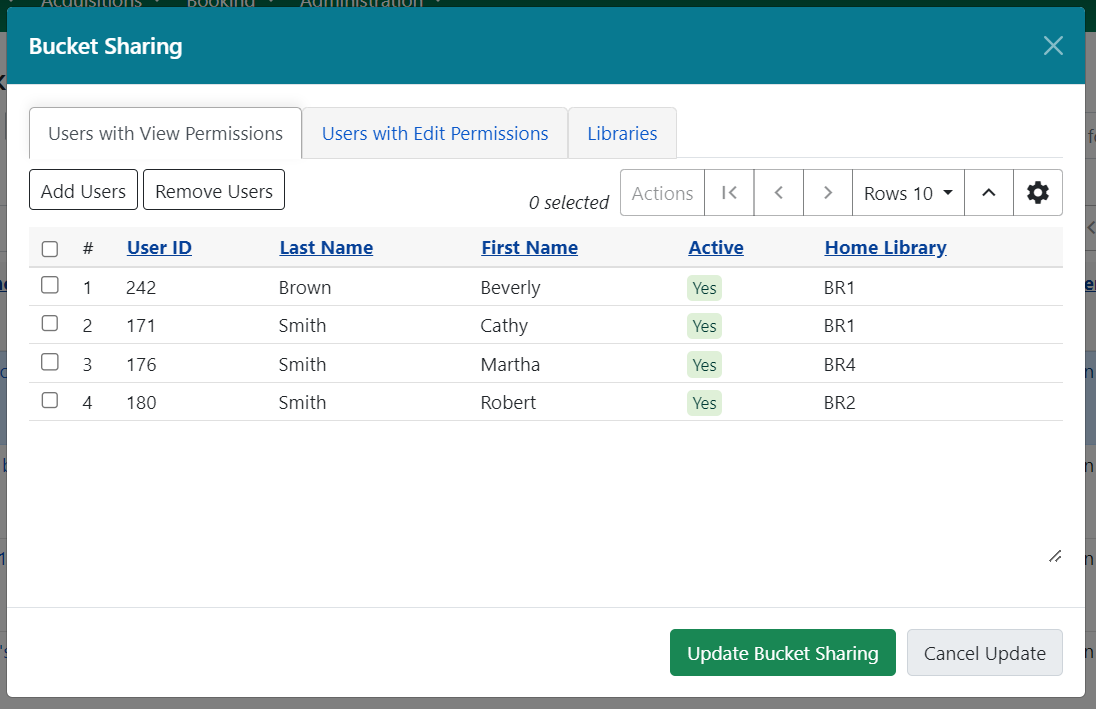
You will see your share list updated with the new share users. To complete your updates, select Update Bucket Sharing.
Share Buckets with All Staff at an Org Unit
-
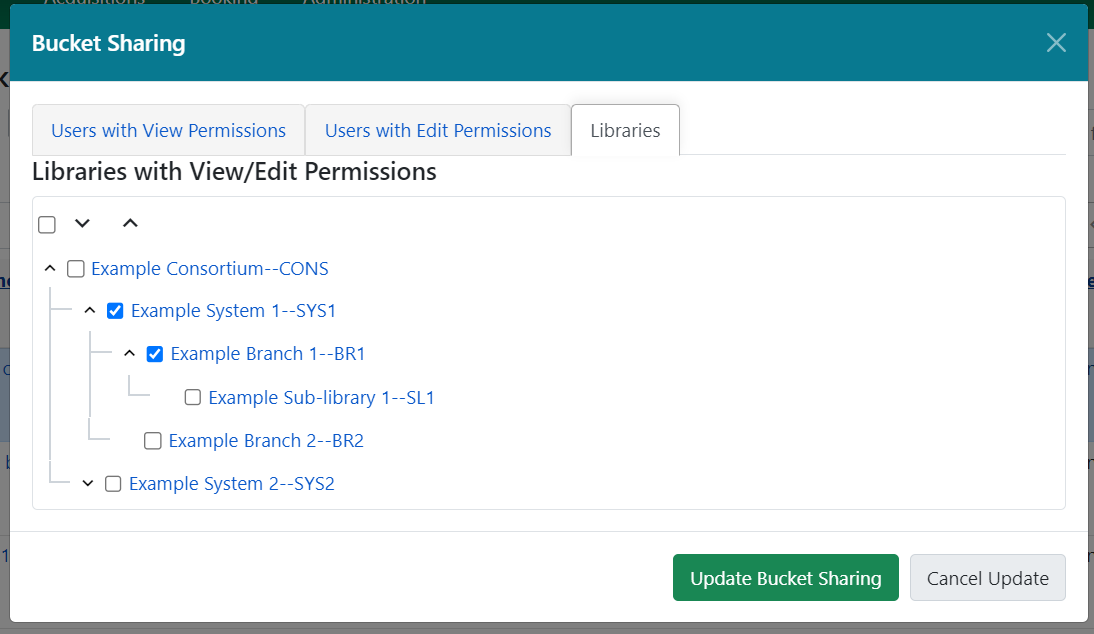
To share a bucket with all staff members of an organizational unit, select the Libraries tab in the sharing modal.
-
Select one or several organizational units from the tree. You will need to select or remove organizational units individually - shares do not inherit.
-
To complete your updates, select Update Bucket Sharing.
Remove Users
-
To remove a user, navigate to either the Users with View Permissions or Users with Edit Permission tab. You will see a list of the current users with whom the bucket is shared.
-
Select one or several users from the list.
-
Select Remove Users and the user will be removed from the share list.
Transfer Bucket Ownership
You can transfer a bucket to another staff user. Administrators can transfer buckets for other users, even if the administrator doesn’t directly own the bucket.
- Select the buckets you want to transfer.
- Choose Transfer Bucket Ownership from the Actions menu.
- This opens a modal which will prompt you to enter a barcode, or search for a user, to transfer bucket ownership.
Note: Depending on your permissions, once you transfer a bucket you may lose editing or viewing privileges for that bucket.
This page was: Helpful |
Not Helpful